
How to Build a Second Brain That Actually Works in 2026
Table of Contents
Introduction
Information exhaustion is crushing you. I've watched hundreds of people drown in saved articles, bookmarked videos, and random screenshots that never get used.
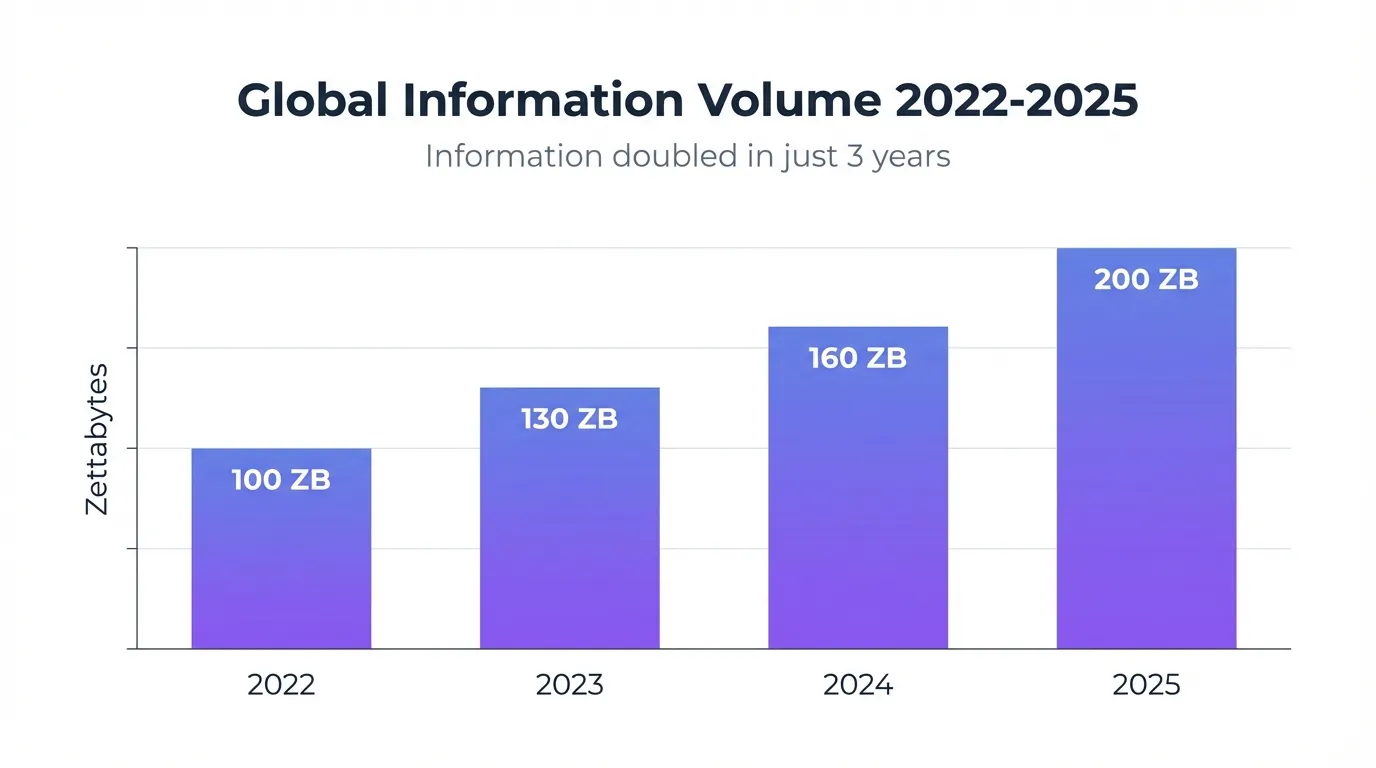
Your brain wasn't built for this. Forecasts show information volume doubled from 2022 to 2025. You're attempting to retain meeting notes, project details, brilliant ideas from podcasts, and that one article you swore you'd reference later.
Our brains can only hold a few thoughts at once. They're designed for creativity, not storage.
The Building a Second Brain methodology offers a practical solution.
I'm not promising magic productivity transformation. This is about creating an external system your brain can depend on. It takes consistent effort, but it works.
The alternative? Forgetting your best ideas. Or wasting hours searching for information you know you saved somewhere.
Why Your Brain Needs an External Hard Drive
The Information Exhaustion Problem Nobody Talks About
Your professional success depends on managing information effectively. The volume of information created, captured, and consumed worldwide doubled between 2022 and 2025. Traditional memory and folder systems can't keep pace.
Information Overload evolved into Information Exhaustion.
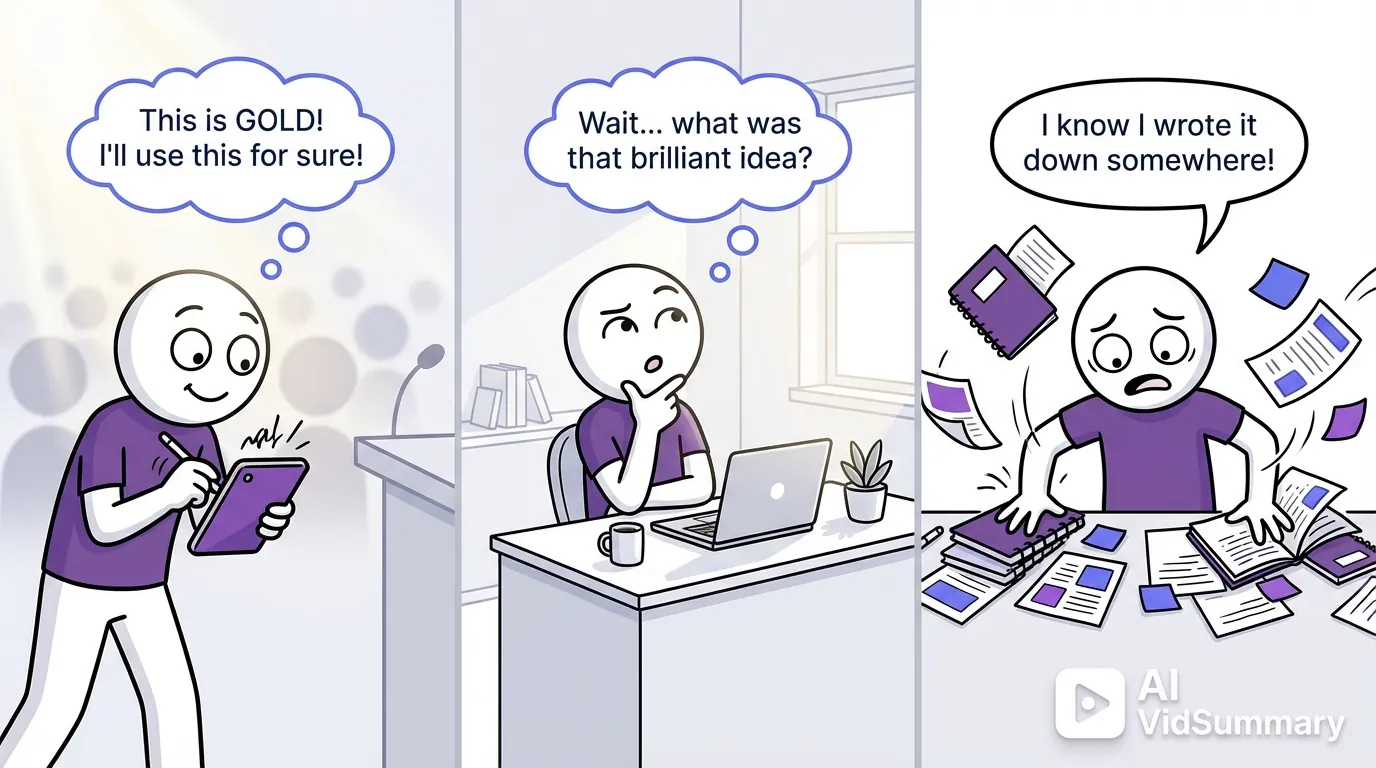
You're not failing because you lack discipline. You're failing because the human brain has biological limits. It can store maybe seven items in working memory. Everything else requires external support. Your brilliant insight from last Tuesday's meeting? Gone unless you captured it somewhere.
I see this daily with clients.
They attend conferences, consume courses, read dozens of articles. Six months later, they can't recall a single actionable insight. The information disappeared because they trusted their memory. That's not a character flaw. That's neuroscience.
What Your Brain Is Actually Good At
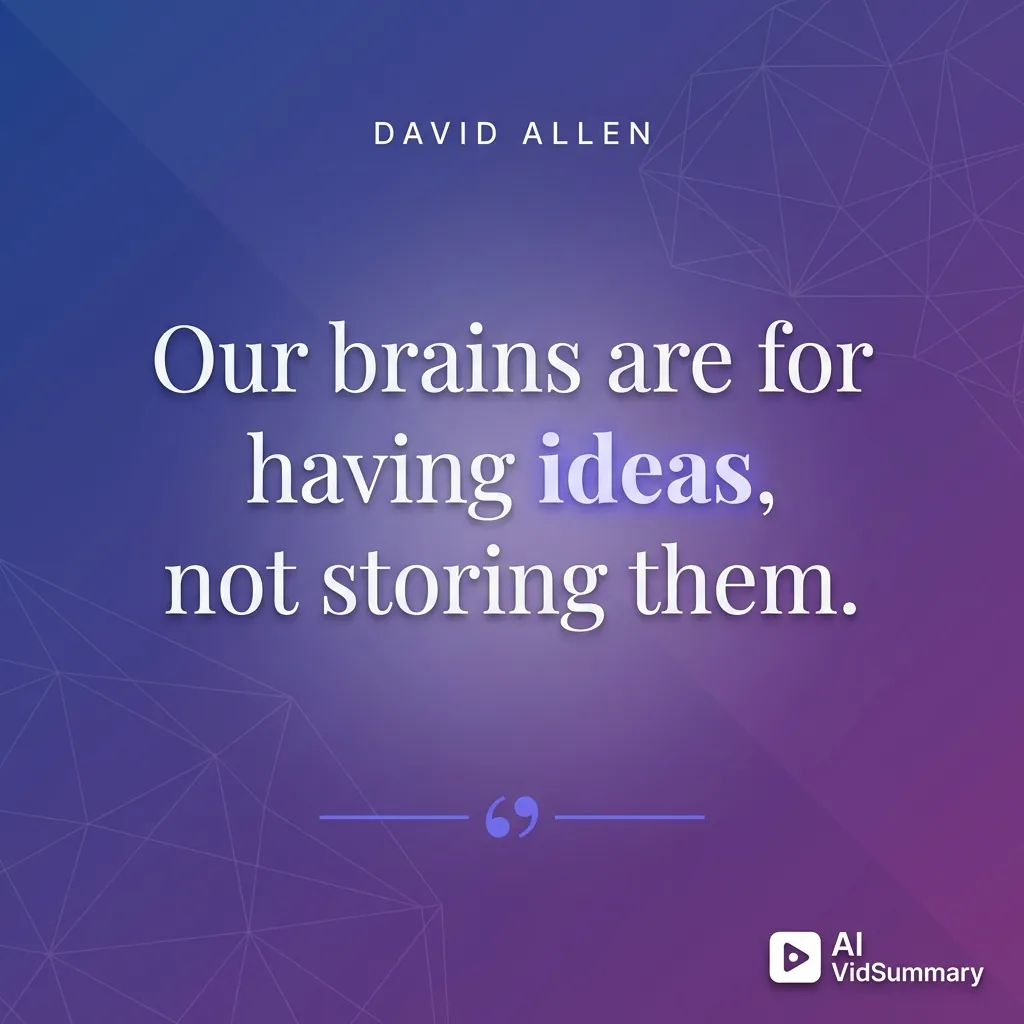
Your brain excels at pattern recognition and creative thinking. It connects disparate ideas, generates novel solutions, and processes complex emotions. Storage? Not so much.
"Our brains are for having ideas, not storing them."
I've experienced this shift personally. My brain used to feel cluttered with half-remembered facts. Now it feels spacious. The information lives in my second brain. My actual brain does what it's designed for: making connections and generating ideas.
What Building a Second Brain Really Means
The Official Definition That Actually Makes Sense
Tiago Forte's Building a Second Brain book describes it as an external, centralized, digital repository for knowledge. Not a productivity hack or magic bullet. A systematic approach to capturing, organizing, and using information you encounter.
The system expands you're memory and intellect.
Consider it infrastructure, not inspiration. You're creating reliable scaffolding for your ideas. The illustrated guide to the concepts demonstrates how this builds an external thinking environment. Your second brain becomes a mirror reflecting who you are and who you could become.
This demands consistent effort.
Nobody constructs this overnight. You develop habits over weeks and months. The system improves gradually through regular use.
Forte spent more than 10 years researching this methodology. His course students improve by 40 percent on average. That improvement comes from applying the system consistently, not from reading about it once.
What the Reddit Critics Get Right
A critical Reddit post with 244 upvotes calls the book ""just filler"." That user isn't entirely wrong. The book describes benefits extensively but provides less tactical guidance than some readers want.
You don't need Forte's $1,500 course to implement this.
The core concepts are simple enough to start today. Tiago Forte's research offers free resources. Reddit communities share practical implementation tips. You can build a functional second brain with free tools and public information.
The system won't eliminate all productivity struggles.
It won't make you a superhuman who remembers everything. It won't automatically transform your creative output. What it does? Gives you reliable infrastructure for managing information that matters to you.
How Historical Thinkers Managed Knowledge Without Apps
Niklas Luhmann created 70 books and 400 articles. His secret was a slip-box system called Zettelkasten. He wrote each idea on an index card, linked related cards, and built a physical second brain over decades.
Leonardo Da Vinci took a different approach. His notebooks were ""personal, informal, quick and dirty"." He sketched ideas, made observations, and captured everything that intrigued him. No rigid system (just consistent capture).
Both methods worked because they matched the creator's personality. Luhmann needed structure. Da Vinci needed freedom. Digital tools enable both approaches. You can build a highly structured system like Luhmann or a messy serendipitous one like Da Vinci. The medium changed, but the principles remain timeless.
The CODE Method Explained Without the Marketing Fluff
Capture Only What Resonates
Stop trying to save everything you encounter. That's a recipe for digital hoarding. Save things that resonate on an intuitive level instead.
Does this idea intrigue you? Capture it. Does this quote make you think differently? Save it.
Trust your gut.
You're not building a comprehensive knowledge archive. You're curating a personal collection of ideas that matter to you. Most content you consume gets skipped. That's fine. You're optimizing for usefulness, not completeness. Focus on ideas that connect to your interests and current projects.
For video content, tools like AI VidSummary turn hour-long tutorials into digestible summaries. You can extract key points from educational videos without watching them entirely. This feeds your second brain without the time investment of traditional video consumption.
"How do I make what I'm consuming right now easily discoverable for my future self?"
Capture with future retrieval in mind.
Organize by Actionability, Not Subject
The PARA method organizes information by when you need it. Projects are things with deadlines and defined outcomes. Areas are ongoing responsibilities you maintain. Resources are topics of interest for reference. Archive holds everything inactive.
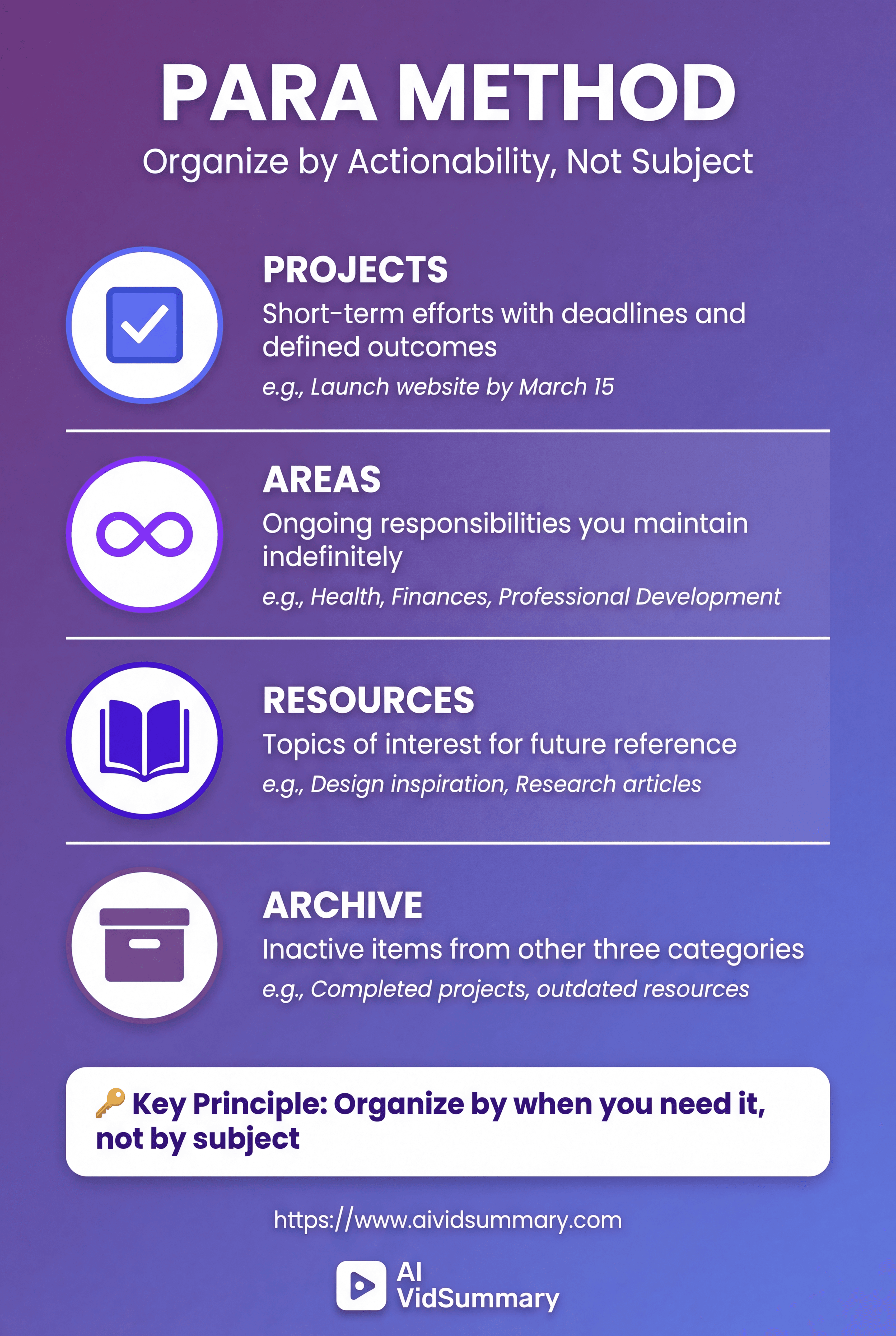
This beats traditional subject-based filing systems.
You don't need to decide if a marketing article goes under "Business" or "Marketing" or "Digital Strategy." You ask: "Am I actively working on this?" If yes, it's a Project or Area. If not, it's a Resource or Archive.
Distill Notes Over Time, Not All at Once
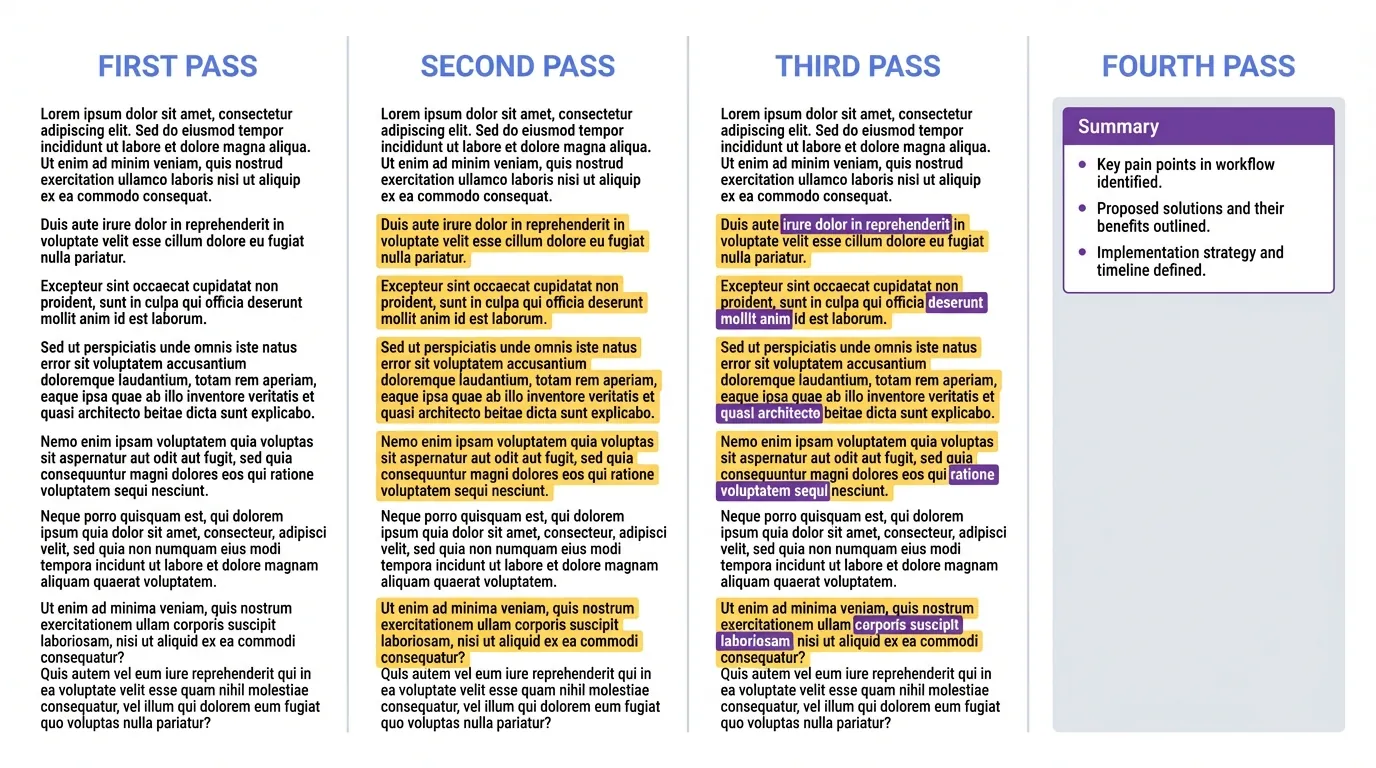
Progressive Summarization means adding value to notes gradually:
- First pass — Save the article
- Second pass — Highlight key sentences
- Third pass — Highlight your highlights
- Fourth pass — Add your own summary at the top
You're creating layers like a digital map. Zoom out for quick overview. Zoom in for detailed context. This approach prevents the perfectionism trap of trying to create perfect notes immediately.
Express Through Intermediate Packets
Break creative projects into discrete, reusable units. A blog post becomes: research notes, outline, first draft, final draft. Each piece is an Intermediate Packet you can repurpose.
This reduces creative friction significantly. You're not staring at a blank page trying to produce a finished article. You're assembling existing building blocks into new configurations. Work in smaller increments. Get faster feedback. Ship more consistently.
The PARA Method for People Who Hate Organizing
Projects Have Deadlines and Defined Outcomes
A project has a specific goal and completion date. Launch website by March 15. Plan wedding for June. Write thesis by December. If it has an end state, it's a project.
Most people blur projects with areas and wind up confused. "Marketing" isn't a project (it's an area). "Launch Q2 marketing campaign" is a project. This distinction matters because projects advance through concrete actions. Areas need continuous maintenance without a finish line.
Keep your active projects visible and limited.
You can't effectively work on 20 projects simultaneously. I recommend maximum five active projects at once. Everything else goes to Resources or Archive until you're ready to activate it.
Areas Are Ongoing Responsibilities
Areas have no end date. They're standards you maintain indefinitely. Health, Finances, Professional Development, Relationships. These never reach completion.
You don't "finish" being healthy. You maintain health standards through ongoing habits. Same with finances, learning, and relationships. Areas need regular attention but different thinking than projects.
Resources Are Topics of Interest
Resources contain information you might reference later. Recipes you want to try. Design inspiration for future projects. Research papers relevant to your field.
These aren't currently active. They're potentially useful. Create new resource folders when you notice yourself saving multiple items on the same topic. Don't pre-create categories you think you should have.
Let your actual interests drive your organizational structure.
Archive Everything Else in 60 Seconds
The clean slate approach from the detailed PARA breakdown works like this:
- Create an Archive folder
- Add today's date to the folder name
- Move all existing files into it
- Done
This takes less than 60 seconds. You just freed yourself from the overwhelming task of organizing years of accumulated files. Start fresh with empty PARA folders. Retrieve from archive only when you actually need something.
You'll discover you rarely need archived material. Most information has an expiration date. What felt crucial six months ago is often irrelevant now. The archive exists for the rare moments you do need historical context. Everything else can stay buried.
The productivity community discussions confirms this approach works for most people. Initial resistance gives way to relief. Your organizational system becomes lightweight and manageable.
Picking Second Brain Tools Without Getting Stuck
The Big Three: Notion, Obsidian, and Evernote
Notion works beautifully for visual thinkers who love databases. You can create linked databases, gallery views, and complex organizational structures. The Notion community shares thousands of creative templates. Downside: it's cloud-only and can feel overwhelming with too many features.
Obsidian appeals to people who want local-first, privacy-focused notes. Your files stay on your computer in plain markdown. You own your data completely. The graph view shows connections between notes visually. Learning curve is steeper than Notion.
Evernote offers simple, reliable capture across devices. It's been around since 2008 and just works. The Evernote users appreciate its stability. It lacks the advanced features of Notion and Obsidian. Sometimes simple is better.
I've used all three.
Each has strengths depending on your needs:
- Notion for collaborative projects
- Obsidian for private thinking
- Evernote for quick capture
Pick based on what feels natural to you.
The Best Tool Is Whichever One You'll Actually Use
Tool-switching destroys momentum completely. Every switch resets your progress to zero. You spend weeks learning the new tool, migrating content, and rebuilding your system.
The personal knowledge management community is full of people perpetually switching tools. They chase the perfect setup instead of building actual content. Don't be that person.
Simple system used daily beats complex system used monthly.
The Hybrid Approach That Actually Works
Paper excels for initial capture and brainstorming. The physical act of writing aids memory and creativity. I use paper notebooks for meeting notes and idea generation.
Digital excels for organization and retrieval. Searching thousands of digital notes takes seconds. Searching paper notebooks takes hours. I transfer important paper notes to digital within 24 hours.
Use strengths of each medium. Don't force yourself into digital-only or analog-only. Most successful practitioners use both strategically.
Your First Week: Building the Foundation Without Overwhelm
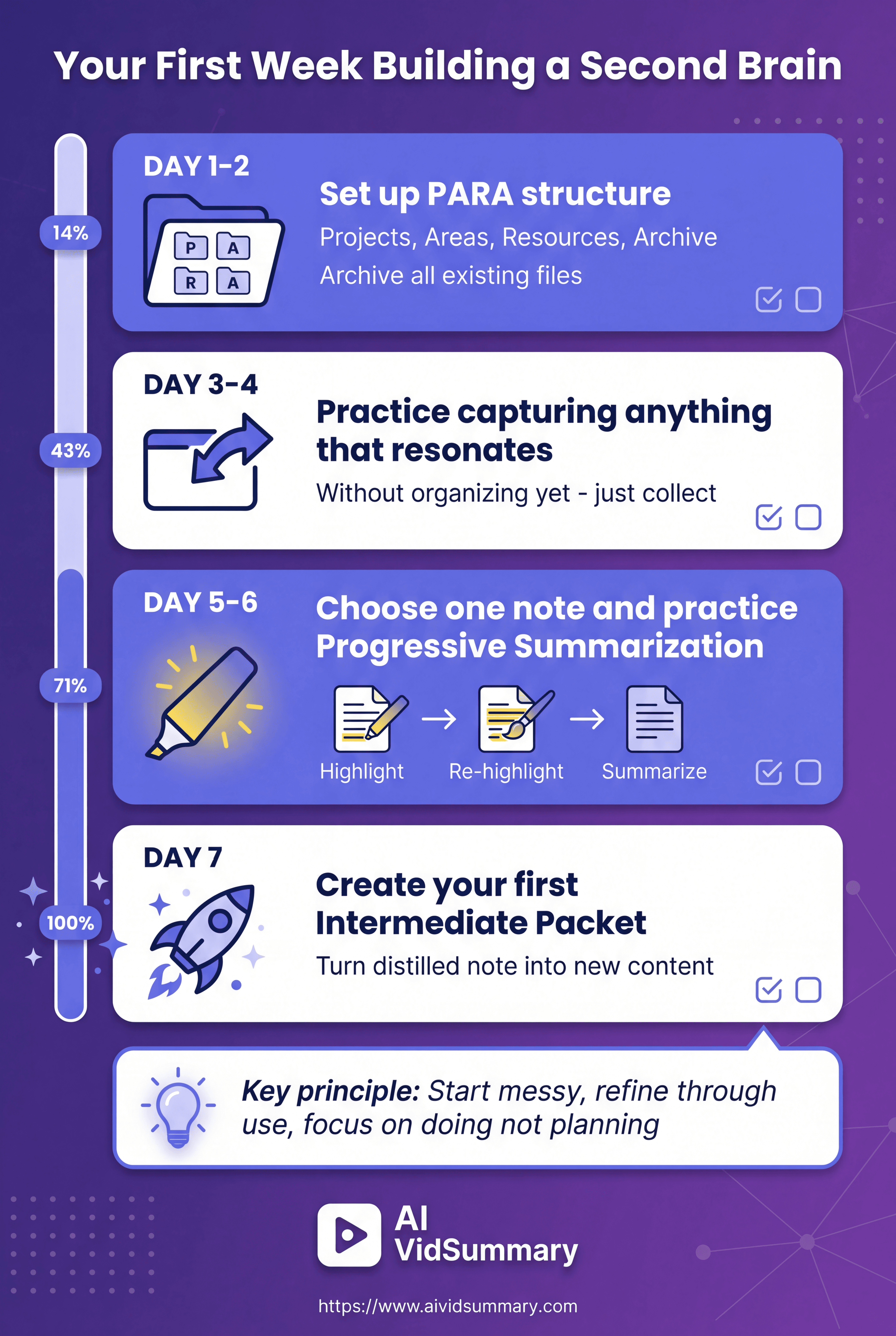
Day 1 to 2: Set Up Your PARA Structure
Create four main folders: Projects, Areas, Resources, Archive. That's it. Don't create subfolders yet. Don't plan elaborate organizational schemes.
Archive everything you currently have.
Create a folder called "Archive 2026-02-11" and move all existing files into it. Start with empty PARA folders. This feels uncomfortable initially. You'll survive. The clean slate prevents paralysis from trying to organize everything perfectly before starting.
Day 3 to 4: Practice Capture Without Judgment
Save anything that sparks genuine interest. Interesting article? Save it to Resources. Meeting notes? Save to relevant Project or Area. Random idea? Capture it quickly.
Use your tool's quick capture shortcuts. Notion has quick add. Obsidian has daily notes. Evernote has web clipper. Don't worry about organizing yet. Just collect what resonates with you.
Day 5 to 6: Your First Progressive Summarization
Choose one captured note to distill. Read it fully. Highlight the most important sentences. Then highlight your highlights (the absolute key points). Add a brief summary at the top in your own words.
This takes 10 minutes maximum.
You're experiencing the core practice of distillation. For educational videos, tools like AI VidSummary help by turning hour-long content into layered summaries. You get the key points without watching everything. These distilled summaries feed directly into your second brain for further refinement.
Notice how much easier this note is to use now. The summary gives you the essence immediately. The highlights provide detail if needed. You added value through distillation.
Day 7: Create Your First Intermediate Packet
Turn your distilled note into something new. Write a social media post sharing the key insight. Draft an email to your team. Create a slide for an upcoming presentation. The format doesn't matter, what matters is expressing something.
You just experienced the payoff of the entire system. You consumed information, distilled it, and created new output. This is the factory model Forte describes. Your second brain isn't a warehouse for storage. It's a production facility for creative work.
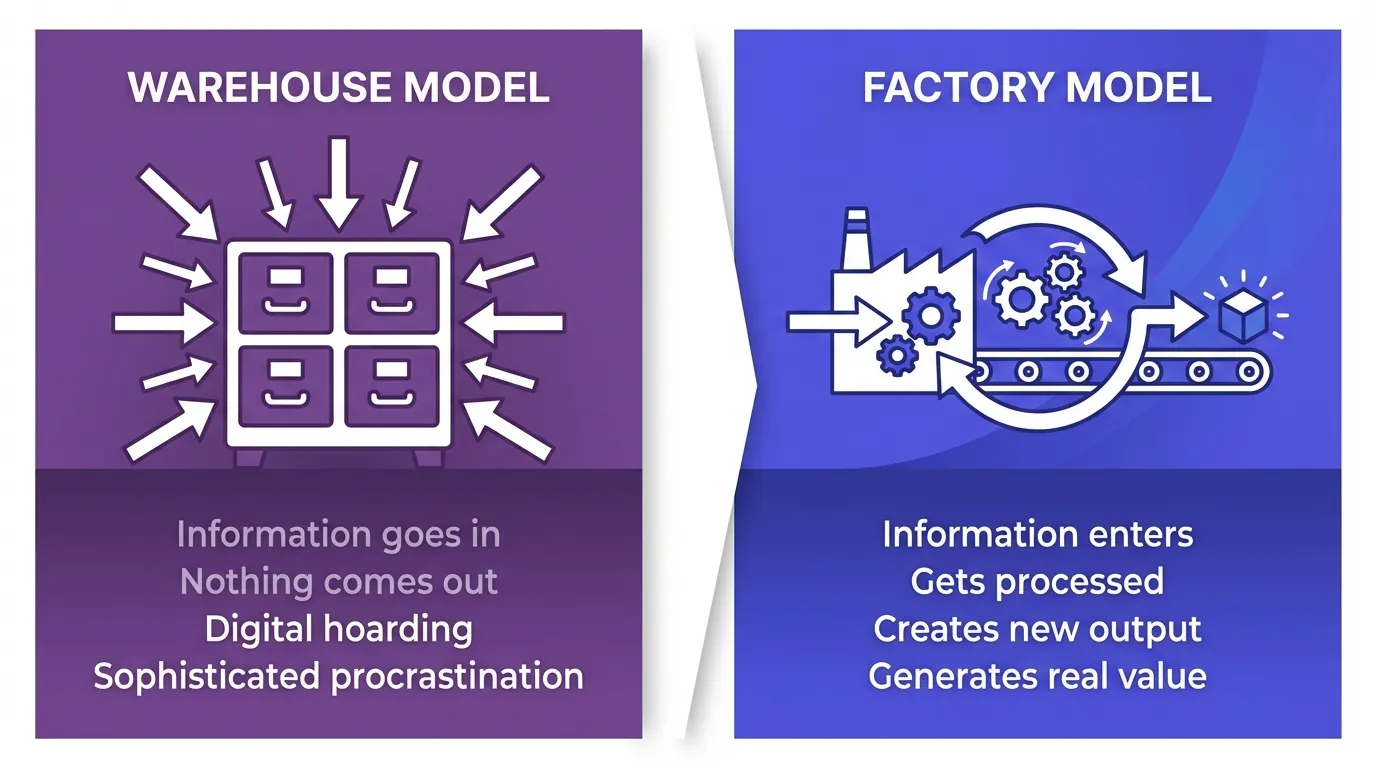
Information management without output is just sophisticated procrastination.
Celebrate this small win.
The Mistakes Everyone Makes in Month One
Trying to Organize Everything Perfectly From Day One
Perfect organization? That's just procrastination wearing a productivity costume. You'll burn weeks constructing elaborate folder hierarchies and intricate tagging schemes. While you're busy architecting, you're not capturing anything or producing anything.
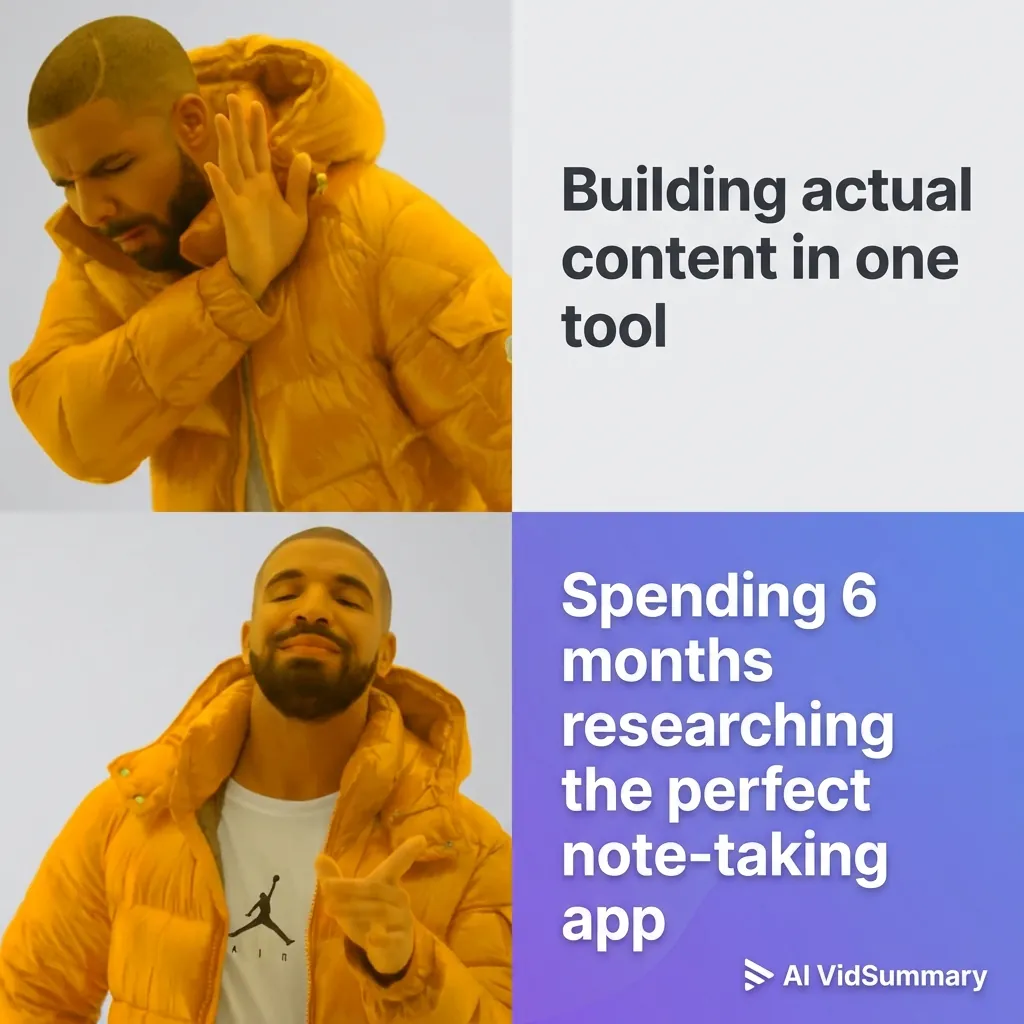
Systems get better through actual use, not through planning. Messy action wins against perfect planning. Every single time. Your organizational structure needs to grow from how you actually work, not from predictions about what you might need someday. You can't forecast this stuff. You discover it by doing.
Start messy.
The critical Reddit discussion shows this trap in action. People get permanently stuck in setup mode. They never actually construct their second brain. They construct theoretical blueprints for a second brain that stays theoretical forever.
Refine gradually when real needs surface.
Capturing Everything Instead of What Resonates
More notes doesn't equal more value. Digital hoarding is hoarding no matter what you call it. You're not assembling the Library of Alexandria. You're building a personal space for thinking.
Capture only what genuinely sparks something in you. Trust your gut on what matters. Saving something because you "should" instead of because you actually want to? Skip it.
Quality crushes quantity.
Switching Tools Every Two Weeks
The grass always appears greener in the shiny new tool. Notion users envy Obsidian's simplicity. Obsidian users envy Notion's databases. Everyone switches constantly and constructs nothing substantial.
Switching wipes all progress back to zero. You lose momentum, burn time on migration, and never develop real expertise with any single tool. The Zettelkasten method community watches this pattern repeat endlessly.
Commit to 90 days minimum with one tool.
Never Actually Expressing Anything
Your second brain is a factory, not a warehouse. Collecting without creating misses the entire point. Information management is a means to an end. The end is creative output and tangible results.
Create small outputs regularly. Share insights publicly. Use your notes in real projects. Expression validates the system and shows what's actually useful.
What Success Actually Looks Like After Six Months
The Subtle Shift in How You Think
Your mind starts depending on the external system naturally. You stop trying to remember everything. Mental burden decreases. Anxiety about forgetting important information fades.
This shift happens gradually without conscious effort. You develop confidence that information is retrievable when needed. Your brain becomes available for creative thinking instead of storage.
You notice yourself making connections between ideas more easily. The system freed mental bandwidth for actual thinking.
Ideas from different domains start intermixing naturally.
Real implementation stories from practitioners like Mark Palmer show this pattern. His 9,400 digital notes in Day One created an external thinking environment. His mind works differently now, drawing on resources far beyond what memory alone could hold.
Faster Project Completion Without Working More Hours
You reuse research across multiple projects easily. Starting new projects feels less daunting because you have existing building blocks. Time from idea to finished work decreases significantly.
This isn't about working faster through sheer effort. You're working smarter through accumulated assets. Your Intermediate Packets become reusable components. You assemble them into new configurations rather than starting from scratch each time.
What the 40 Percent Improvement Actually Means
The course statistic about students improving 40 percent sounds dramatic. What does that actually mean in practice? Better organization and recall of information. Faster completion of academic projects. Reduced anxiety about managing coursework.
It doesn't mean 40 percent more productive overnight. That's not how this works. The reader reviews show varied results. Some people experience dramatic shifts. Others notice subtle improvements. The system compounds benefits gradually over time through consistent use.
Conclusion
Building a second brain isn't a project. It's a practice.
Start with the one-week implementation guide I provided.
Create your PARA structure today. Practice capture for a few days. Distill your first note. The official Building a Second Brain resources offer additional guidance. Video tutorials show the system in action. Reddit communities provide real-world troubleshooting.
Consistency beats complexity every single time. A simple system used daily transforms how you work with information. Your future self will thank you for starting today.
Share this
About AI Vid Summary Team
We're a passionate team dedicated to transforming how people learn from video content. At AI Vid Summary, we combine cutting-edge AI technology with user-friendly design to help students, professionals, and lifelong learners extract maximum value from YouTube videos and online courses.
Try AI Vid Summary

Loading comments...