
Stop copy-pasting summaries. Export directly to your Notion workspace with one click. Keep all your learning in one place, perfectly formatted.
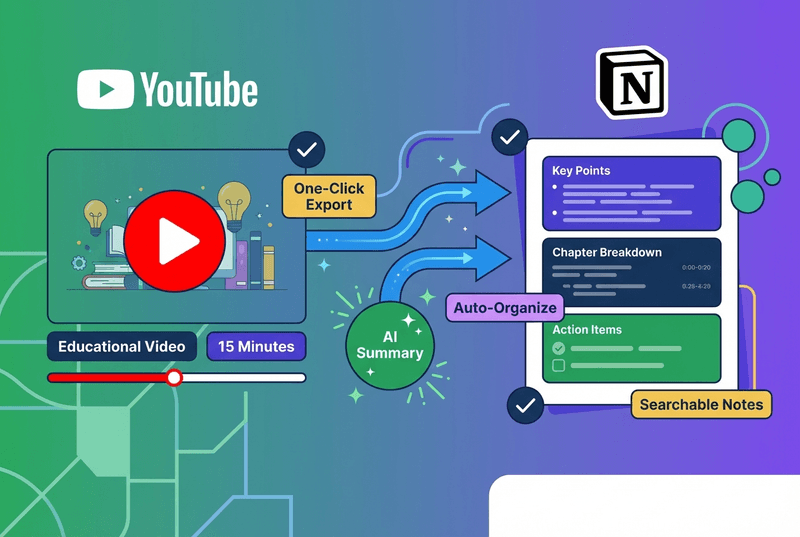
Your video knowledge belongs in Notion. Get it there in one click.
Copy, switch tabs, paste, fix broken formatting, manually add links...
10 minutes wasted
Click export, choose your page. Done. Perfect formatting preserved automatically.
5 seconds flat
More than just export—smart formatting, database integration, and automatic organization
Connect your Notion workspace once, then export any video summary with a single click. No manual copying or pasting ever again.
Headings, bullets, timestamps, and highlights all preserved. Summaries look beautiful in Notion—no cleanup needed.
Add summaries directly to your existing Notion databases. Organize by course, project, topic, or any custom property.
Choose from multiple export formats: study notes, meeting minutes, research summary, or create your own template.
AI suggests relevant Notion tags based on video content. Keep your workspace organized without manual categorization.
Summary includes embedded YouTube player. Watch the original video right inside your Notion page—no switching tabs.
From student notes to team knowledge bases
For Students
Build a Notion database for each course. Export lecture summaries, auto-tag by topic, organize by week, and add to your study guide database.
✓ Result: Comprehensive study notes for every class, all searchable in one place. Exam prep becomes 10x easier.
For Researchers
Create a Notion database for research papers. Export academic video summaries, tag by methodology, link to paper notes, and build your literature review.
✓ Result: Organized research library with video + paper notes in one database. Literature reviews write themselves.
For Teams
Share industry insights with your team. Export webinar and conference summaries, add to team workspace, tag by department, and let teammates read async.
✓ Result: Everyone stays informed without attending every meeting. Team knowledge grows exponentially.
For Lifelong Learners
Track your learning journey. Export tutorial summaries, add personal reflections, track progress over time, and review what you've learned.
✓ Result: Notion becomes your second brain. See your growth and never forget what you've learned.
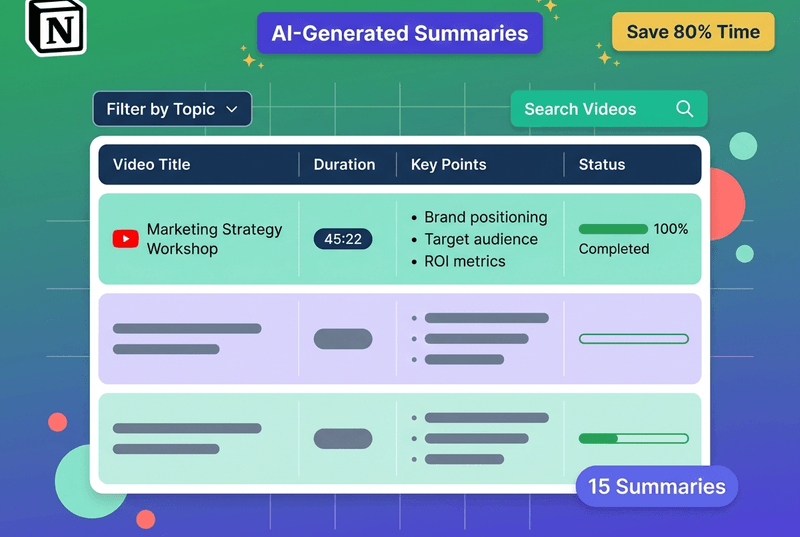
Students, professionals, and lifelong learners keeping everything organized
Emma Rodriguez
Psychology Student
"Game-changer for my study workflow! I export every lecture to my Notion course database. Everything is perfectly organized and I can search across all my notes. Got straight A's this semester!"
Marcus Brown
Physics Major
"The one-click export is brilliant. I have all my quantum mechanics lectures in Notion with formulas and timestamps perfectly formatted. No more copy-pasting!"
Sarah Rodriguez
Product Manager
"I export competitor webinars to our team Notion. Everyone can read the summaries async. Saves 5+ hours of meeting time per week. The ROI is insane!"
Jennifer Kim
HR Director
"We use Notion for all our training documentation. Now I can export training video summaries directly to our knowledge base. Onboarding new hires is so much easier!"
Robert Chen
Retired Engineer
"I keep a personal learning journal in Notion. Every documentary, lecture, tutorial goes into my knowledge base. After 6 months, I have 200+ summaries perfectly organized. It's my second brain!"
Click "Connect Notion" in your dashboard settings, authorize access to your workspace, and you're done! The connection is secure and only takes 30 seconds. You can disconnect anytime.
Summaries are exported as properly formatted Notion pages with headings (H1, H2, H3), bullet points, timestamps (as clickable links), highlights, and embedded video player. Everything looks beautiful—no cleanup needed.
Yes! Choose from preset templates (study notes, meeting minutes, research summary) or create your own custom template. You can also edit the summary in Notion after export.
Yes! You can export summaries directly to existing Notion databases. Add custom properties, tags, dates, and organize by any database field. Perfect for course notes, research libraries, and team knowledge bases.
Yes! Use our batch export feature to export multiple summaries to Notion in one go. Perfect for migrating your entire summary library or organizing large playlists.
Absolutely! We use Notion's official API with OAuth 2.0 authentication. We only request write permission for pages—we cannot read your existing Notion content. You can revoke access anytime from Notion settings.
Join 500,000+ users organizing their video knowledge beautifully