
Stop reformatting summaries. Choose from 12 preset templates and get perfectly structured summaries for study notes, blog posts, social media, meetings, and more.
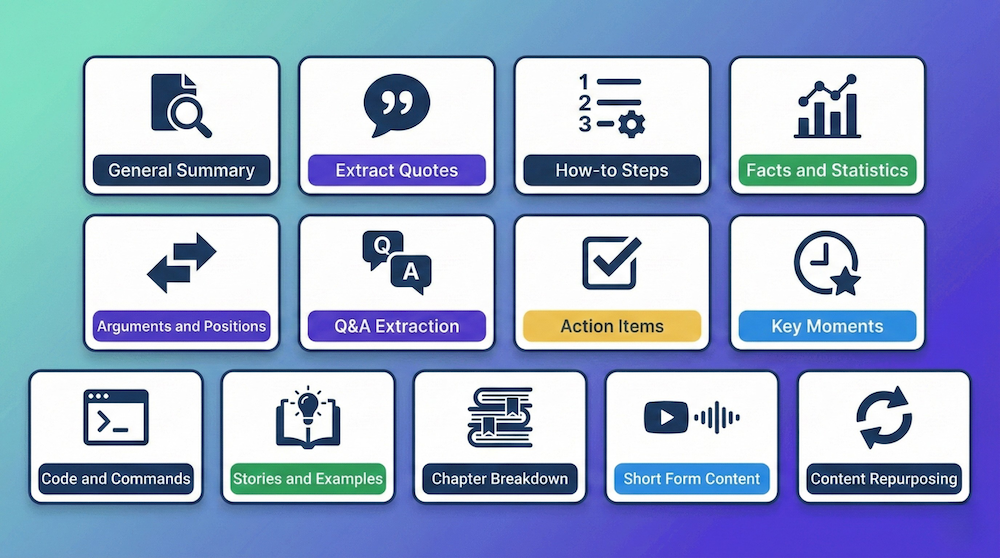
Different use cases need different formats. Students need study notes. Marketers need blog posts. Professionals need action items. Get the exact format you need—instantly.
Get generic summary
Basic paragraph format, no structure
Manually reformat
Add headings, restructure paragraphs
Convert to bullets or numbered lists
Break down information manually
Adapt for your specific use case
Spend time tailoring the format
Select your template
Choose from 12 preset formats
Get perfectly formatted summary
AI structures content for your use case
Copy and use immediately
Ready for your workflow instantly
No manual work needed
Skip all the tedious formatting
Each template is optimized for a specific use case—choose the format that fits your needs
Comprehensive overview with key points, main ideas, and conclusions. Perfect for all-purpose use.
Pull memorable quotes, citations, and key statements. Ideal for content creators and writers.
Step-by-step instructions with timestamps. Perfect for tutorials and DIY videos.
Extract data points, numbers, and statistics. Great for research and reports.
Identify perspectives, debates, pros and cons. Ideal for analysis and critical thinking.
Questions and answers formatted clearly. Perfect for interviews and Q&A sessions.
Actionable to-dos, tasks, and next steps. Essential for meetings and productivity.
Highlight important timestamps and turning points. Great for long videos and events.
Extract code snippets, terminal commands, and technical instructions. Developer-focused.
Pull narratives, case studies, and real-world examples. Perfect for learning and teaching.
Section-by-section summary with timestamps. Great for educational content and courses.
Twitter threads, TikTok scripts, and bite-sized content. Perfect for social media.
Multi-format output for blogs, newsletters, and social media. Content creator's dream.
Create and save up to 5 custom templates (Ultimate plan). Design your perfect summary format.
See how professionals use templates to work smarter
Medical student Sarah uses the Chapter Breakdown template for her 3-hour anatomy lectures. She gets section-by-section summaries with timestamps, making it easy to review specific topics before exams.
How-to Steps template for lab procedure videos
Facts and Statistics for research paper citations
Result: Improved GPA by half a point

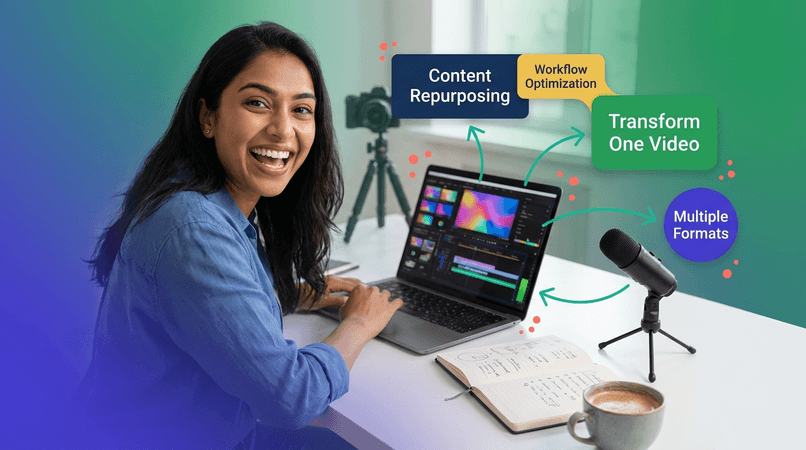
YouTube creator Marcus uses Content Repurposing template to turn one 20-minute video into a blog post, Twitter thread, and LinkedIn article—all in under 5 minutes.
Extract Quotes for Instagram posts
Short Form Content for TikTok scripts
Result: 5x content output with same effort
Full-stack developer Priya uses Code and Commands template for programming tutorials. She gets all code snippets, terminal commands, and file structures extracted automatically.
How-to Steps for deployment guides
Key Moments for debugging walkthroughs
Result: Learning speed increased 3x

Project manager David records team meetings and uses Action Items template to automatically extract tasks, deadlines, and owners. No more manual note-taking.
Q&A Extraction for client calls
Arguments and Positions for strategy reviews
Result: 2 hours saved per week

Students, educators, marketers, developers—everyone finds the perfect template
Lisa Thompson
Nursing Student
"The Chapter Breakdown template is perfect for anatomy lectures! Key concepts, definitions, and formulas are formatted exactly how I need them. Aced my midterms!"
Tyler Davis
Economics Major
"I use the Facts and Statistics template for academic videos. Gets data points, numbers, and citations perfectly structured. My literature reviews write themselves!"
Jennifer Williams
High School Teacher
"The How-to Steps template saves me hours every week! I get step-by-step instructions from educational videos. Game-changer for teachers!"
Dr. Sarah Chen
Department Head
"I use the Action Items template for faculty meetings. Tasks, deadlines, owners—everything perfectly organized. Share with the team immediately!"
Emma Thompson
Content Marketing Manager
"The Content Repurposing template is incredible! I turn videos into blog posts, tweets, and LinkedIn content in minutes. 10x'd our content output!"
Alex Rodriguez
Full Stack Developer
"Code and Commands template extracts every snippet from programming tutorials. No more pausing and copying code. Learning speed increased 3x!"
12 preset templates: General Summary, Extract Quotes, How-to Steps, Facts and Statistics, Arguments and Positions, Q&A Extraction, Action Items, Key Moments, Code and Commands, Stories and Examples, Chapter Breakdown, Short Form Content, and Content Repurposing. Plus, create up to 5 Custom Templates on the Ultimate plan.
Yes! While you can't modify preset templates, you can edit the summary after generation. On paid plans, you can also create and save your own custom templates.
Yes! You can regenerate the same video with a different template anytime. Perfect for repurposing content—turn study notes into a blog post, or a blog post into social media content.
Yes! All templates work with all 111 supported languages. The formatting structure is preserved regardless of language.
Yes! The free forever plan includes the General Summary template. Pro and Premium plans unlock additional templates. Ultimate plan includes all 12 preset templates + up to 5 Custom Templates.
Free (Forever): General Summary
Pro: General Summary + Extract Quotes, How-to Steps, Facts and Statistics, Q&A Extraction
Premium: Pro templates + Action Items, Key Moments, Arguments and Positions, Chapter Breakdown
Ultimate: All 12 preset templates + up to 5 Custom Templates
Absolutely! We're always adding new templates based on user feedback. Submit your template ideas through our feedback form or support chat.
No! Templates only change the formatting and structure—the underlying AI analysis is identical. All templates use the same GPT-4, Claude, and Gemini models for accuracy.
Yes! Generate the same video with multiple templates to repurpose content (available on paid plans). For example, use Chapter Breakdown for personal study, then Content Repurposing template to create blog posts and social media content.
Start with General Summary free forever. Upgrade to unlock all 12 templates + create custom formats.