How to Stop Information Overload from Destroying Your Productivity in 2026

Introduction
Your brain isn't designed to handle 47 browser tabs open, 200 unread emails awaiting, and a Slack notification pinging every three minutes.
I'm Piyush Agarwal. Over the past decade, I transitioned from being a resourceful freelancer earning just $200 a month to leading Massive Impact, an agency generating around $500K annually that assists clients in cutting through digital chaos.
The journey taught me that information overload isn't a personal failing—it's a systemic problem requiring systematic solutions.
Solving information overload doesn't mean becoming a digital hermit or deleting all your apps. It's about consuming strategically and managing your attention wisely.
Ahead is a step-by-step framework I've crafted through client work, transforming them from scattered and reactive to focused and purposeful. You'll find beginner methods (perfect if you're currently overwhelmed), intermediate tactics for establishing lasting systems, and advanced techniques for those aiming to master information filtering. Each strategy comes with specific steps for execution, steering clear of vague tips like "be more mindful." We're addressing decision fatigue, cognitive burden, and digital overwhelm with tangible tools you can apply immediately.
Why Your Brain Physically Can't Handle Today's Information Overload
Your brain's not malfunctioning. It's just operating on hardware that's about 200,000 years old, trying to cope with the information deluge of 2026. Imagine this: in one day, you absorb more information than someone from the 15th century encountered throughout their entire existence.
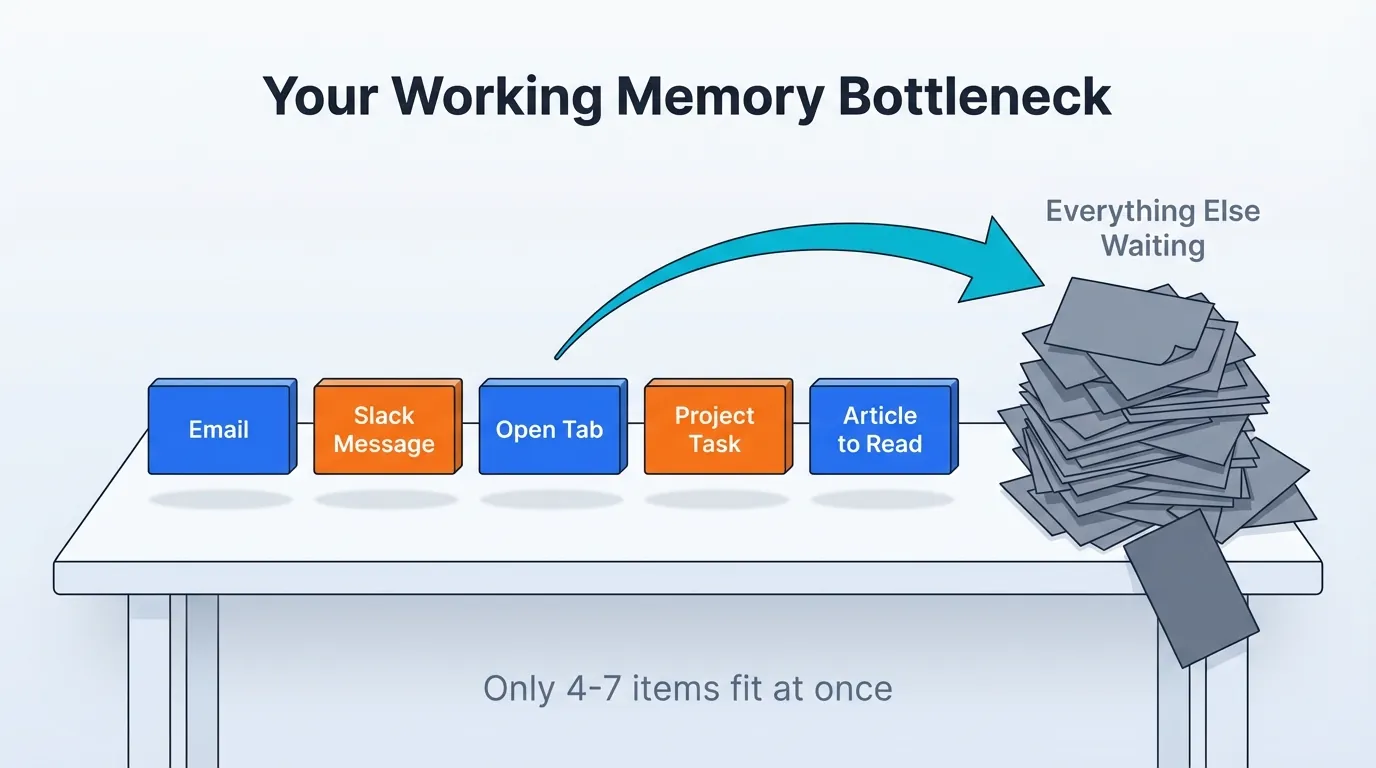
I've observed many clients get stuck in what I like to call "tab bankruptcy" - nearly 50 browser tabs open, running multiple productivity applications, with Slack interrupting every minute and a half, resulting in no real work being accomplished. Our brains simply aren't wired for this level of disorder. Working memory, the mental space for thinking and processing, can only manage about 4-7 items at once. When you hop between emails, Slack messages, project management tools, research tabs, and that article you feel compelled to read, it's not multitasking. You’re just forcing your brain to constantly reload information, like a computer burdened with too many applications. Every switch depletes your cognitive resources. By mid-afternoon, you're exhausted and yet nothing substantial has been achieved.
Science verifies this.
Addressing digital overwhelm means recognizing that this isn't about willpower. It's a cognitive load issue.
The Working Memory Bottleneck That Undermines Everything
Picture working memory as a small desk with room for five index cards at most. Every alert, every open tab, every "quick" Slack message occupies one spot. When those spaces are filled, your brain can't take in new information without discarding something else. Consequently, you might read the same paragraph over and over without absorbing it. Your mental capacity is maxed out. I've felt this myself - sitting at my desk for ages, unable to start a simple task because my brain was overloaded with too many signals. Constant context switching results in what researchers refer to as "cognitive debt" - a form of mental fatigue that builds as the day progresses.
What Happens When You're Paralyzed by Information
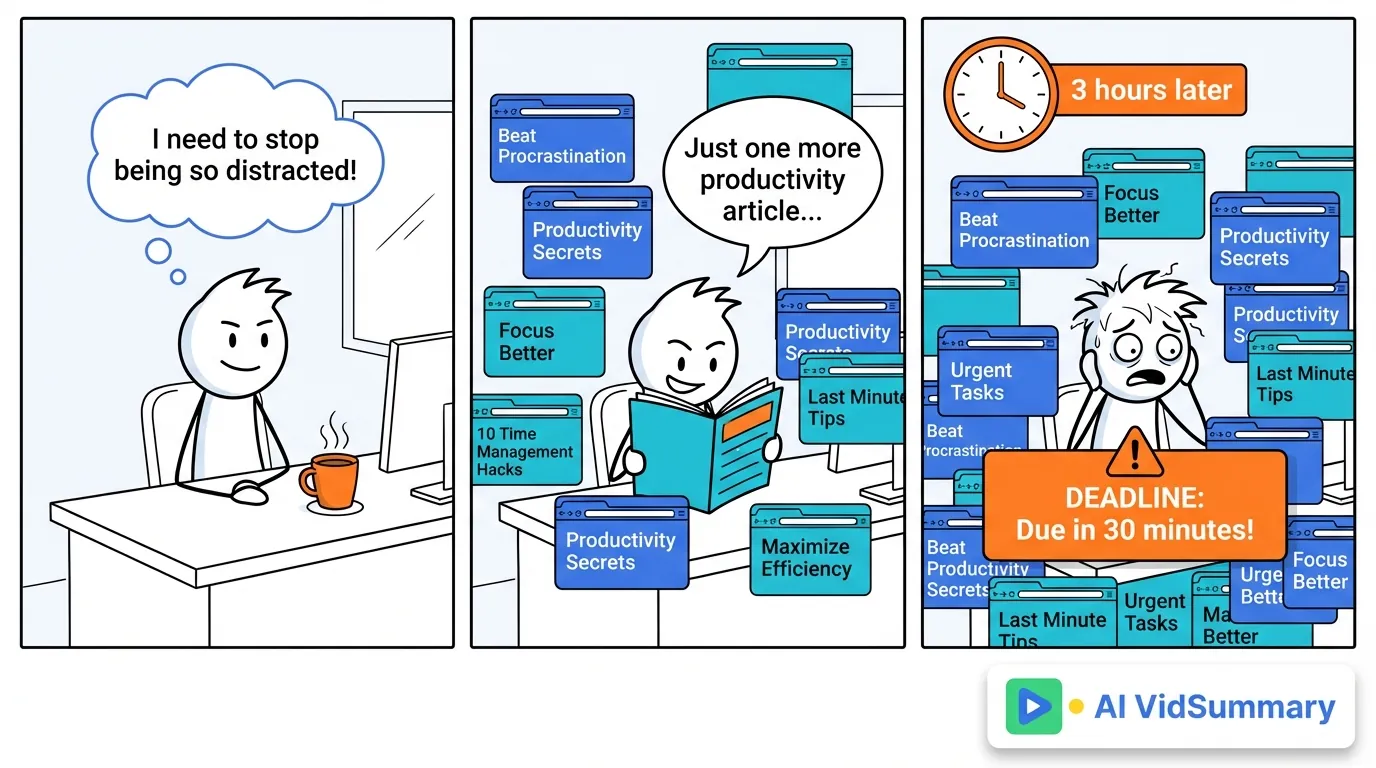
The symptoms manifest physically. Headaches before lunch. Eyes strained from constant screen-gazing. When faced with a simple question, decision paralysis sets in. Once, I spent hours reading productivity articles on preventing information overload instead of focusing on work I was supposed to deliver to a client. The irony wasn't lost on me. Your body begins signaling overload with signs of tension, restlessness, and that hazy feeling where clarity seems elusive. Deadlines are missed not due to laziness, but because the day was spent absorbing information rather than generating output.
The Hidden Cost of Embracing Every Communication Channel
How 84% of Leaders Made Matters Worse
A study from Harvard Business Review reveals that 84% of executives broadened their communication channels during the pandemic. Their intentions were commendable - hoping to sustain team cohesion and productivity.
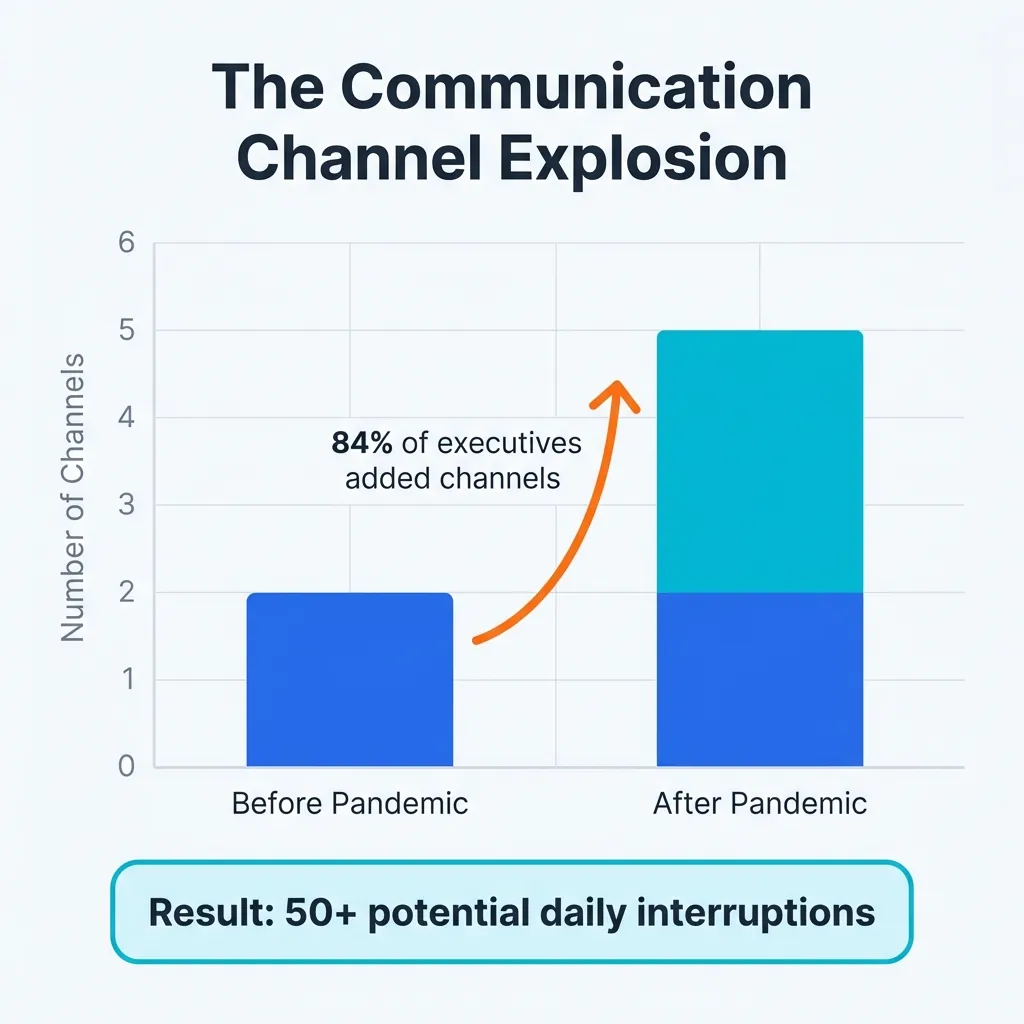
But more channels didn’t simplify matters, it complicated them. Managing Slack, Teams, emails, texts, and various project tools is like trying to juggle a multitude of spheres. Imagine this: ten people on each platform doesn't mean managing five channels, but more than 50 potential interruptions.
It escalates swiftly. With each new channel, your workload isn't just increasing, it's multiplying. Instead of one inbox, there are five.
That crucial update? It could be on Slack, email, or even tucked away in a project management tool you check only twice weekly.
And come 2 PM, exhaustion hits hard.
The Overlooked Time Drain You Didn't Expect
Tracking this with clients has shown eye-opening results. On average, professionals allocate2.5 hours each day merely to emails and messages - and that's before any real work kicks off. It’s a constant struggle of sorting through information, prioritizing what matters, and addressing urgent issues. This sums up to 12.5 hours a week just managing incoming information - not creating anything of value.
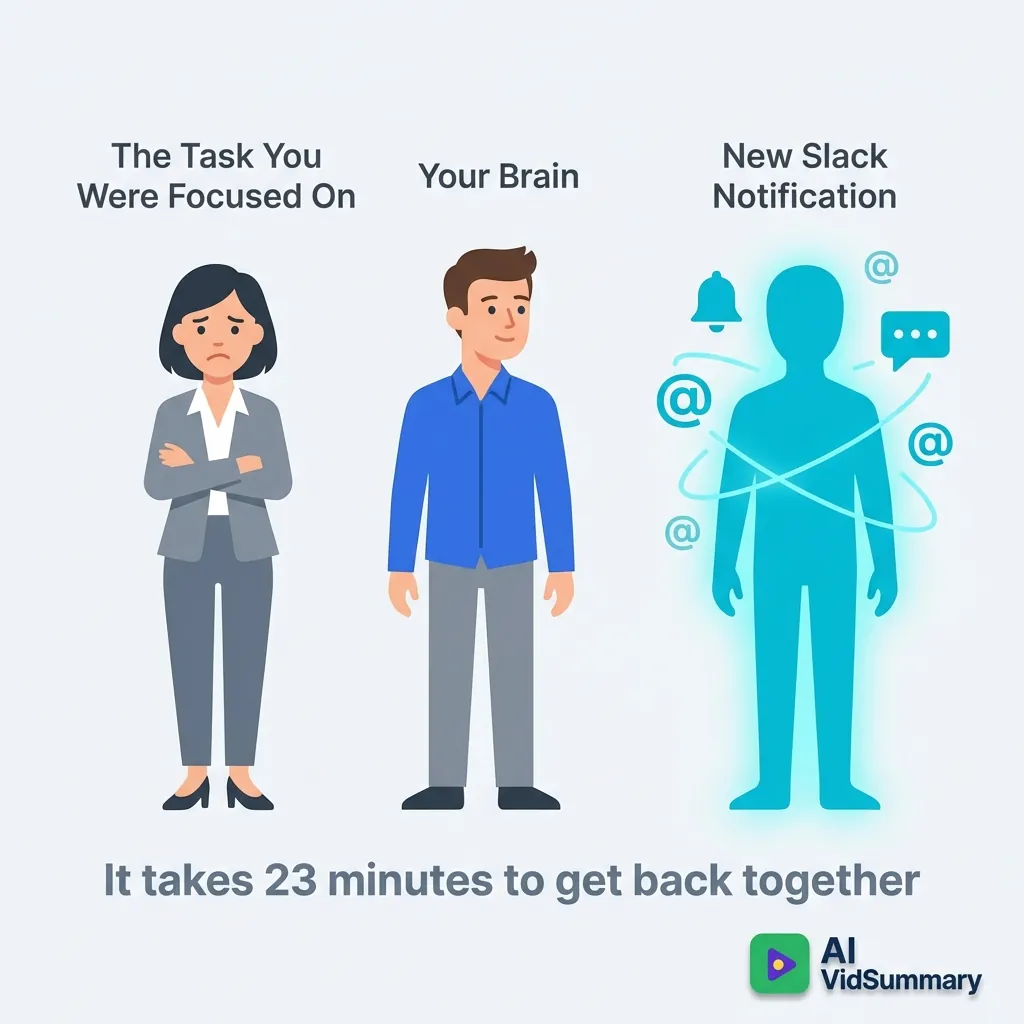
Switching contexts adds insult to injury. Studies find it takes23 minutes to regain focus post-interruption. If you’re swapping between channels every 15 minutes, deep focus remains elusive. Your brain is stuck in a surface-level mode all day.
Now envision the potential of that reclaimed mental energy. Crafting a robust strategy for your top client. Developing that course you've been contemplating. Engaging in strategic thinking rather than knee-jerk reactions to every notification.
Quick-Fix Strategies You Can Utilize Immediately
You don't have to revamp your life with a complete digital detox or plunge into a month-long course to feel less encumbered. The swiftest enhancements come from eliminating hassles, not piling on new habits. I'm referring to modifications that can be made before your next coffee, ones that genuinely endure. These three techniques have assisted hundreds of clients regain mental clarity without requiring immense willpower or high-tech solutions.
Focus where chaos is most pronounced.
The Ruthless Unsubscribe Challenge
Your inbox doesn't have to be a free-for-all. Every newsletter, promotional email, and update you allow is stealing your focus from significant tasks. Here's my guideline: if you've disregarded three emails in succession from a sender, you're unlikely to ever read them - unsubscribe now.
Utilize tools like Unroll.me or Clean Email for a mass cleanup instead of sifting through emails one by one. These services swiftly evaluate your inbox, present all subscriptions at once, and enable mass unsubscribes with minimal effort. I've witnessed clients slash daily email clutter by 40-60% in a mere 10-minute blitz (Emergency vaccinations cut outbreak d...). The immediate relief is tangible. You're not just evading info overload - you're reclaiming time you didn't realize was squandered. This one action allows room for true priorities, rather than reactive email juggling.
Many underestimate the mental drain from constantly scanning and deleting spam. Even ignored emails contribute to visual clutter.
Silence Notifications That Aren't Pressing
Only a few types of notifications genuinely demand immediate attention:
- Real emergencies
- Truly urgent work messages
- Direct communications from key individuals
Everything else is just disruption.
Establish regular check-in intervals rather than knee-jerk replies.
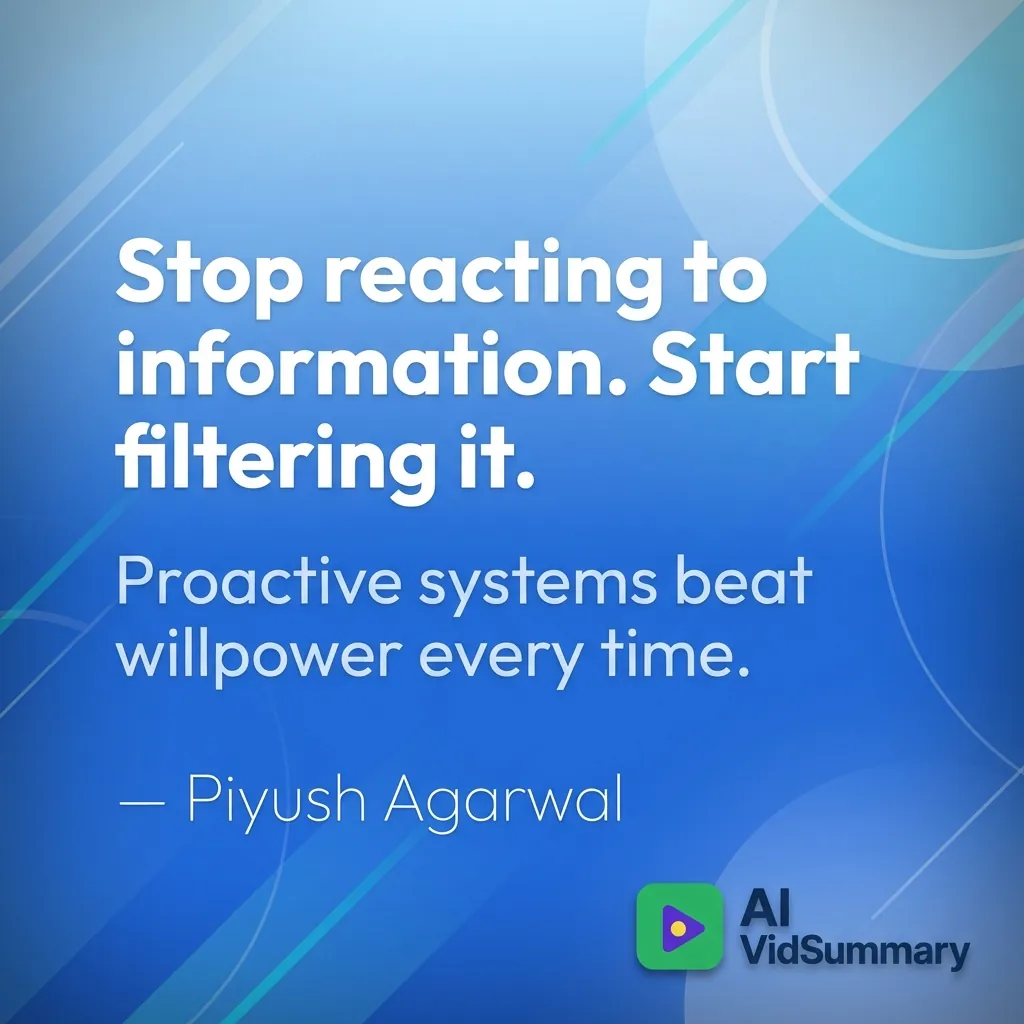
My routine involves checking Twitter twice a day, Slack every hour and a half during work, and catching up on news right before dinner. Switching from a reactive to a proactive system alters the way you manage information filtering. You choose when to engage, not algorithms.
The Simple Browser Tab Rule That Conserves Mental Energy
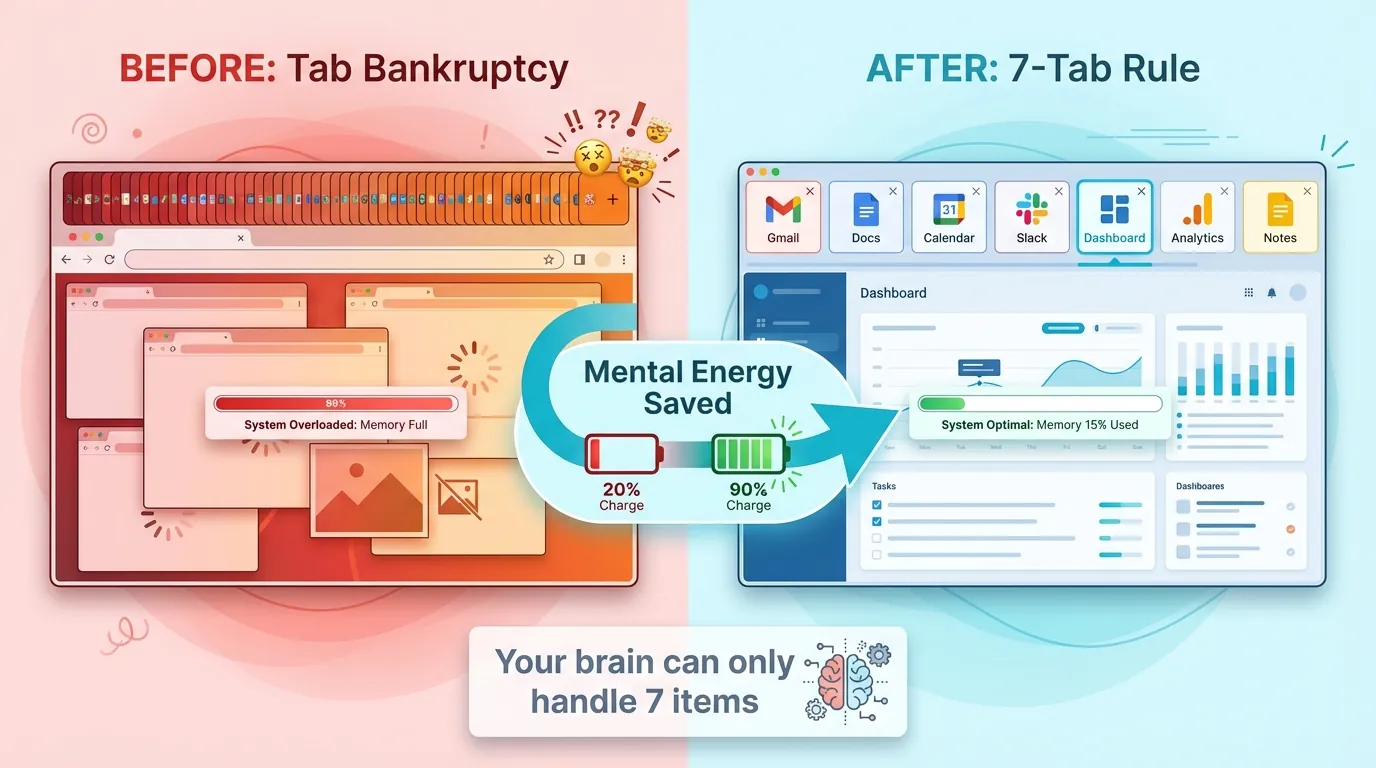
Limit yourself to a maximum of seven open tabs. This isn't arbitrary - it aligns with your brain's capacity for managing visual data. Exceeding that number leads to cognitive burden you're unaware you're carrying. Use extensions like OneTab to save tab sets for later when changing tasks, then bring them back up when it’s time to concentrate on a particular project.
Intermediate Strategies for Systematic Information Filtering
You tried unsubscribing from newsletters and disabling notifications, yet the avalanche of information continues. It's not about willpower; it’s about having the correct systems in place.
The constant cycle of deciding what demands your focus drains you, as reactive triage means you're encumbered by endless micro-decisions.
Switching to proactive filtering alters everything: craft systems that decide for you, and your energy shifts from managing chaos to executing what matters.
Transitioning from reactive to proactive isn’t intuitive. You've refined the skill of responding to urgent demands, not preemptively quieting them.
This is why most digital minimalism efforts in learning don't succeed.
Develop Your Personal Content Triage Plan
Stop giving every piece of content an immediate judgment. You need three distinct categories:
- Consume Now - Less than 5 minutes, directly relevant to current tasks
- Save for Weekly Review - Intriguing but not urgent
- Archive/Delete - Everything else
Establish Communication Limits That Hold Firm
Dedicate 2-3 focus periods daily when you engage with no communication channels - not email, not Slack, not texts. Clarify response expectations with your team: email within 24 hours, Slack within 4 hours, and share these boundaries in advance so silence doesn't come off as rude. Use auto-replies and Slack status updates that specify your availability: "Deep work until 3pm - will respond then" outshines the vague "Do Not Disturb" any day.
This isn't about being uncooperative. It's about ensuring your environment respects your focus management.
Conduct a Trusted Source Audit Cutting Noise by 70%
List every newsletter, podcast, blog, and social media account you follow - all of them. Ask three tough questions for each:
- Does this offer unique value I can't find elsewhere?
- Does this align with my current goals?
- Have I actually used insights from this source in the past month?
These systems seem excessive until you feel the relief of not being overwhelmed. Begin with one - perhaps the content triage system - and gradually integrate the others as they become second nature.
Advanced Tactics for Knowledge Professionals
Feeling inundated by information? It's not a lack of discipline, it's your system struggling under the burden. I've collaborated with professionals who sift through over 100 information sources weekly. The ones who thrive have a secret: strategic systems.
Craft Your Personal Knowledge Management System
Ever wondered why you're reading the same material repeatedly without absorbing it? It's not uncommon. Many professionals read an article multiple times because they didn't save the insights the first time. Our brains aren't for storage; they're for contemplation.
Create a supplementary "brain" with tools like Notion, Obsidian, or Roam Research. When you encounter something valuable, adopt this capture method:
- Underline the main idea
- Jot down a brief summary in your own words
- Tag it with relevant themes
- Link it to related notes you've already captured
Most skip this step.
Huge mistake.
Without a regular digest, your knowledge system can become a neatly organized information dump. Dedicate 30 minutes every Friday to sift through your captures, link related ideas, and select one insight to act upon next week. This shifts you from passively managing information to actively engaging with it. Regular reviews build the mental space to identify patterns. With clients, I track this: those who adhere to weekly reviews retain four times more applicable knowledge than those who don’t.
Embrace Theme-Based Information Phases
Select one or two themes each quarter, linked to your objectives. Only immerse yourself in topics pertinent to these themes; everything else goes into a "later" pile. This isn’t about ignoring other topics; it’s about preventing overload by narrowing your focus.
For example, my first quarter of 2026 is all about mastering AI automation systems, so I'm placing social media marketing on hold, even though it’s crucial to my business. That content will still be there for Q3 when it aligns with my theme. Feeling like you're missing out? This sensation is the trade-off for depth over breadth. Theme-based phases stop your attention from scattering across too many areas at once. True expertise can't develop when your mental energy is divided over a dozen topics.
The Creation-Consumption Balance That Makes a Difference
Aim for a balance: two hours of creating for every hour spent consuming. Creation means writing, building, teaching, synthesizing, or applying what you’ve learned to real-world issues. Track this balance weekly with tools like Toggle or by logging manually. If you fall below a 2:1 ratio, consider a consumption break until you regain equilibrium.
Without applying what you consume, it's mere entertainment, not learning. I’ve observed this with clients, who consume 40 hours of content monthly without creating anything themselves. They’re left feeling overwhelmed without making progress. Creation forces deeper processing, uncovers knowledge gaps, and solidifies understanding through use. Your brain needs creation to anchor learning. Passive consumption might seem productive but actually increases decision fatigue.
When the System Breaks Down
You'll encounter it. Falling off the wagon.
In my experience with numerous service business proprietors, they begin their journey with impeccable systems but soon find themselves buried under a mountain of 847 unread emails and 63 browser tabs just months later. This isn't about failing. It's recognizing a pattern. The real distinction between those overwhelmed by information and those who manage it successfully isn't found in flawless execution. It's having a plan to recover when things go awry.
Information Overload Reset Strategy
When clients' systems collapse, my advice is straightforward: declare information bankruptcy. Move all unread emails to the archive right now. Eliminate all saved articles untouched for more than 30 days. Shut down every single one of those 47 tabs.
Skeptical? Concerned you'll overlook something critical? I understand. After over a decade of assisting individuals with digital chaos, I've learned that truly crucial information reappears. Urgent matters get follow-ups. Essential trends will emerge in multiple channels.
Reboot with the foundational strategies covered in previous sections. I recommend scheduling quarterly reset days for maintenance. On the first Monday of each quarter, I declare information bankruptcy, regardless of necessity. This habit has consistently prevented my clients from spiraling into information overload.
Systems Built to Bounce Back
Designing information filters reliant on perfect daily routines is a trap.
Instead, allow for weekly catch-up sessions when daily habits falter. My Fridays are reserved for handling backlog from frantic weeks. Establish emergency protocols: hit 200 unread emails, follow a pre-planned response (without panicking). When saved articles surpass 50, implement a specific triage strategy.
Pay attention to what causes your information overload. For me, it's conference seasons and product launches - they disrupt my usual attention management. By adjusting expectations and using simplified systems during these hectic periods, I aim to cut recovery time. Not from months. Just days.
Useful Tech Tools that Resolve Rather than Complicate
Here are some tools that genuinely reduce information overload, but hear me out first: simply adding more applications won't mend a faulty system. If you're currently inundated by information, downloading a few more tools will likely worsen the issue. These recommendations are effective only if you utilize them to replace existing disorder rather than adding to it.
The error I often observe? Someone overwhelmed by emails downloads SaneBox, Superhuman, and Spark all at once, squandering two weeks on setup while their inbox remains chaotic.
Begin with a single tool addressing your most pressing challenge. Spend two weeks mastering it before exploring other alternatives. I've seen clients transform their workflows with one carefully selected solution, while others accumulate endless "productivity" apps that gather dust post-setup excitement. The key difference isn't the tools themselves, but the intentional way you adopt them.
Make wise choices.
Managing Email and Communication
SaneBox operates quietly in the background, sorting non-essential emails into folders for a once-daily review. It adapts to your habits without needing manual rules, making setup much simpler. Meanwhile, Superhuman and Spark simplify email processing with keyboard shortcuts that significantly reduce triage time - once you master them.
For Slack and Teams, assertive Do Not Disturb scheduling is a must. Establish focus periods where notifications are silenced, and use status messages that clearly define your availability: "Focused work until 2 PM - will reply post" outshines the generic "In a meeting." Set up email batching to check it at fixed times (10 AM, 2 PM, 4 PM) instead of being tethered to your inbox, and notice the mental clarity you regain.
Avoid adding these tools expecting them to fix communication disarray you've yet to address fundamentally.
Apps for Read-It-Later and Content Curation
Pocket, Instapaper, or Matter help you create intentional content queues instead of cluttering your mind with countless browser tabs. The rule I enforce with clients is simple: if your saved queue exceeds 20 items, it's time for a complete reset. That "I'll read this someday" pile is just guilt posing as productivity.
Feedly or Inoreader gather RSS feeds so you're pulling updates on your terms rather than visiting multiple sites. To combat video overload, AI VidSummary pulls key insights without needing you to watch everything at standard speed. Readwise revives highlights from your saved content using spaced repetition, aiding retention instead of turning into digital hoarding. Schedule a weekly 30-minute session for content review, processing saved items decisively - read, delete, or archive for specific projects.
Solutions for Focus and Distraction Blocking
Freedom or Cold Turkey restrict distracting websites and apps during pre-scheduled focus periods. These tools uphold boundaries you've chosen, rather than substituting willpower in real-time. Forest turns focus sessions into a game by growing virtual trees that perish if you lose concentration, while Focusmate pairs you with accountability partners for live co-working sessions that make skipping deep work harder.
RescueTime runs effortlessly in the background, revealing time usage patterns without passing judgment. Often, the data surprises individuals into action when they see they've spent three hours daily on social media while claiming they "lack time" for important tasks. Start with 2-hour focus blocks three times a week instead of attempting all-day digital detoxes that collapse by midday.
Conclusion
Integrity is essential. Achieving inbox zero and sustaining it? Nearly unattainable. Slack will always have unread channels. Your collection of bookmarks will keep growing.
And that's entirely fine.
The ultimate aim isn't flawless information management. It's about creating effective filters to protect your attention and mental energy. By reducing daily email processing by 40%, you're reclaiming over 200 hours a year. Imagine that - five entire work weeks regained for deep work, nurturing relationships, or simply breathing without the burden of decision fatigue.
Here's a straightforward step for tomorrow morning: select one beginner strategy from this guide to attempt before you plunge into your inbox. Perhaps disable three types of notifications, establish an email filter, or allocate 30 minutes for concentrated reading. Just one thing.
You can't reach a destination called "information overload prevention." It's a skill, refined with practice, like developing muscle memory. Some weeks, you'll manage your cognitive load expertly; other weeks, old habits will sneak back, creating digital disorder. Both situations occur. The difference now? You have a framework to guide you back on course instead of leaving you unmoored.
Share this
About AI Vid Summary Team
We're a passionate team dedicated to transforming how people learn from video content. At AI Vid Summary, we combine cutting-edge AI technology with user-friendly design to help students, professionals, and lifelong learners extract maximum value from YouTube videos and online courses.
Our mission is to make education more accessible and efficient by providing instant, AI-powered summaries, smart note-taking tools, and interactive chat features that turn passive watching into active learning.