
How to Retain Information from Videos Without Forgetting Everything in 48 Hours

Table of Contents
Introduction
You finish watching that hour-long tutorial. Two days later, you remember almost nothing.
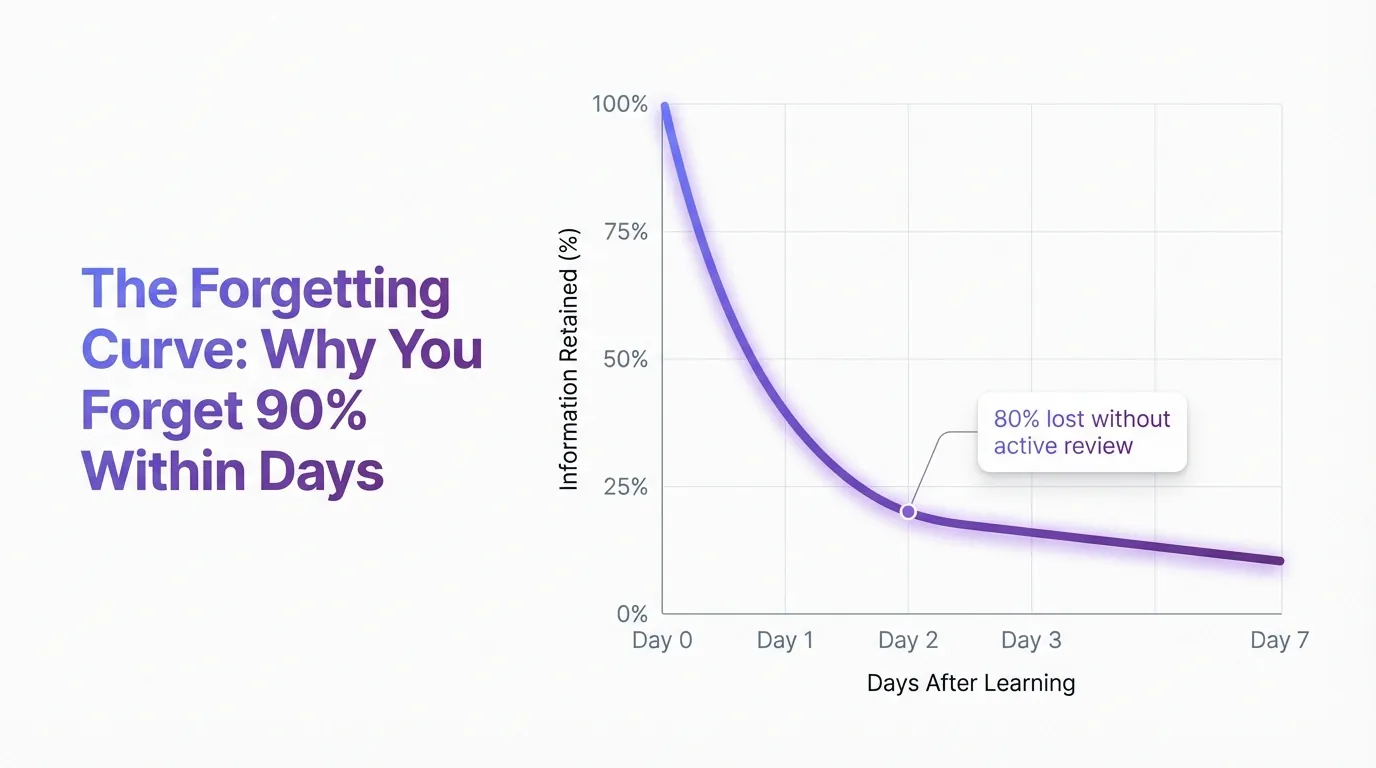
I've experienced this countless times. You spend an hour watching an expert explain something you desperately need to learn, take mental notes, feel like you've got it. Then poof. Within 48 hours, it's gone. This isn't a personal failing. It's science working against you. The forgetting curve research discovered in the late 19th century shows we dump nearly all new learning within days unless we actively fight back.
Good news: you can fight back.
I'm going to reveal exactly how to retain information from videos using a before/during/after framework that actually works.
Why Your Brain Dumps 90% of What You Watch
The Forgetting Curve Strikes Within 48 Hours
Your brain treats most video content like a leaky bucket. Without active intervention, you'll forget nearly everything within two days. Not being dramatic. That's the forgetting curve at work.
Picture pouring water into a bucket riddled with holes. About 90% leaks out instantly. The remaining 10% slowly drips away over the next few days. That's your brain processing new information from videos without any retention strategy.
What causes this?
Passive watching doesn't create strong neural pathways. Your brain processes the information temporarily, stores it in short-term memory, then tosses it aside when you shift to the next thing. The psychology of video learning shows this pattern plays out consistently across learners. Sleep consolidates memory, but only if you've actively engaged with the material first.
Without engagement, each night gets wasted.
Your Working Memory Can Only Handle 4 Things at Once
The brutal truth about video learning? Your working memory has severe limitations during playback. Research shows you can only hold about four chunks of information simultaneously. When a video throws ten concepts at you in five minutes, your brain simply drops most of them.
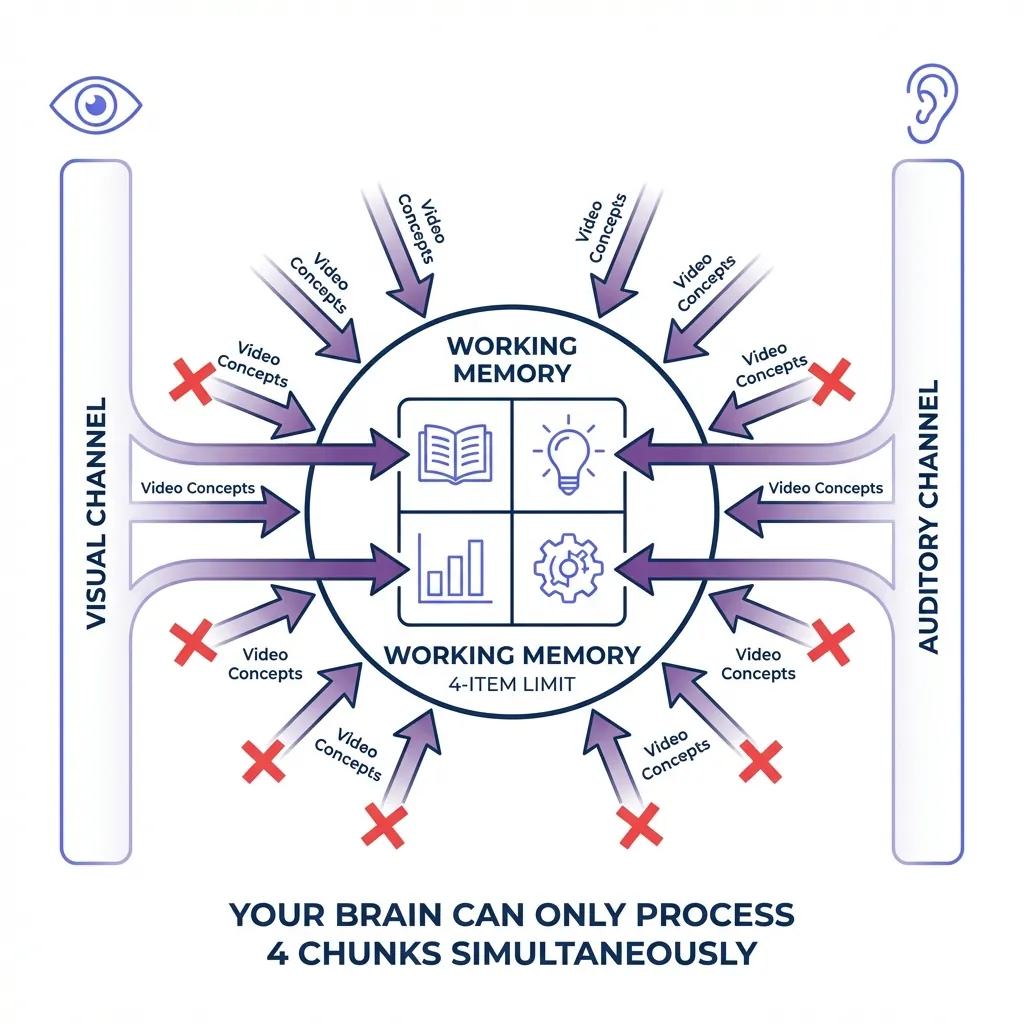
Videos engage both visual and auditory channels simultaneously. The cognitive science research explains how your brain processes images through the visual system while the auditory cortex handles narration. Integration happens in working memory (which is already maxed out at four items). Add distractions like notifications or multitasking, and you're toast. Information never makes it to long-term storage because the gatekeeper (attention) never let it through.
Chunking works for this exact reason.
The Learning Pyramid Myth That Actually Teaches Something Useful
Why the 90% Retention Number Is Flawed But the Principle Holds
You've probably encountered the Learning Pyramid statistics somewhere. Five percent retention from lectures, 90% retention when teaching others. Those exact numbers? Totally debunked.
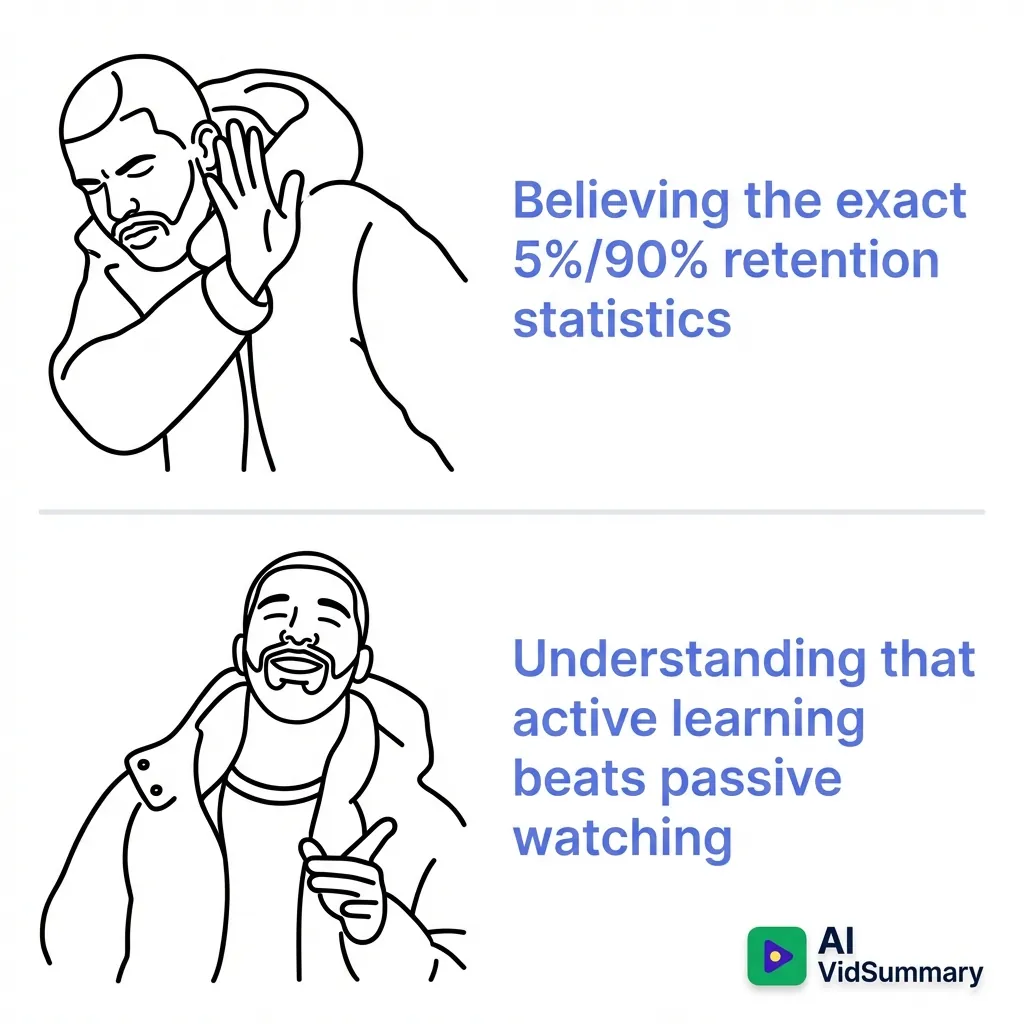
Sean D'Souza, who made these stats popular, later confessed in his Learning Pyramid analysis that the data was flawed. The NTL Institute numbers (5% lecture, 10% reading, 20% audiovisual, 30% demonstration, 50% discussion, 75% practice, 90% teaching) lack solid research backing. I'm not going to lie to you about that.
But what still works? The ranking itself.
Teaching others does create higher retention than passive watching. Practice does beat demonstration. Active engagement wins over passive consumption every single time. The principle stands even if the percentages don't.
What Videos Actually Do Better Than Text
Dr. James McQuivey from Wake Forest University calculated that a video is worth at least 1.8 million words. That's not hyperbole, that's the information density advantage. When you combine visual demonstrations with narration, you're using dual-channel processing. Your brain absorbs more simultaneously than it could from text alone.
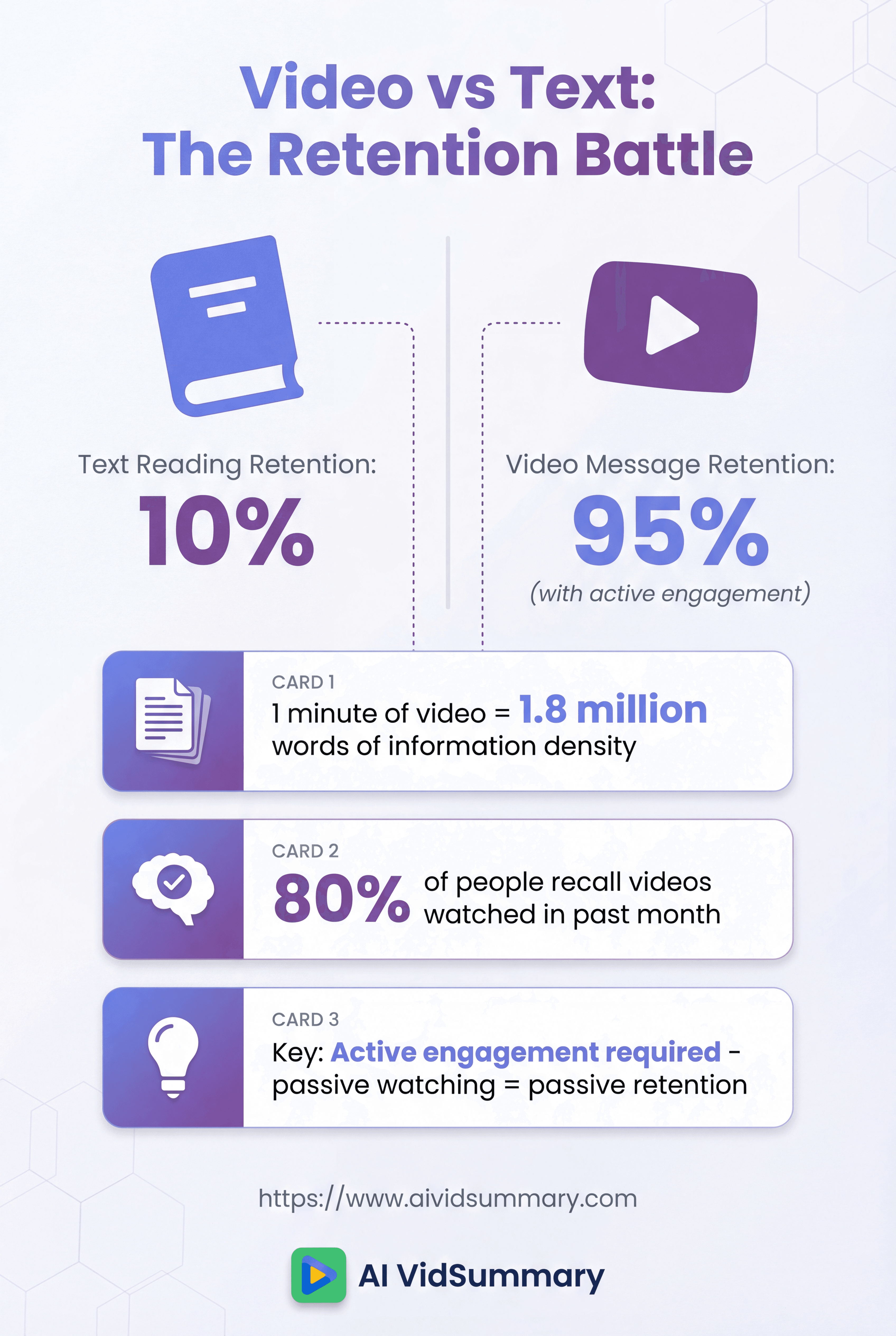
The video retention statistics shows viewers retain 95% of a video's message compared to 10% when reading text. Hubspot found 80% of people could recall a video they watched in the past month. But there's a catch: those stats assume active engagement, not passive watching.
Videos have the potential for incredible retention.
You just need to unlock it through active learning strategies.
Before You Hit Play (The Setup That Saves You Hours)
Set One Clear Learning Goal Per Video
Define what you need to learn before clicking play.
I'm serious about this. Formulate one specific question you want answered. Identify the exact information gap you're trying to fill. This single step transforms passive watching into active hunting.
Without a clear goal, you're just consuming content aimlessly. Your brain doesn't know what to prioritize, so it treats everything as equally unimportant. With a goal, your attention system knows what to flag for long-term storage. The active versus passive watching strategies emphasizes this distinction between watching like it's a movie versus watching with purpose.
Ask yourself: what do I need to walk away knowing?
Kill Every Distraction or Your Brain Will
Turn off every notification on every device. Put your phone in another room or better yet, in a drawer or safe that requires conscious effort to access. Close all browser tabs except the video. Distractions don't just interrupt your viewing. They prevent information from encoding into long-term memory at all.
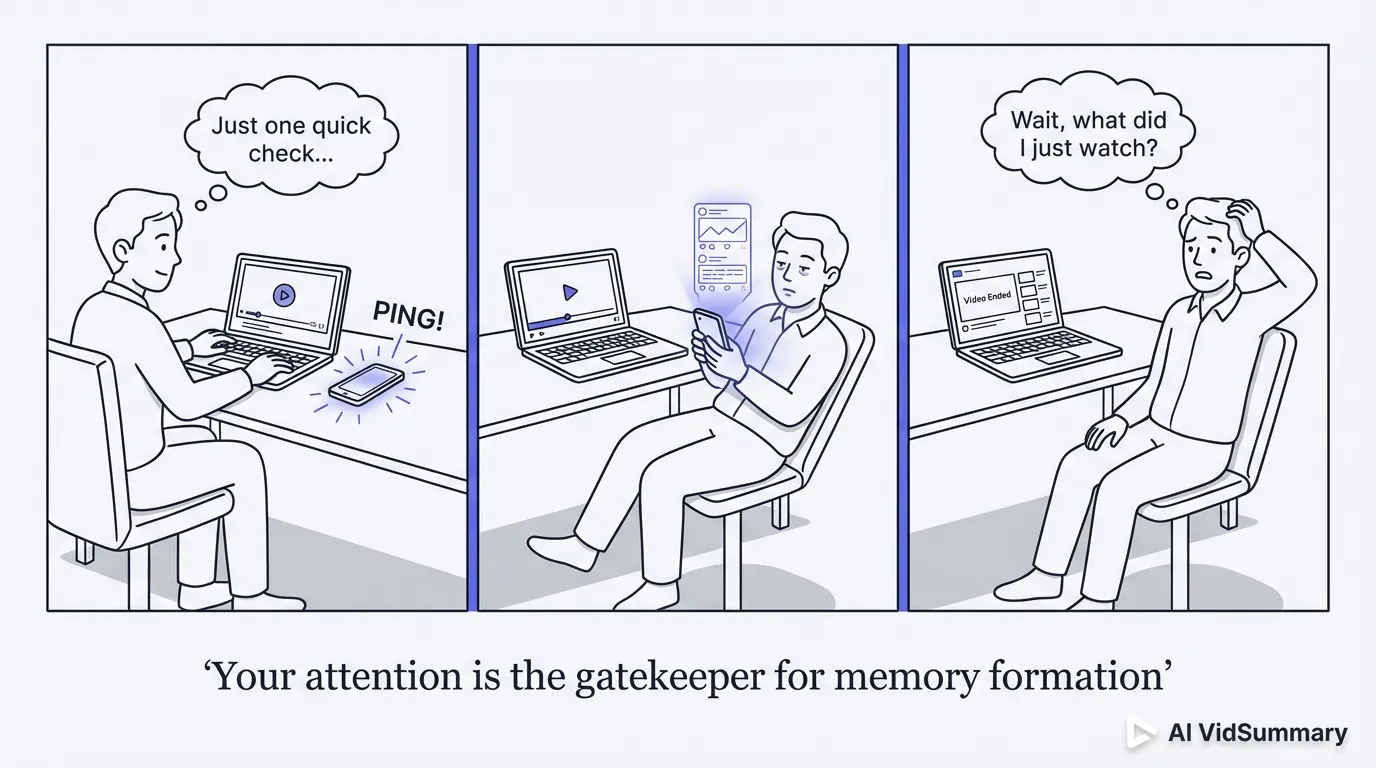
Your attention is the gatekeeper for memory formation. When notifications ping, your brain shifts focus and drops whatever it was processing. That information never makes it past working memory. Research on attention and memory formation shows this clearly: divided attention equals failed encoding.
Physical barriers work better than willpower.
During the Video (Active Engagement Is Everything)
Take Notes in Your Own Words (Not Copy-Paste Mode)
A massive gap exists between taking notes and making notes.
Taking notes means copying what you hear verbatim. Making notes means writing in your own language.
Paraphrasing forces deeper processing. When you translate someone else's explanation into your own words, you're actively encoding it. Digital or visual notes help organize information without overloading working memory. The video learning retention techniques shows this approach significantly improves retention compared to passive watching.
Tools can help jumpstart the process.
When I'm working with long educational videos, I use AI VidSummary to generate structured summaries with timestamps first. This gives me a framework to build on. I can see the key points and timestamps, then add my own interpretations and connections in my notes. Not about replacing active note-taking. About starting with structure instead of a blank page. You still need to personalize those notes in your own words, but having the scaffolding saves time and keeps you focused on understanding rather than frantically transcribing.
The tool handles the structure, you handle the thinking.
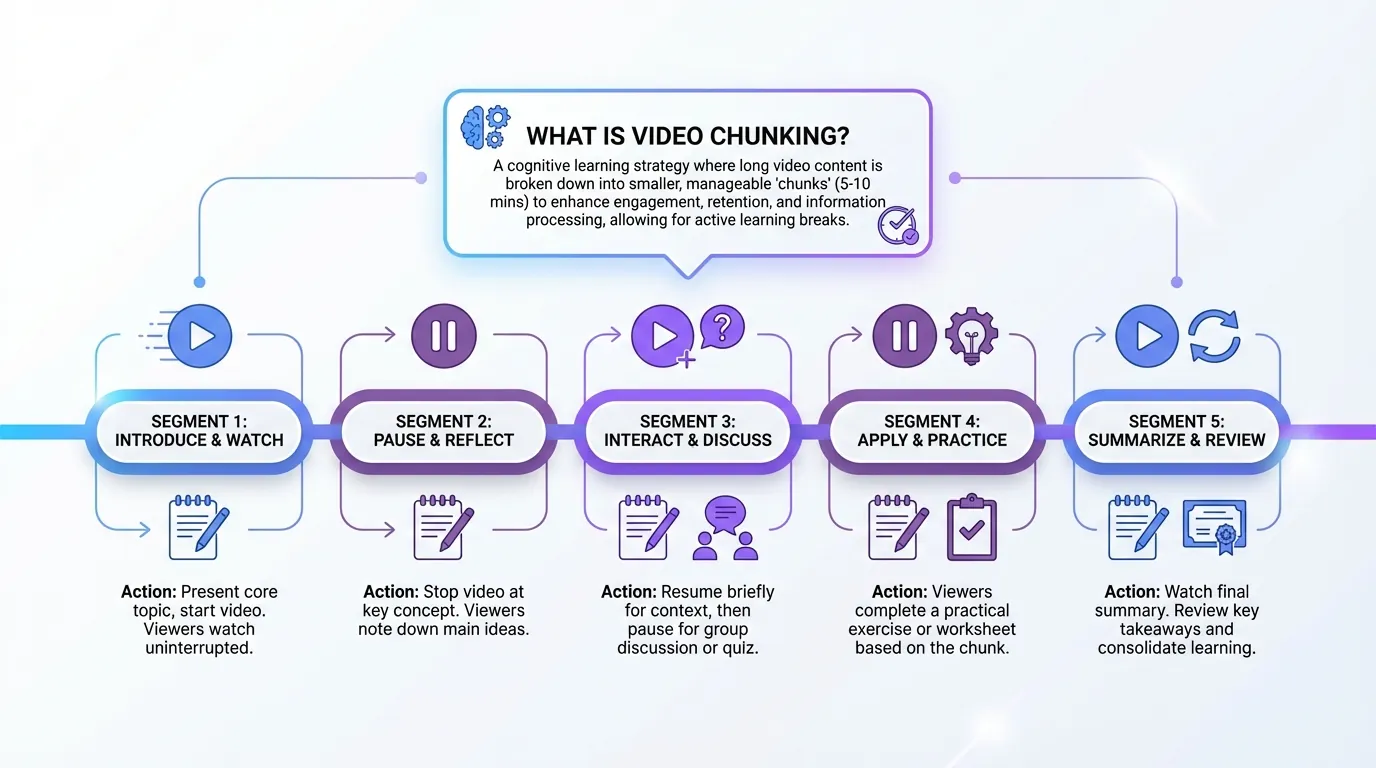
Pause Every 8-10 Minutes and Summarize
Break long videos into digestible chunks. For a 45-minute lecture, create five blocks of 8-10 minutes each. After each block, pause and write a brief summary of what you just learned.
This aligns with research showing optimal educational video length is 6-12 minutes. Longer than that, and cognitive overload sets in. Your working memory can't sustain focus indefinitely. Chunking prevents information overload and gives your brain processing time. Write two to three sentences summarizing each chunk before moving forward. This simple habit dramatically improves retention because you're forcing active recall every ten minutes instead of passively consuming an hour straight.
Use Playback Speed That Matches Your Brain
Experiment with 1.5x or 2x playback speed. Different learners benefit from different speeds based on content complexity and personal comfort. Some people find faster speeds actually improve focus by preventing mind-wandering.
Adjust based on how well you're comprehending. If you're rewinding constantly, slow down. If you're getting bored and distracted, speed up.
After Watching (Where Real Learning Happens)
Review Within 24 Hours or Lose It Forever
Book your first review within 24 hours of finishing the video. This window matters most. After that initial review, space your next sessions at growing intervals: one week out, then one month. Every review session builds stronger neural pathways and drives information further into long-term memory.
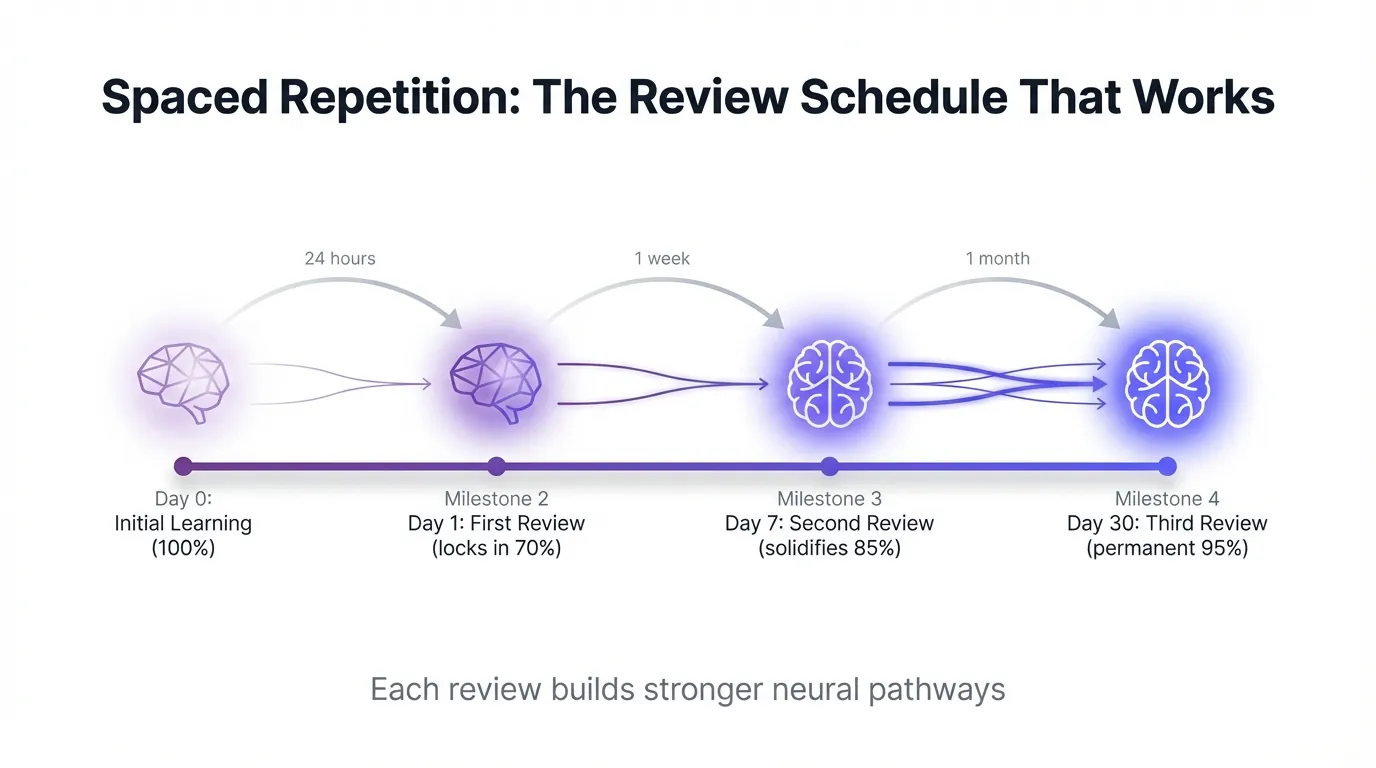
Sleep consolidates memory, but only if you've engaged with the material.
Every night you sleep without reviewing is basically wasted. The video versus text retention comparison shows how periodic revision familiarizes your brain and solidifies retention. Reading once stores information in short-term memory. Reviewing at spaced intervals moves it to long-term storage. Skip this step and the forgetting curve wins.
Set a calendar reminder for 24 hours after watching.
Test Yourself Without Looking at Notes
Active retrieval beats passive review every single time. Quiz yourself on key concepts without checking your notes. Try explaining the material from memory. The act of retrieving information increases storage efficiency after encoding.
Mistakes during retrieval aren't failures. They're essential. When you struggle to remember something, then look it up, your brain marks that information as important. The memory techniques for video content discusses how the struggle itself creates stronger neural connections. Use the Feynman technique: explain the concept from scratch as if teaching a beginner.
Where you stumble reveals what you didn't actually learn.
Teach It to Someone (Even Your Dog Counts)
Teaching others forces the highest retention rate. You can't fake understanding when explaining something to someone else. Gaps in your knowledge become immediately obvious when you try to organize thoughts clearly enough for another person to follow.
Teach a friend, colleague, or write a blog post explaining the concept. Even explaining to your pet works because you're still organizing and articulating the information. The principle from the Learning Pyramid holds true: active teaching beats passive consumption. Implementation reveals what you actually understand versus what you think you understand.
Apply It Immediately (Implementation Beats Theory)
Use the information within 24 hours. Implementation locks in learning faster than any other method. When you apply a technique or concept in a real project, you're forcing your brain to retrieve, adapt, and problem-solve with the new knowledge.
Mistakes during implementation are necessary for deep learning. Your brain learns patterns through repetition and error correction. The Learning Pyramid suggests 75% retention from practice versus 20% from audiovisual alone. Theory stays abstract. Application makes it concrete.
Your 3-Step Video Retention System (Start Using Today)
Step 1: Prepare (Before Hitting Play)
Set one clear question you want answered.
Turn off all notifications and eliminate every distraction. Put your phone in another room or drawer. Close unnecessary browser tabs. Open your note-taking app or preferred tool. The comprehensive video learning guide shows preparation determines retention success more than any other factor.
Two minutes of setup prevents hours of wasted watching.
Step 2: Engage (During the Video)
Write summaries in your own language, not verbatim transcription. Pause every 8-10 minutes to reflect and summarize. Mark timestamps for key moments you'll want to reference later.
Step 3: Reinforce (After Watching)
Schedule your first review within 24 hours. Quiz yourself without looking at notes to practice active retrieval.
Tools like AI VidSummary can complement this system by providing structured summaries and timestamps to jumpstart your review process, but the real work (the active retrieval, teaching, and application) still falls on you. Use the information in a real project or teach it to someone. The reinforcement stage is where retention actually happens.
Conclusion
Retention isn't something you're born with. It's something you build. Active learning destroys passive watching every time.
The methods in this guide (preparation, engagement, reinforcement) actually work because they counter the forgetting curve using solid cognitive science. A perfect memory? You don't need one. What you need is a system that demands active processing rather than lazy consumption. Pick one video right now and apply the 3-step framework.
Choose your video, define your goal, participate actively, then review everything within 24 hours.
Share this

About AI Vid Summary Team
We're a passionate team dedicated to transforming how people learn from video content. At AI Vid Summary, we combine cutting-edge AI technology with user-friendly design to help students, professionals, and lifelong learners extract maximum value from YouTube videos and online courses.
Try AI Vid Summary

Loading comments...