
17 Best AI Tools for Learning That Actually Work in 2026

Table of Contents
Introduction
You're drowning in lecture videos. Two-hour webinars pile up while deadlines loom closer.
Everyone's talking about AI saving students hours every week. But which tools actually deliver versus which ones just repackage ChatGPT? I've tested dozens of AI education tools to find what works. This guide covers 17 AI tools organized by actual use case - writing, video learning, memory retention, research - with honest pros and cons.
No hype.
Just what I'd tell my younger self starting college today.
Why 86% of Students Already Use AI (And What They're Not Telling You)
The Digital Education Council reports that 86% of students from 16 countries already use AI for studies. This isn't a trend. It's the new normal. Most won't admit it publicly because of academic integrity concerns.
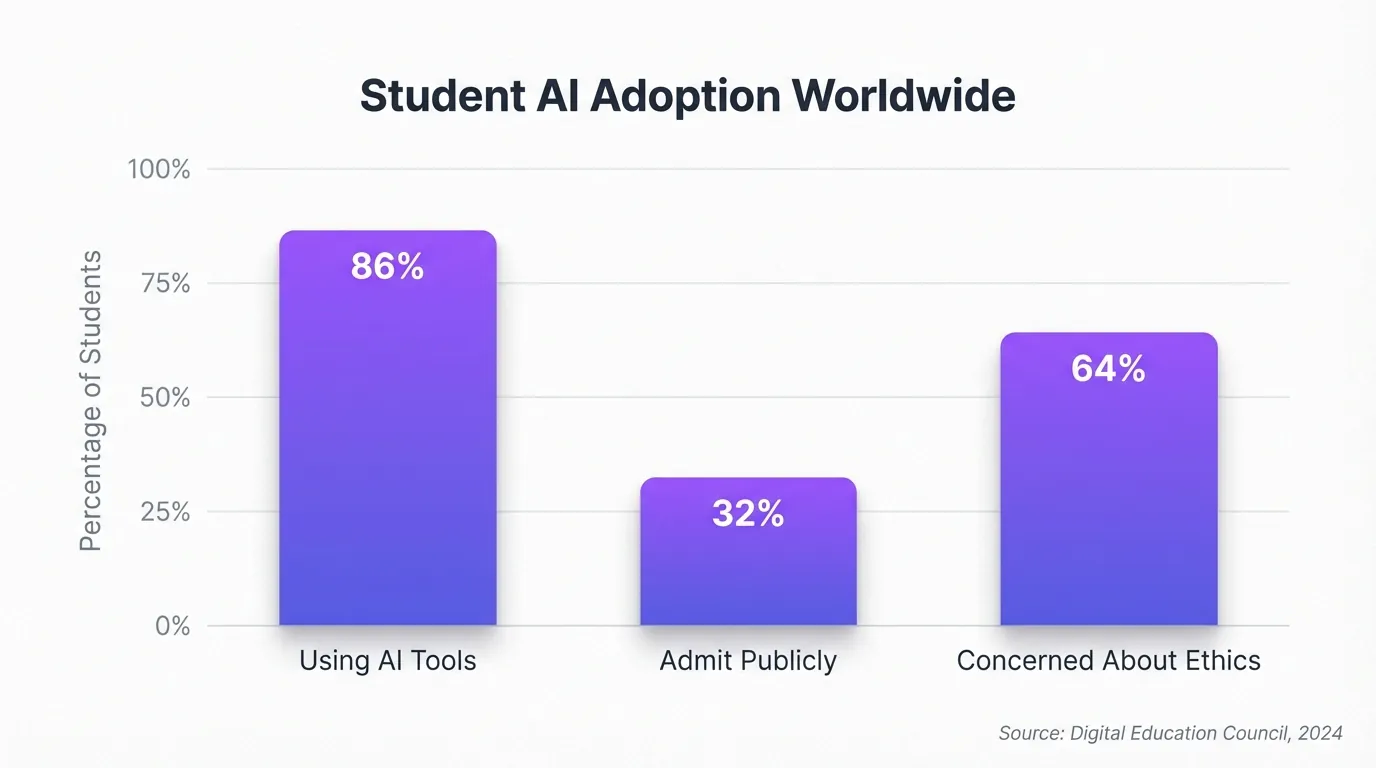
Nobody's talking about the real issue.
AI can produce lecture notes 10x faster than manual transcription. But as one Reddit user pointed out in student discussions about AI note-taking, the act of organizing information manually is crucial for memory retention. AI gets you the end result (neat, accurate notes). But isn't the point of making notes organizing information inside your head? That's where actual learning happens.
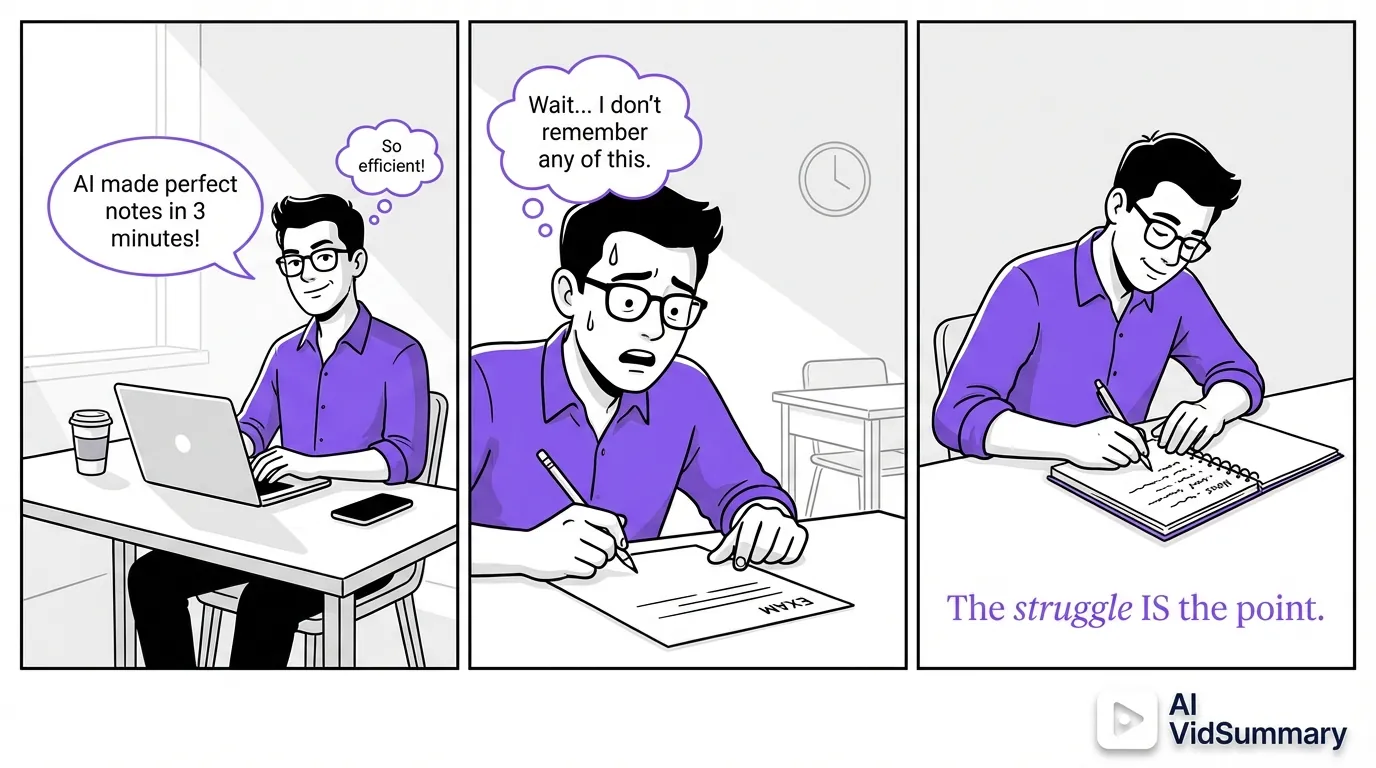
The real question isn't whether to use AI. It's how to use it without destroying your brain.
Use AI as your study companion, not your homework replacement.
The Manual Note-Taking Paradox
AI can summarize a 90-minute lecture in three minutes. That speed is genuinely valuable when you're reviewing material. If you let AI do all the organizing though, you skip the cognitive processing that builds understanding.
I've found the sweet spot. Let AI handle the initial transcription and basic organization. Then you manually reorganize, add connections, and create your own structure. That way you save time on tedious work while keeping the learning benefits.
The struggle is the point.
How to Use AI Without Destroying Your Brain
Think of AI as a study partner who's read everything but doesn't understand context. You still need to verify every claim (especially in STEM subjects where hallucinations can wreck your understanding). Platforms like adaptive learning platforms emphasize using AI to personalize the learning path, not replace the journey.
Build your own skills alongside AI assistance. Use it to explain concepts you're stuck on. Let it generate practice questions. Ask it to break down complex topics into simpler terms.
- Write your own essays
- Solve your own problems
- Think your own thoughts
AI Writing and Content Tools That Don't Make You Sound Like a Robot (Tools #1-4)
Writing tools are where most students start with AI. Smart move - they're immediately useful and relatively low-risk.
But 100 million weekly ChatGPT users miss something crucial. Generic AI sounds generic. According to Google AI learning resources, 85% of learners say cloud learning resources helped them gain AI expertise. The key is using AI to enhance your voice, not replace it. These four tools do that when used correctly. Each has specific strengths and honest limitations worth knowing.
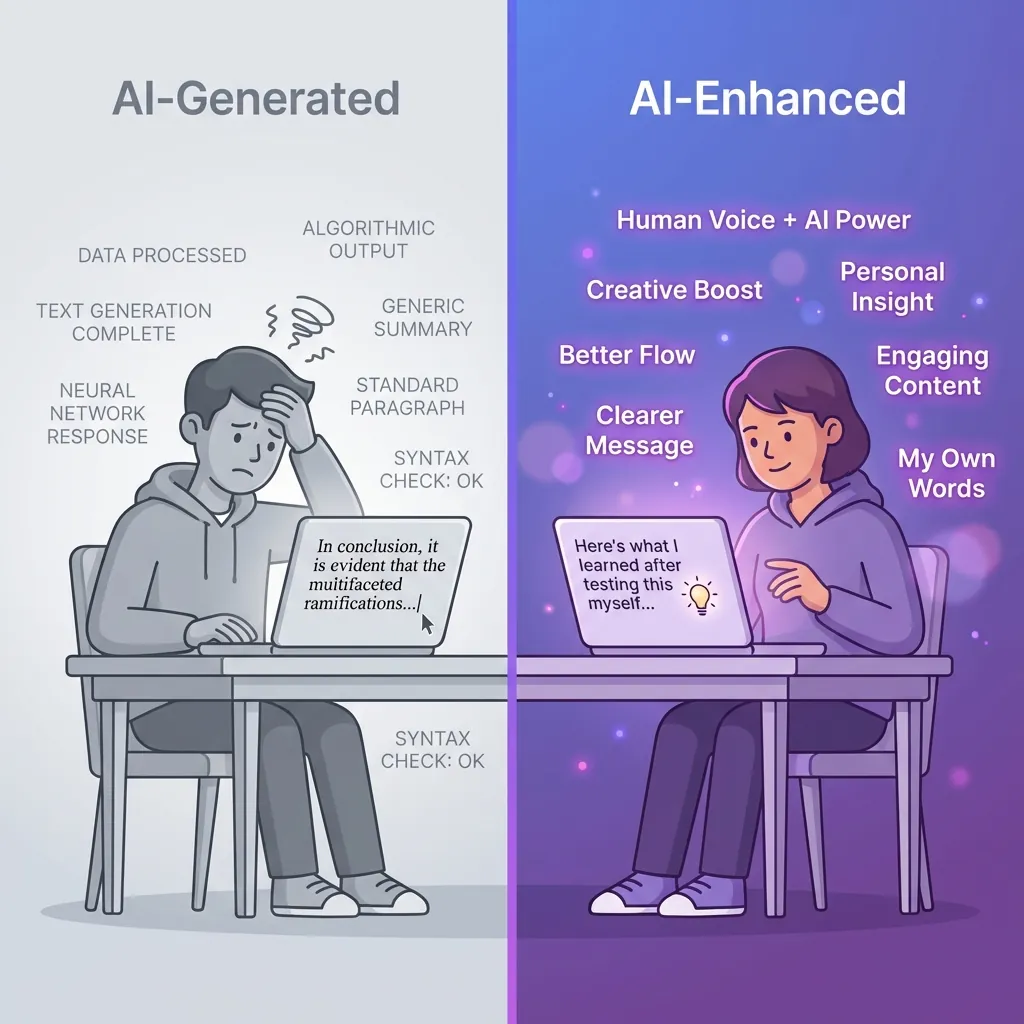
Real student Caroline G. from Google Prompting Essentials put it perfectly. "I don't think a day goes by without incorporating what I learned."
She uses AI for introductions and awkward sentence improvements — not entire essays. That's the difference between enhancement and replacement.
Tool #1: ChatGPT for Brainstorming and Concept Explanations
ChatGPT excels at breaking down complex topics into digestible chunks. Ask it to explain quantum mechanics like you're five. Request 20 practice questions on photosynthesis. Get it to generate study frameworks for dense textbooks.
- Best for: Concept clarification and study question generation
- Limitation: Can confidently state false information — always verify facts
- Real success: Students report understanding concepts faster when AI explains multiple ways
The free version (GPT-3.5) works fine for most studying. GPT-4 is sharper with technical subjects but costs $20/month. I'd start free unless you're tackling advanced STEM.
Use it for the brainstorming phase. Let it help you understand. Then write your own answers.
Tool #2: Grammarly for Writing Polish
Grammarly catches grammar mistakes, suggests clarity improvements, and adjusts tone. It won't write essays for you - and that's exactly why it's valuable.
- Best for: Grammar, clarity, and tone suggestions on your own writing
- Free vs Premium: Free catches most issues; Premium adds style suggestions
- Why it won't replace learning: It explains WHY changes improve your writing
The free version handles 95% of student needs honestly. Premium's plagiarism checker and advanced suggestions matter for graduate-level work. But for undergrad essays and papers, free suffices.
Think of it as a patient editor reviewing your drafts. You still do the thinking and writing.
Tool #3: Notion AI for Organized Note Systems
Notion AI shines when you've already taken notes manually. It summarizes your existing notes into study guides. Creates outlines from scattered thoughts. Organizes research into coherent structures.
- Best for: Organizing existing notes into study guides
- Integration: Works directly in Notion workspace you already use
- Not a replacement: Still requires you to take initial notes
I use it after lectures to transform my messy notes into clean study materials. The AI finds connections I missed. Suggests categorizations I hadn't considered.
But the initial note-taking? That's still manual - because that's where learning happens.
Tool #4: Quillbot for Paraphrasing and Summarization
Quillbot helps you understand complex academic readings by paraphrasing them simply. According to comprehensive AI tools comparison, it's particularly useful for processing dense research papers. The summarizer condenses long articles into key points.
- Best for: Rephrasing complex academic texts for better understanding
- Academic integrity: Use it to understand sources, not to plagiarize them
- Paraphraser modes: Standard, Fluency, Creative — each serves different purposes
The ethical line is clear. Use Quillbot to understand what a source is saying. Then write your own analysis in your own words. Never paste Quillbot's output directly into your paper.
It's a comprehension tool, not a shortcut.
Video Learning Tools That Save You Hours Every Week (Tools #5-7)
Video content rules modern education. YouTube contains millions of educational hours. Zoom class recordings stack up endlessly. Conference talks hide valuable insights inside 90-minute presentations.
The challenge? You can't watch everything. I've burned entire evenings on 2-hour videos for 10 minutes of actual value. These tools solve that specific pain point.
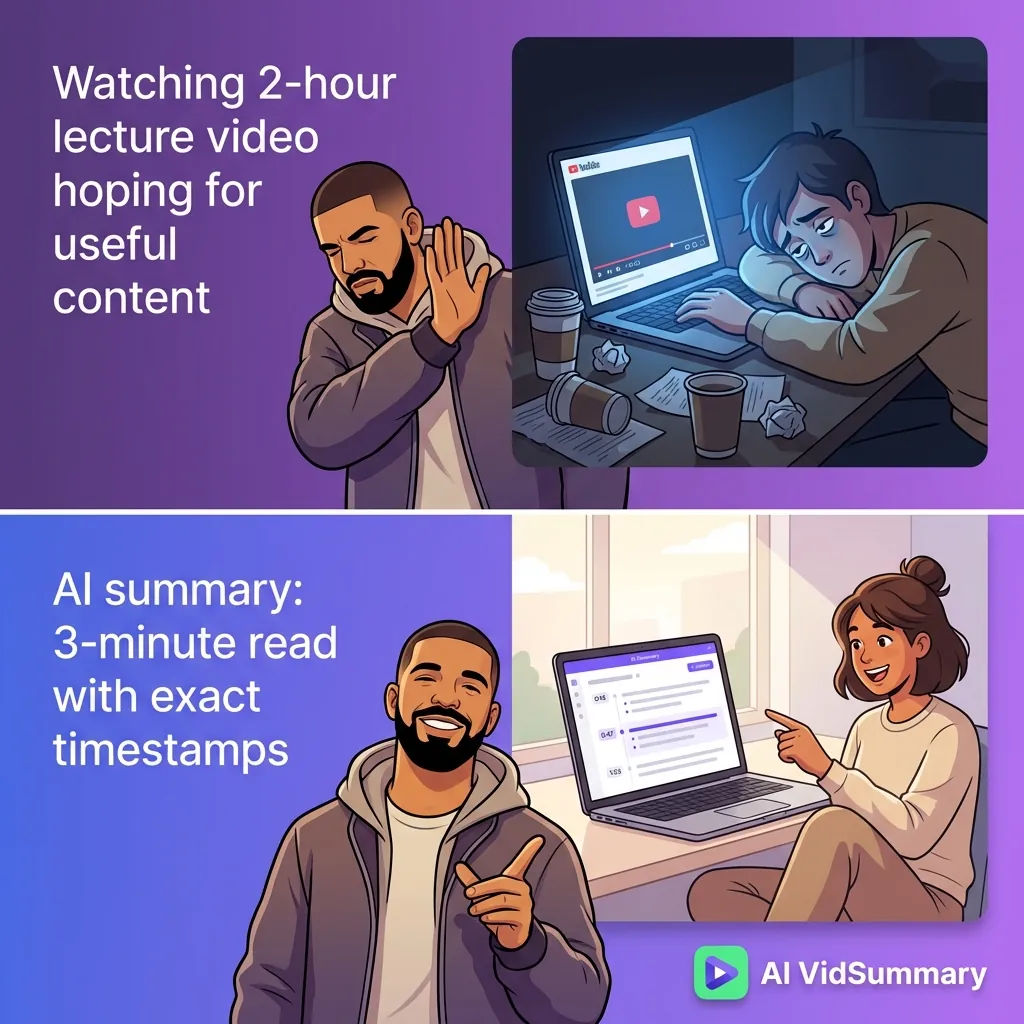
Specialized video tools beat general AI in this space.
When you need to extract value from AI video summarization for students educational videos quickly, purpose-built solutions like AI VidSummary handle the complexity better than copying transcripts into ChatGPT. They're designed specifically for video intelligence (timestamps, multi-language support, and content verification).
Tool #5: AI VidSummary for YouTube Lecture Extraction
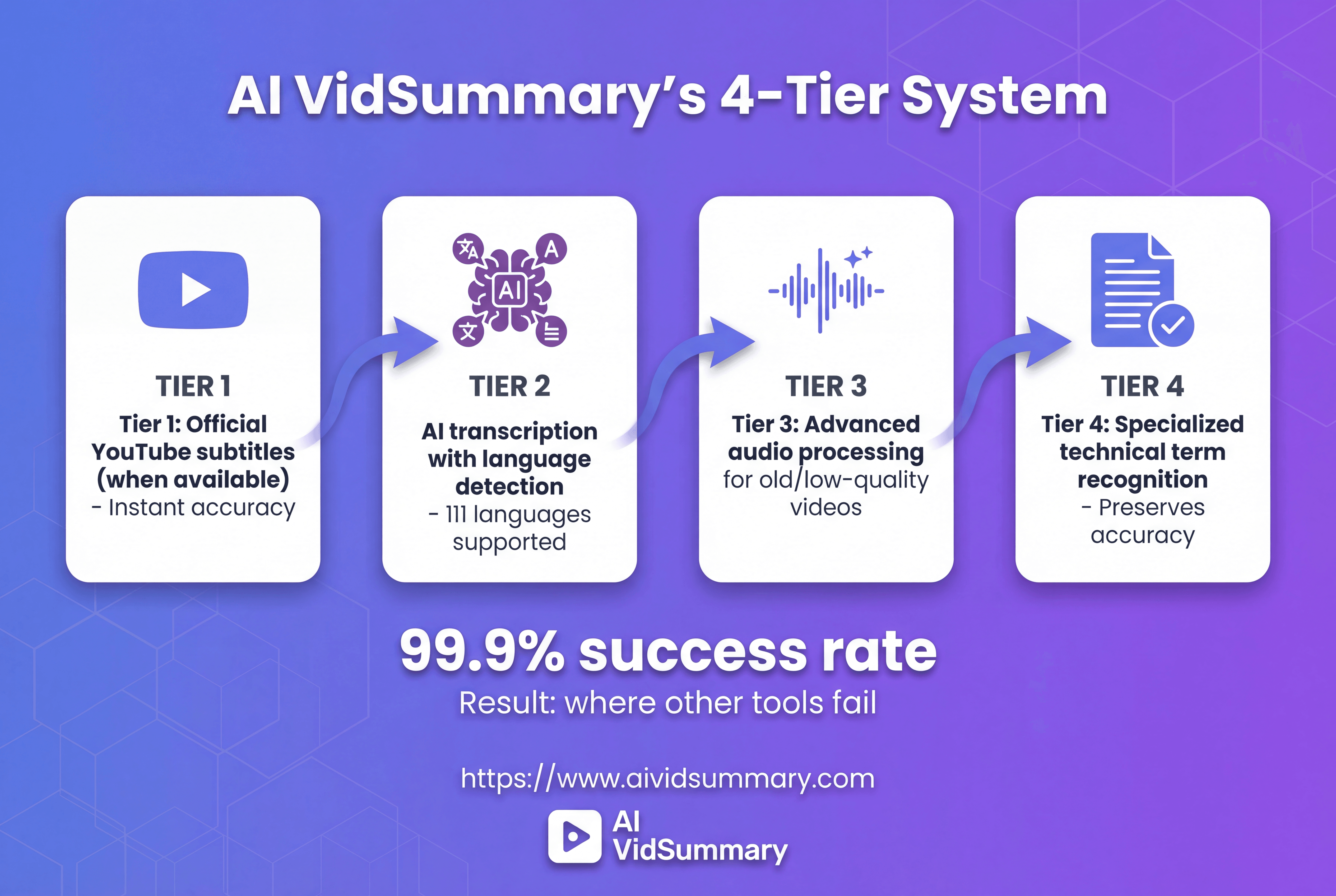
AI VidSummary converts any YouTube video into a 3-minute read. That 1-hour lecture becomes scannable summary with clickable timestamps. The AI chat feature allows you to ask questions about content and receive answers with timestamp citations. You can verify everything.
- Best for: YouTube educational videos and online courses
- 111-language support: Access international educational content without language barriers
- AI chat: Ask questions, get timestamp-linked answers, verify instantly
The 4-tier transcript system achieves 99.9% success rate where others fail. Works on old videos without subtitles. Handles rare languages. Preserves technical terminology accurately.
Three free summaries daily with no credit card required. That's genuinely generous. Test it on your toughest lecture videos.
I use it for conference talks and technical tutorials. Saves me 10+ hours weekly.
Tool #6: Mindgrasp for Multi-Format Content Processing
Mindgrasp processes PDFs, videos, podcasts, and documents all in one place. Upload your lecture slides and recording together, get unified notes. According to AI study tool for multiple content types, it generates flashcards and quizzes automatically.
- Best for: Students juggling multiple content formats
- Generates: Notes, flashcards, quizzes from any upload
- When to use: General processing vs specialized video tools
The trade-off is depth versus breadth. Mindgrasp handles everything adequately. Specialized tools like AI VidSummary handle video exceptionally well.
Choose based on your workflow needs.
Tool #7: Otter.ai for Live Lecture Transcription
Otter.ai transcribes live classes and meetings in real-time. Speaker identification shows who said what. Searchable transcripts allow you to find specific moments instantly.
- Best for: Live classes and Zoom meetings
- Real-time transcription: See words appear as they're spoken
- Free tier: 300 minutes monthly; paid plans for heavy users
I've used it for every Zoom class since 2024. Never miss content while taking notes. Just listen and engage. Otter captures everything.
The free tier covers most students. Upgrade only if you exceed 300 minutes monthly.
Personalized Learning Platforms That Adapt to Your Pace (Tools #8-10)
One-size-fits-all education fails most students. You're either bored or lost, rarely challenged at exactly your level.
Adaptive learning platforms analyze your performance and adjust difficulty accordingly. They identify weak areas and provide targeted practice. According to AI education platforms overview, these systems personalize education by analyzing student performance in real-time. They adjust difficulty levels, recommend resources, and provide targeted feedback.
This isn't theoretical. It's how modern learning works.
The platforms below use machine learning to keep you in the optimal challenge zone. Not too easy, not impossibly hard. Where actual learning happens. They track progress across sessions and suggest exactly what to study next.
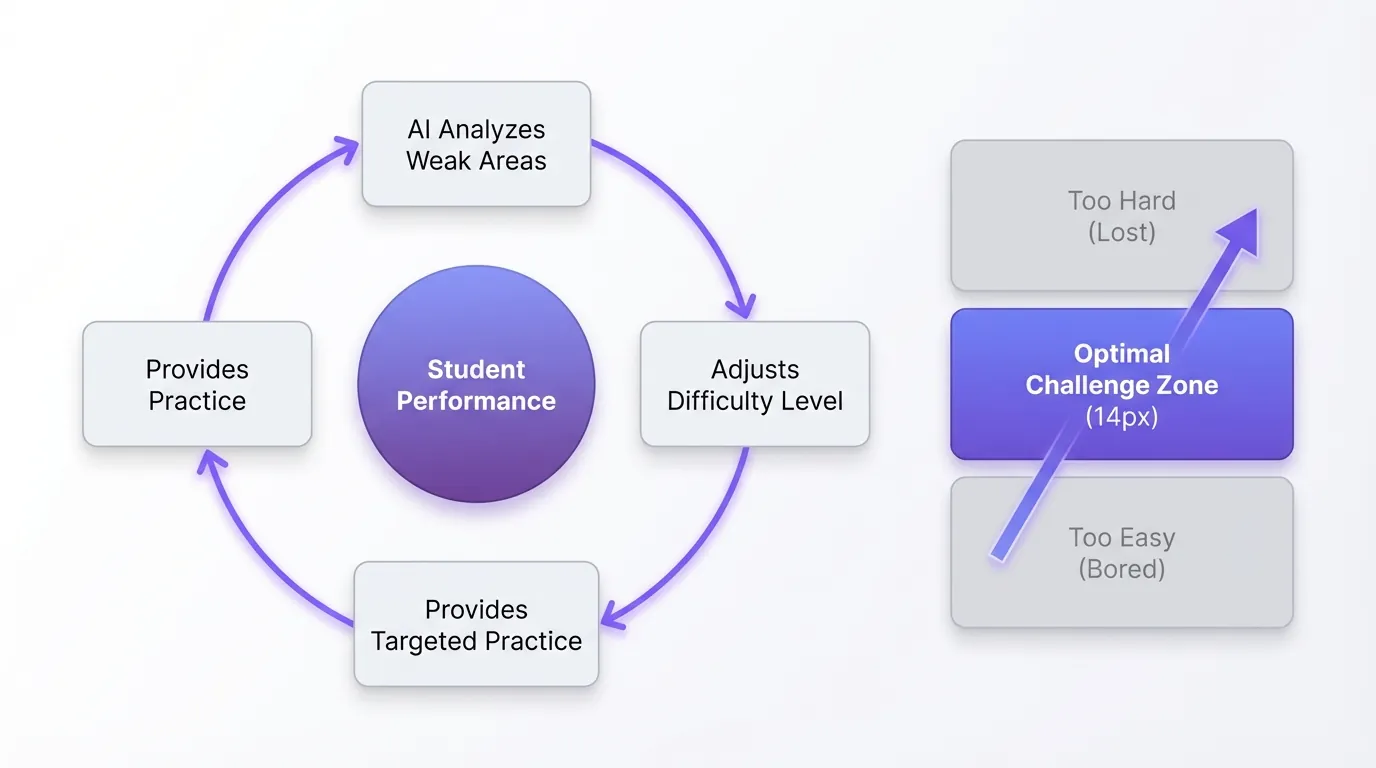
That's the power of adaptive AI.
Tool #8: Khan Academy's Khanmigo AI Tutor
Khanmigo uses Socratic questioning to guide you toward answers rather than giving them. It asks follow-up questions. Probes your understanding. Helps you discover solutions yourself.
- Best for: K-12 and early college STEM subjects
- Socratic method: Guides thinking rather than providing answers
- Free access: With some limitations on AI tutor features
The approach builds genuine understanding. You can't just copy answers because Khanmigo won't let you. It forces you to think through problems step-by-step.
That frustration you feel? That's learning happening. Embrace it.
Tool #9: Duolingo for Adaptive Language Learning
Duolingo adjusts difficulty based on your performance in real-time. Nail vocabulary easily? It increases complexity. Struggle with verb conjugations? It provides more practice.
- Best for: Language learners at any level
- AI adjustment: Difficulty adapts to your performance
- Gamification: Makes daily practice actually enjoyable
The gamification isn't just gimmicky. It genuinely helps retention. Streaks motivate daily practice. Leaderboards add friendly competition. Immediate feedback reinforces correct patterns.
I've maintained a 400-day streak learning Spanish. The adaptive system keeps it challenging enough to matter.
Tool #10: Coursera's AI-Powered Course Recommendations
Coursera's AI analyzes your goals, completed courses, and career interests to recommend relevant learning paths. According to personalized learning approach, this skill gap analysis helps identify exactly what you need next. It maps courses to career goals intelligently.
- Best for: Professional development and career skills
- AI matching: Courses aligned to your career goals
- Google AI Essentials: Real students report practical application success
Student Candace P. said the Google AI Essentials course "provided me with a really solid foundation" despite knowing little about AI initially. She now uses AI tools for work and personal projects.
That's the goal. Practical skills you actually use.
Study Enhancement Tools for Memory and Retention (Tools #11-13)
Going through material once doesn't stick. Memory needs repetition, active recall, and practice spread across time.
tehse tools automate the scientifically-proven parts of retention, scheduling reviews when your brain needs them most and generating practice questions straight from your notes while testing you harder on weak spots. According to AI study tools comparison, spaced repetition systems backed by research dramatically improve long-term retention. AI makes creating these study materials 10x faster, though you still need to do the actual studying (no shortcuts there).
The tools handle tedious card creation.
You handle the learning.
Tool #11: Anki with AI-Generated Flashcards
Anki's spaced repetition algorithm is backed by decades of research. Cards you struggle with appear more frequently. Mastered cards space out over weeks.
- Best for: Medical students and heavy memorization subjects
- Spaced repetition: Research-backed algorithm for long-term retention
- AI card generation: Tools like RemNote create Anki cards from notes
Manual card creation takes forever. AI tools now generate Anki cards from your lecture notes automatically. You review what it creates, edit for accuracy, then study.
Medical students swear by Anki for memorizing thousands of facts. AI generation just makes it feasible.
Tool #12: Quizlet's AI-Powered Study Sets
Quizlet's AI creates practice tests from your notes automatically. Learn mode adapts to your weak areas. Collaborative study means sharing sets with classmates.
- Best for: Quick test prep and group study
- AI generation: Practice tests from uploaded notes
- Free vs Plus: Free works fine; Plus adds advanced features
I use it for quick review before exams. The AI-generated questions aren't perfect but they work well enough for practice. Always verify important facts independently.
The collaborative aspect helps. Study with classmates using shared sets.
Tool #13: Knowt for AI Flashcard Generation
Knowt converts lecture notes and PDFs into flashcards automatically. Upload your notes, get instant study materials. It also generates practice tests.
- Best for: Students who hate making flashcards manually
- Upload and generate: Instant study materials from notes
- Accuracy verification: Still review what AI creates
The time savings are real. What took an hour of manual card creation now takes five minutes. But (and this is critical) you must review for accuracy.
AI occasionally misinterprets context or creates incorrect cards. Quick review catches these issues.
Research and Citation Tools That Actually Save Time (Tools #14-15)
Research papers demand finding relevant sources, reading them, and citing correctly. That process usually consumes hours.
AI research assistants locate relevant papers in seconds. Summarize findings. Extract key data points. According to academic research resources, proper citation management saves hours during the writing phase.
But a critical warning - AI can hallucinate citations that don't exist. Always verify sources actually exist and say what AI claims.

That verification step is non-negotiable.
Your academic credibility depends on it.
Tool #14: Elicit for Literature Reviews
Elicit searches academic databases and summarizes research papers relevant to your question. It extracts key findings. Identifies methodologies. Shows you what research says about your topic.
- Best for: Research paper literature reviews
- AI summaries: Finds and summarizes academic papers
- CRITICAL WARNING: Always verify citations exist and are accurate
I've caught Elicit citing papers that don't exist. The summaries of real papers are usually accurate. But you must verify every citation before including it.
Use Elicit to find relevant research quickly. Then verify everything independently.
Tool #15: Zotero with AI Plugins
Zotero manages citations, organizes PDFs, and integrates with Word and Google Docs. AI plugins add auto-tagging and summarization features.
- Best for: Managing large research libraries
- Free and open-source: No subscription required
- Integration: Works with Word and Google Docs seamlessly
The AI plugins categorize papers automatically. Suggest tags based on content. Summarize abstracts for quick scanning.
But the core citation management is what matters most. Never manually format citations again.
Coding and Technical Learning Assistants (Tools #16-17)
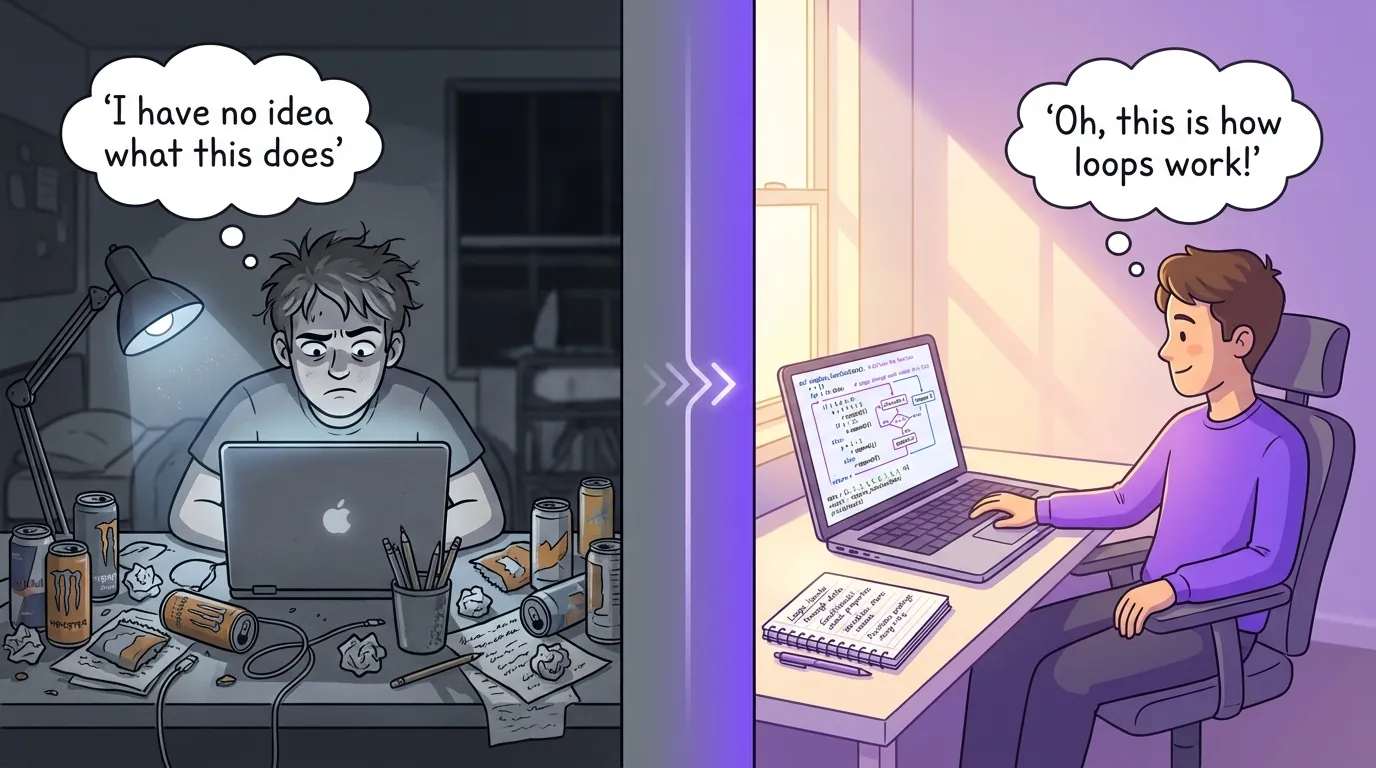
Learning to code frustrates everyone. Syntax errors from missing semicolons. Documentation written for people who already get it. Debugging sessions that eat entire afternoons.
AI coding assistants translate errors into plain English. Recommend fixes. Demonstrate syntax patterns. According to Google AI learning platform, AI tools help developers learn faster by providing immediate feedback.
The catch? You must understand the code AI writes.
Copy-pasting without comprehension builds dependency, not skill.
Tool #16: GitHub Copilot for Learning to Code
Copilot suggests code completions as you type. It clarifies what code does. Supports debugging errors. Demonstrates syntax patterns for your language.
- Best for: Beginner to intermediate developers
- Real-time suggestions: Code completion and explanations
- Why understanding matters: You need to know what it writes
I use Copilot when learning new frameworks. It reveals patterns I wouldn't know to search for. But I read every line it suggests.
Understanding the code is the entire point.
Tool #17: Replit's AI Assistant for Interactive Coding
Replit allows you to code in your browser with zero setup. The AI assistant clarifies errors as they happen. Recommends fixes. Teaches concepts interactively.
- Best for: Complete coding beginners
- No setup: Learn in browser immediately
- AI tutor: Explains concepts as you code
The instant feedback loop speeds up learning. Make a mistake, get explanation, fix it, move forward. No waiting for compilation or environment setup.
Perfect for absolute beginners who find traditional coding environments overwhelming.
The Real Deal on AI's Learning Weaknesses
AI delivers wrong information with total confidence. Fabricated facts, made-up citations, false explanations.
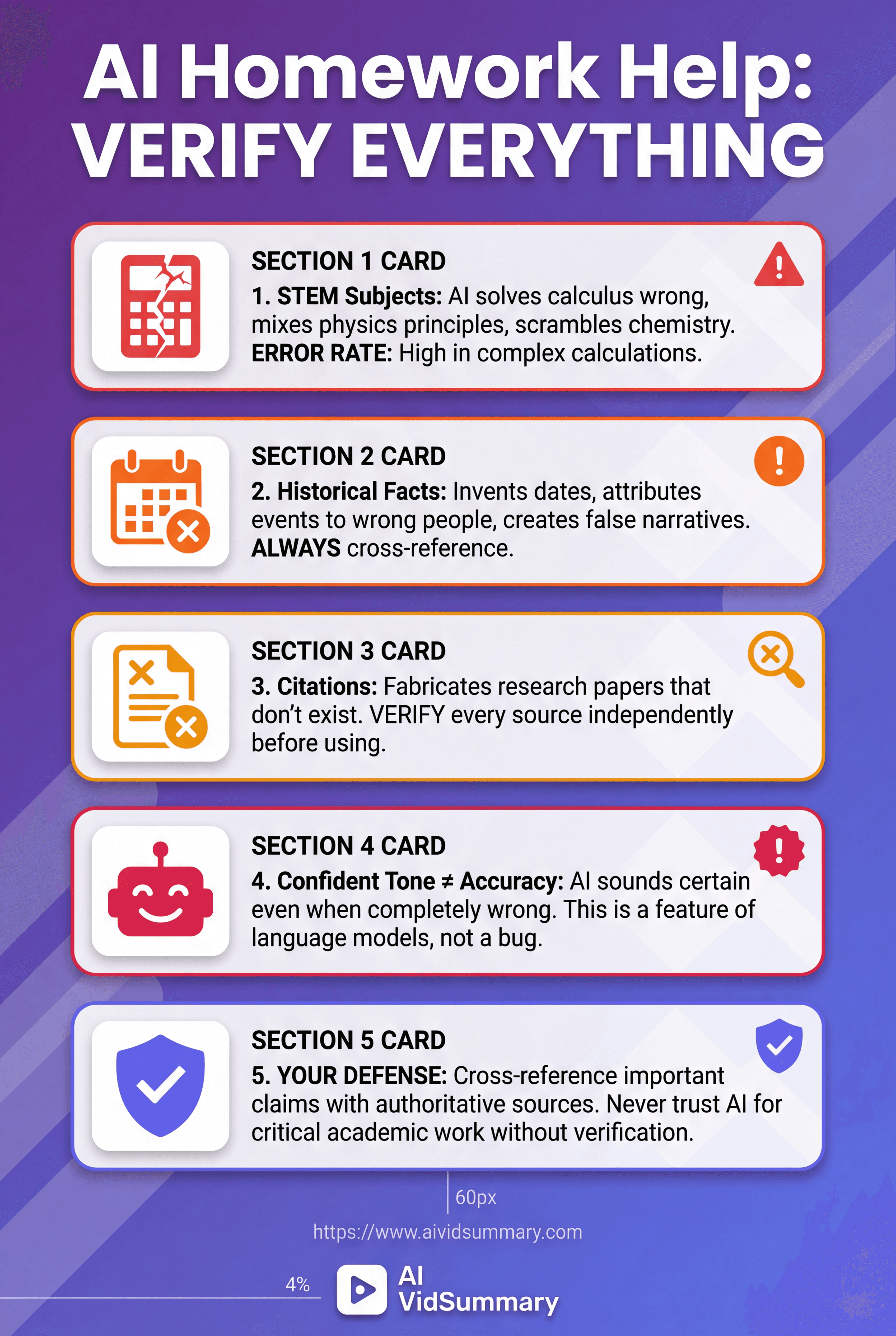
Not a bug. A feature of how large language models actually function. They generate text that sounds right, which isn't the same as being accurate. According to AI in education research, AI tools produce false information with absolute certainty, particularly in STEM and historical contexts.
Complex subjects increase error rates dramatically. Verify anything important against reliable sources. Cross-reference every claim. Confirm those citations are real.
Your grade rides on accuracy, not convincing-sounding answers.
That verification step saves you.
When AI Fails Spectacularly
I've watched ChatGPT invent research papers from scratch. Generate mathematical proofs riddled with subtle mistakes. Assert historical facts with certainty while being completely incorrect.
STEM subjects create particular problems. AI solves calculus wrong. Mixes up physics principles. Scrambles chemical properties.
Historical information gets invented wholesale. Dates change. Events get pinned on the wrong people.
Cross-reference important material with authoritative sources. Always.
What AI Cannot Do for Your Education
AI can't build critical thinking skills on your behalf. It can't push through difficult concepts for you (that pushing builds real understanding). It can't experience those "aha" moments where everything suddenly makes sense.
Critical thinking demands personal wrestling with ideas. Creative problem-solving requires exploring failures yourself.
Deep understanding emerges from confusion, frustration, and breakthrough clarity.
Human interaction and discussion stay essential. Arguing ideas with classmates. Asking professors for clarification. Teaching concepts to study partners.
AI remains a tool. You still own the learning.
How to Choose the Right AI Tool for Your Specific Needs
Begin with whatever's killing you most. Buried under lecture videos? Grab AI VidSummary. Can't write to save your life? Grammarly's your answer.
Stop trying to master all 17 tools simultaneously.
Visual learners get the most from video summarizers and mind mapping AI. Auditory learners need transcription tools like Otter.ai. Kinesthetic learners want interactive coding environments and simulation tools.
According to AI tools for continuous learning, matching tools to learning style dramatically improves outcomes. For video-based learning specifically, specialized tools like AI VidSummary with 111-language support and AI chat features handle educational content better than general solutions.
Pick tools that fit how your brain actually works.
Then expand gradually.
Match Tools to Your Learning Style
Visual learners should start with AI VidSummary for video content and Notion AI for organized note systems. Seeing information structured helps retention.
Auditory learners benefit from Otter.ai transcription and text-to-speech features. Hearing content while reading reinforces learning.
Kinesthetic learners need interactive tools like Replit for coding and adaptive platforms like Duolingo. Doing beats reading.
Most people blend styles. Use multiple tool types.
Subject-Specific Tool Recommendations
STEM students need adaptive platforms like Khan Academy, coding assistants like Copilot, and Anki for memorization. The combination covers understanding, application, and retention.
Humanities students want writing tools like Grammarly, research assistants like Elicit, and citation managers like Zotero. These handle the research and writing workflow.
Language learners should use Duolingo for adaptive practice, AI VidSummary for international content, and conversation AI for speaking practice. Immersion plus structure works best.
Professional skills require Coursera's recommendations, LinkedIn Learning integration, and industry-specific tools.
Free vs Paid: What You Actually Need
Most students can start with free tiers. ChatGPT free, Grammarly free, AI VidSummary's three daily summaries, Otter.ai's 300 minutes. These cover 80% of needs.
Upgrade when you hit clear limitations. Heavy video users might need AI VidSummary's paid plan. Writers producing lots of content benefit from Grammarly Premium.
Budget-friendly stack: ChatGPT free, Grammarly free, AI VidSummary free tier, Otter.ai free, Khan Academy, Anki. That covers writing, video, transcription, learning, and memory. Zero cost.
Conclusion
AI strengthens learning without substituting for it. The tools covered in this guide eliminate time spent on mundane work like transcription, organization, and citation formatting. They clarify concepts when you hit a wall.
But independent thinking? That's still on you.
Pick two or three tools that address your most frustrating obstacles. Apply them to grasp material quicker, not to dodge comprehension entirely. Double-check everything AI generates, particularly citations and technical details. Protect academic integrity by treating AI as a study partner, never as a shortcut for assignments.
PwC estimates AI will contribute $15.7 trillion to the global economy by 2030.
IBM reports 1.4 billion people will need reskilling within three years. AI literacy is becoming as fundamental as reading. Yet human learning (critical thinking, creativity, productive struggle) can't be replicated.
Apply these tools with intention. Absorb material faster, dig deeper, perform better.
Share this
About AI Vid Summary Team
We're a passionate team dedicated to transforming how people learn from video content. At AI Vid Summary, we combine cutting-edge AI technology with user-friendly design to help students, professionals, and lifelong learners extract maximum value from YouTube videos and online courses.
Try AI Vid Summary


Loading comments...