How to Actually Remember What You Watch Using Spaced Repetition for Videos in 2026
AI Vid Summary Team
11 min read
Introduction
Two hours spent viewing an MIT machine learning lecture. You jotted notes feverishly. A week later? Those main concepts are slipping away.
Does that resonate with you? I'm Piyush Agarwal.
Over the [rest of content about transformation]
Writing notes during videos creates this misleading security. You're writing but not processing deeply enough to ensure retention.
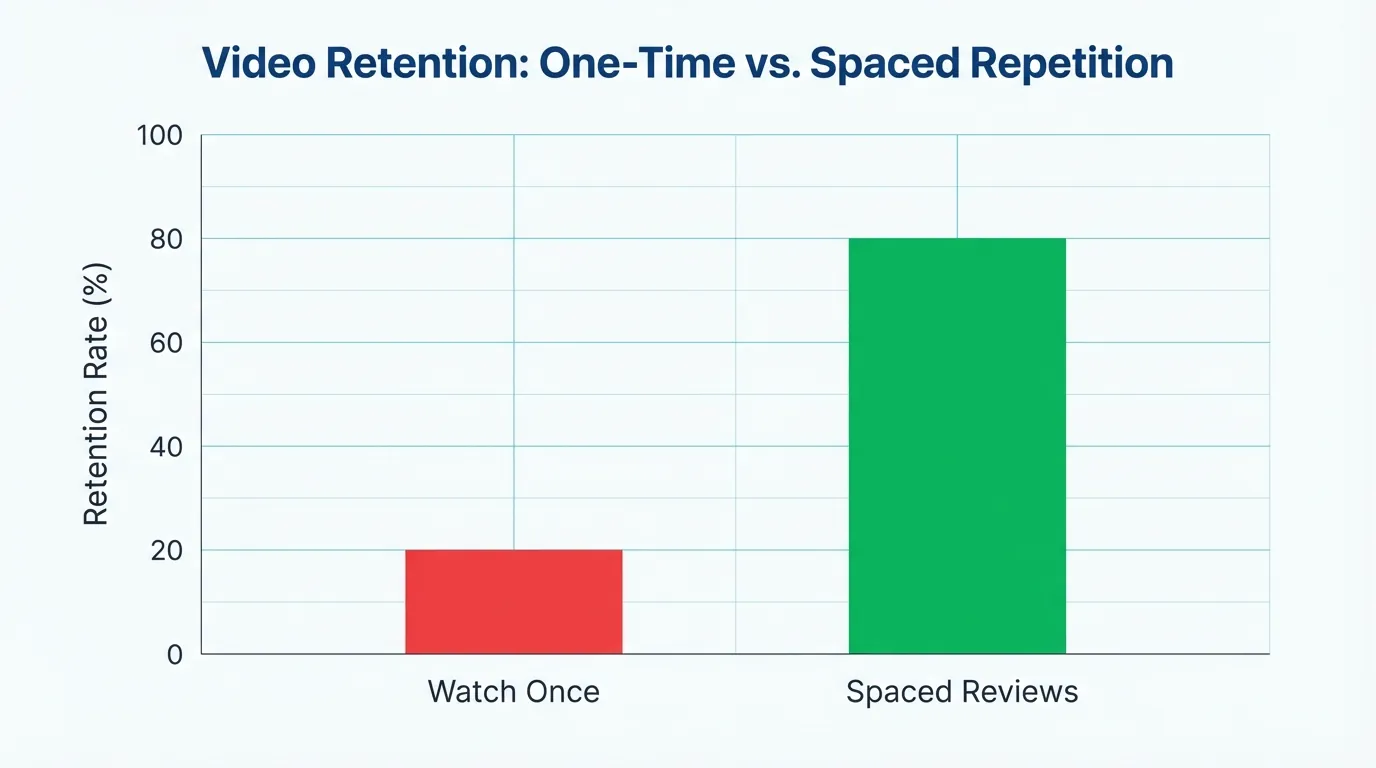
What transformed my approach? Spaced repetition for video learning. Instead of a one-time watch-and-hope strategy, I established review intervals straight into my video study routine. By revisiting key lecture concepts at critical times - 24 hours, then three days, then a week - I shifted from recalling maybe 20% of what I watched to retaining over 80% of key information. It's not about watching videos repeatedly end-to-end (who has time for that?), but about smart, concentrated review that aligns with the brain's way of processing and storing video information.
Video Retention Rates: One-Time Viewing vs Spaced Repetition
Why Your Brain Can't Retain Video Content for More Than 48 Hours
The Overlooked Multimedia Forgetting Curve
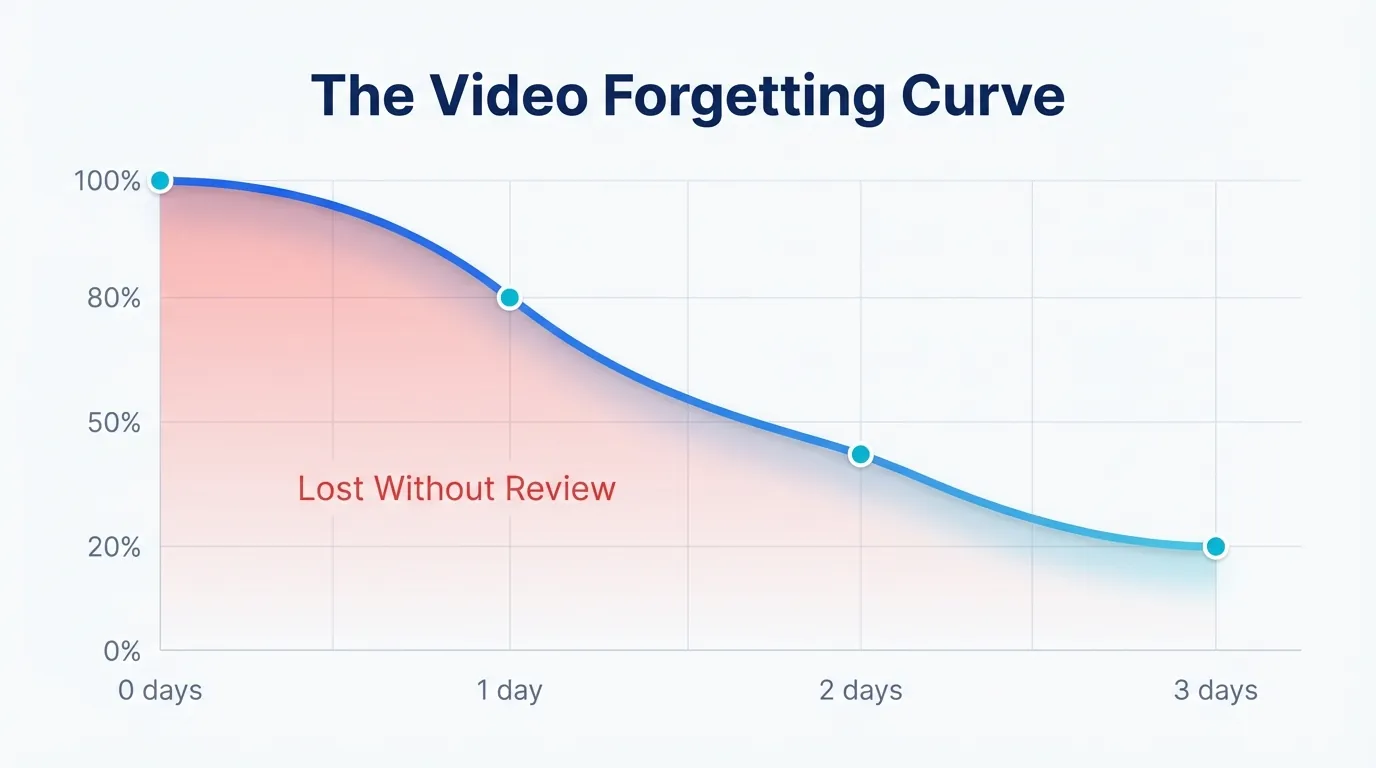
You conclude a 45-minute tutorial thinking you've mastered it. Fast forward two days, and recalling the key steps feels impossible. It’s not your fault - this is just how your brain processes video learning. According to the Learning Scientists, without actively reviewing, you forget around 80% of video material within three days. Content quality or concentration isn't to blame.
The Video Forgetting Curve - Content Retention Over Time
Watching provides a deceptive sense of understanding.
When it comes to video learning, retention declines because passively viewing misleads you into believing learning is occurring, while you’re merely observing. Nodding along, grasping the logic, maybe jotting down notes - none of this guarantees the info transitions from temporary awareness to enduring memory. Video’s progression lacks those pauses that solidify comprehension. As noted in retrieval practice research, actively recalling information strengthens memory pathways far better than passive views. Unless you intentionally integrate retrieval into your YouTube learning process, videos won't motivate you to recall.
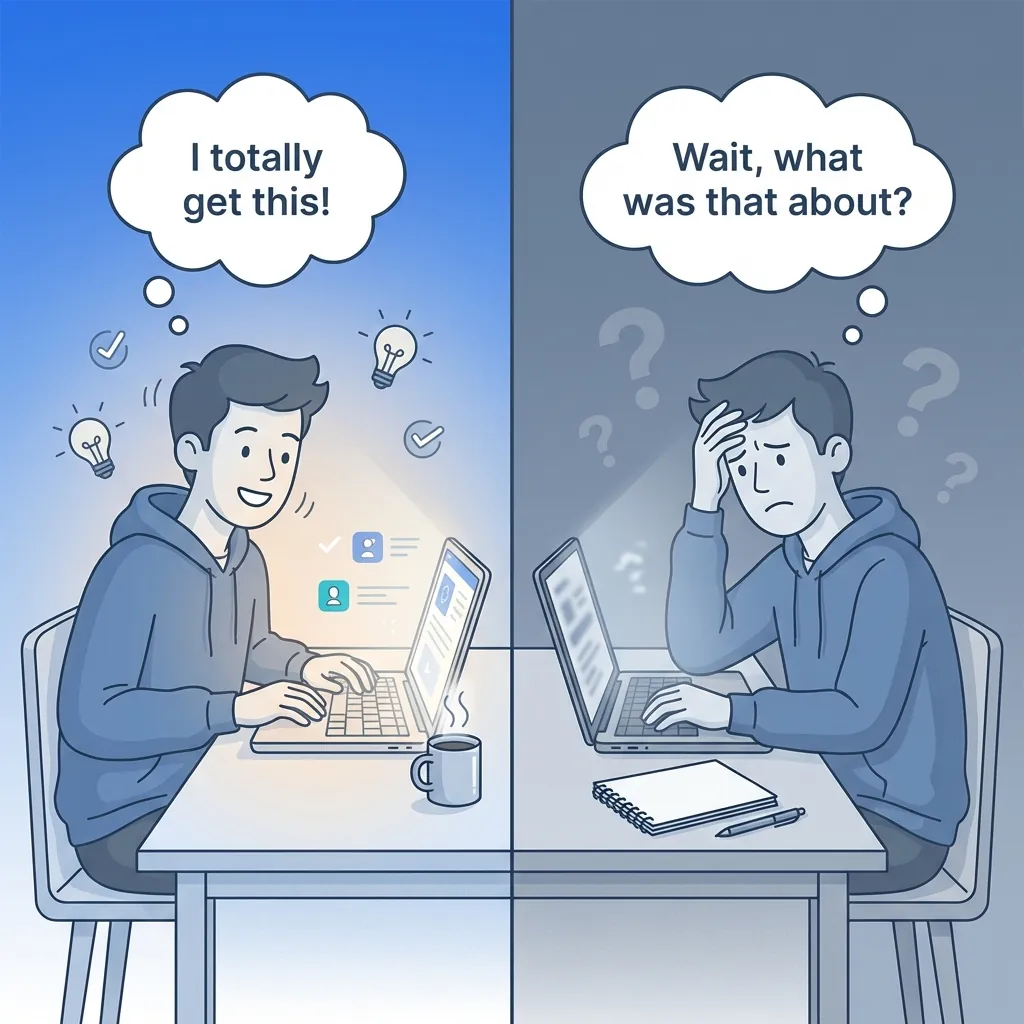
The Learning Illusion: Passive vs Active Learning
The disconnect between feeling informed and genuinely remembering video content is vast.
Why Video Content Sticks Less Than Text
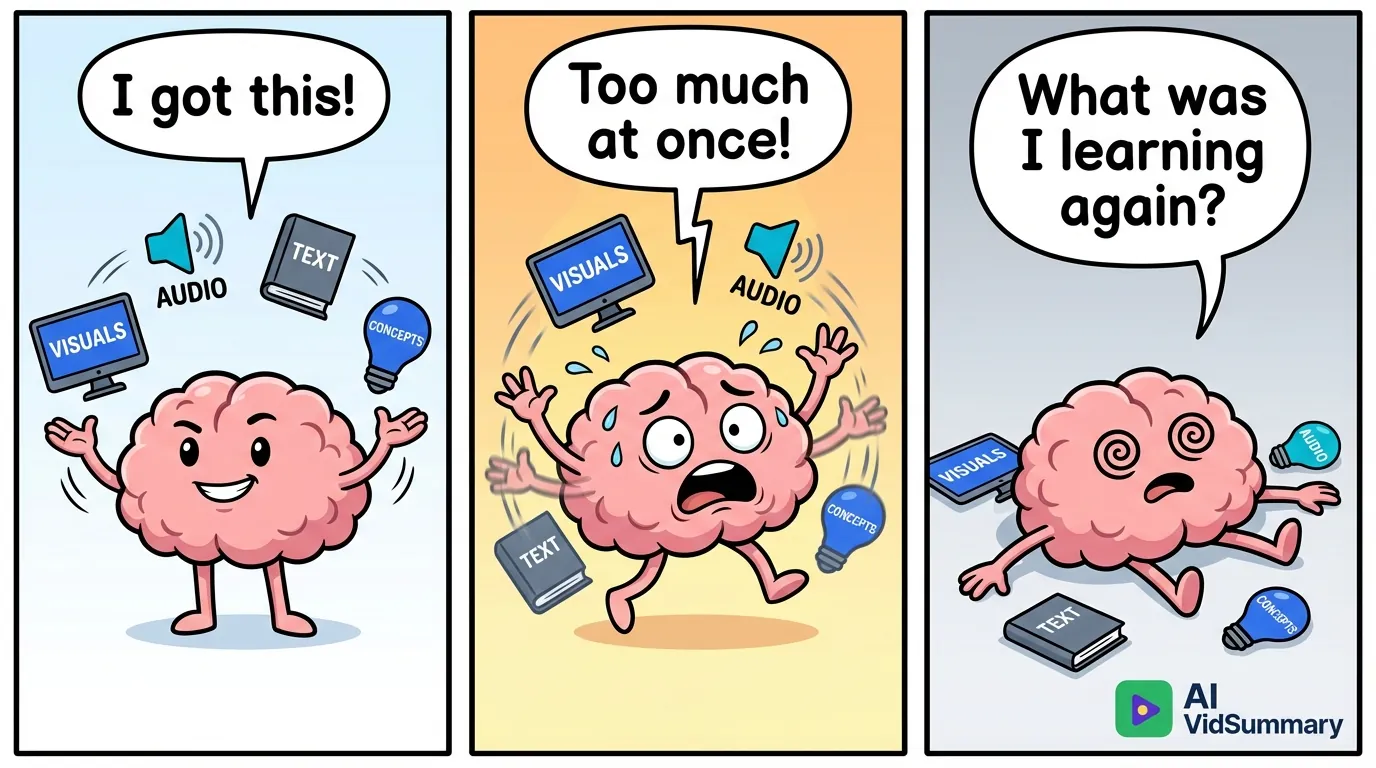
Text just sits there. You can re-scan three paragraphs, reread a challenging sentence, or skip to the end. Videos compel you to follow their timeline - pause, rewind, or hurriedly scroll to find that elusive moment you vaguely remember. Your brain's workload spikes as you juggle visual content, audio narration, on-screen text, and video lectures all at once. This cognitive overload forces your brain to let go of details almost as soon as the video concludes.
The Cognitive Overload Journey: From Confident to Overwhelmed
How Spaced Repetition Solves Video Memory Issues
Ever sat through a 90-minute lecture, took meticulous notes, felt it all clicked, only to forget most of it two weeks later? Yep, it occurs.
I've witnessed this situation countless times with students and professionals who spend hours each week watching videos. They view the content once, perhaps revisit perplexing bits, and then move on. This isn't about poor content quality or a lack of concentration. It's about how our brains process multimedia information. Spaced repetition for videos changes the game by timing reviews to align with our natural forgetting patterns. Instead of watching once or cramming, you revisit video content at specific intervals (often 1 day, 3 days, 7 days, 14 days). Each session takes less time since you're reinforcing existing pathways in the brain, rather than constructing new ones.
The retention enhancement? Huge.
Applying the Spacing Effect to Videos
Back in 1885, Hermann Ebbinghaus documented the spacing effect, revealing that spreading out reviews surpasses cramming for lasting recall. For videos, watching a 60-minute tutorial one time results in roughly a 20% retention rate after a month. But reviewing it at intervals boosts it to an impressive 70-80%. Research by Dr. Richard Mayer on multimedia learning supports this, showing that spaced repetition with video engages both visual and auditory memory, consolidating memories more effectively than text-based methods.
Why It Outperforms Cramming for Videos
Let me share Keith's tale. He prepared for a certification exam with video lectures. After one round of a 2-hour lecture, his 30-day retention was a mere 18%. But when he applied spaced repetition (reviewing on days 1, 3, 7, and 14), his retention skyrocketed to 76%.
AI-Powered Intelligent Plan Generation Workflow
The compounding effect is undeniable. Each review session is shorter (40 minutes, 25 minutes, 15 minutes, 10 minutes) because you're refreshing familiar material and identifying weaknesses. No need to rewatch from scratch - you're systematically solidifying weak spots with video review timings that match your brain's forgetting curve.
A Review Schedule That Truly Delivers
You encounter an incredible tutorial, jot down notes, and feel on top of the world - then, a mere three weeks later, you can scarcely recall 20% of it. Yup, I’ve been down that path more often than I'd prefer. Don't worry, it's not your memory at fault. What you need is a video study method that aligns with your brain's natural way of storing video-based content.
Spaced repetition for videos isn't about constant replays. It's about intentionally spaced reviews that help information adhere in your long-term memory.
Here's the technique that gets results.
A Research-Backed Timing Formula for Videos
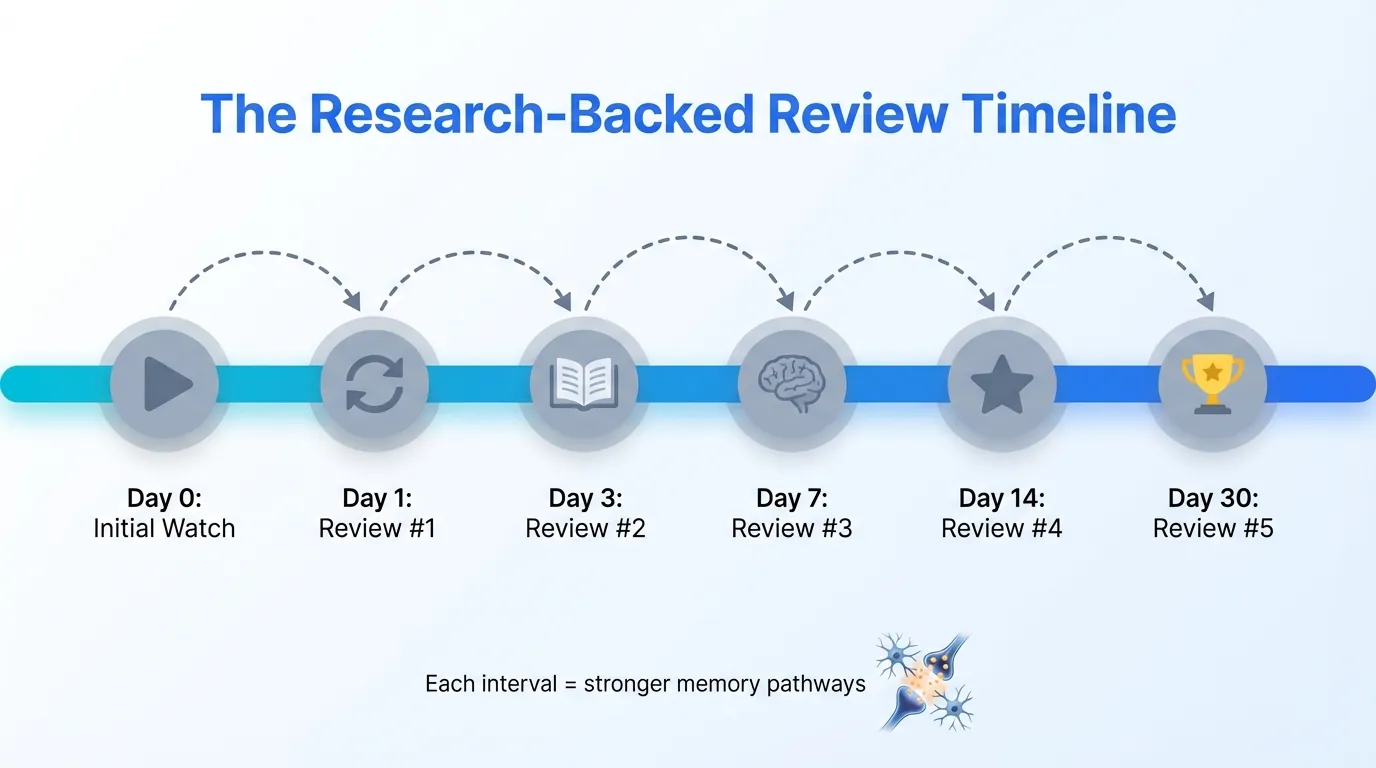
Commence your first review exactly 24 hours after viewing. At this point, your brain is still processing the new info - this review aids in securing those initial neural pathways. Next, perform a second review at three days to solidify the concepts before they slip away. Continue with reviews at seven, fourteen, and thirty days. To effectively create summaries from video content, AI tools like VidSummary can automatically extract vital points, sparing you the hassle of manual note-taking. Each set interval builds upon the last, gradually reinforcing your memory without encumbering you with what's already learned.
The Research-Backed Review Timeline: Optimal Spaced Repetition Intervals
Adjusting Intervals Based on Video Complexity
When dealing with dense material like coding, scientific presentations, or intricate processes, tighter review intervals are crucial. Consider adding an extra review on day two for these. Watching content focused on frameworks, strategies, or theories? Stick to the usual schedule. Toss in extra review sessions when you are actively utilizing the knowledge - that’s where you’ll notice gaps and your retention will really enhance.
Three Ways to Implement Video Spaced Repetition
You've got three choices here, and which one is right for you depends on what you prioritize: zero dollars spent, maximum automation, or avoiding burnout after a couple of weeks.
The Manual Calendar Method - No Cost Involved
Let’s be real, this approach is kind of traditional, but it works if you’re disciplined. Pop reminders into your Google Calendar for review sessions: one day after watching, then three days later, next in a week, then two weeks, and eventually on a monthly basis. Keep a simple spreadsheet to track video titles, watch dates, and important timestamps to revisit.
The hard truth? It demands discipline I sometimes lack. When life gets hectic, you’ll dodge the reminders, and your spreadsheet will stare at you, reminding you of your big intentions, until you just stop logging videos. But hey, it doesn’t cost a dime and you have full control.
Employing Anki or Remnote for Video Timestamps
This method uses flashcard apps designed for text and tweaks them for video content. It involves creating cards that link directly to specific video moments, like "15:23 - explanation of compound interest formula" or "8:47 - debugging technique for React hooks." The Space app for Android and iOS version handle scheduling once the cards are prepared.
The downside? Creating these cards can be a time sink. A 30-minute video might require 10-15 minutes for card creation, which seems hefty until you realize you’re crafting a lasting knowledge repository. The trick is to focus on important concepts, not every detail.
The Hybrid Approach That Suits Real Life
This method uses tools like AI VidSummary to turn video content into structured notes for your spaced repetition system. It mixes quick note-taking during videos with scheduled re-watches of just the crucial parts. So instead of slogging through an entire hour-long lecture, you revisit three key five-minute chunks at spaced intervals. Tools like Language Reactor help automatically pinpoint and bookmark these crucial sections.
I lean towards this method because it reflects reality - you can’t always make time for full reviews, and that’s okay. When a reminder pops up, you check those bookmarked parts, update your notes with fresh insights, and reschedule. Each review session takes about 10 minutes, not the entire video duration, which means you're more likely to stick with it instead of giving up.
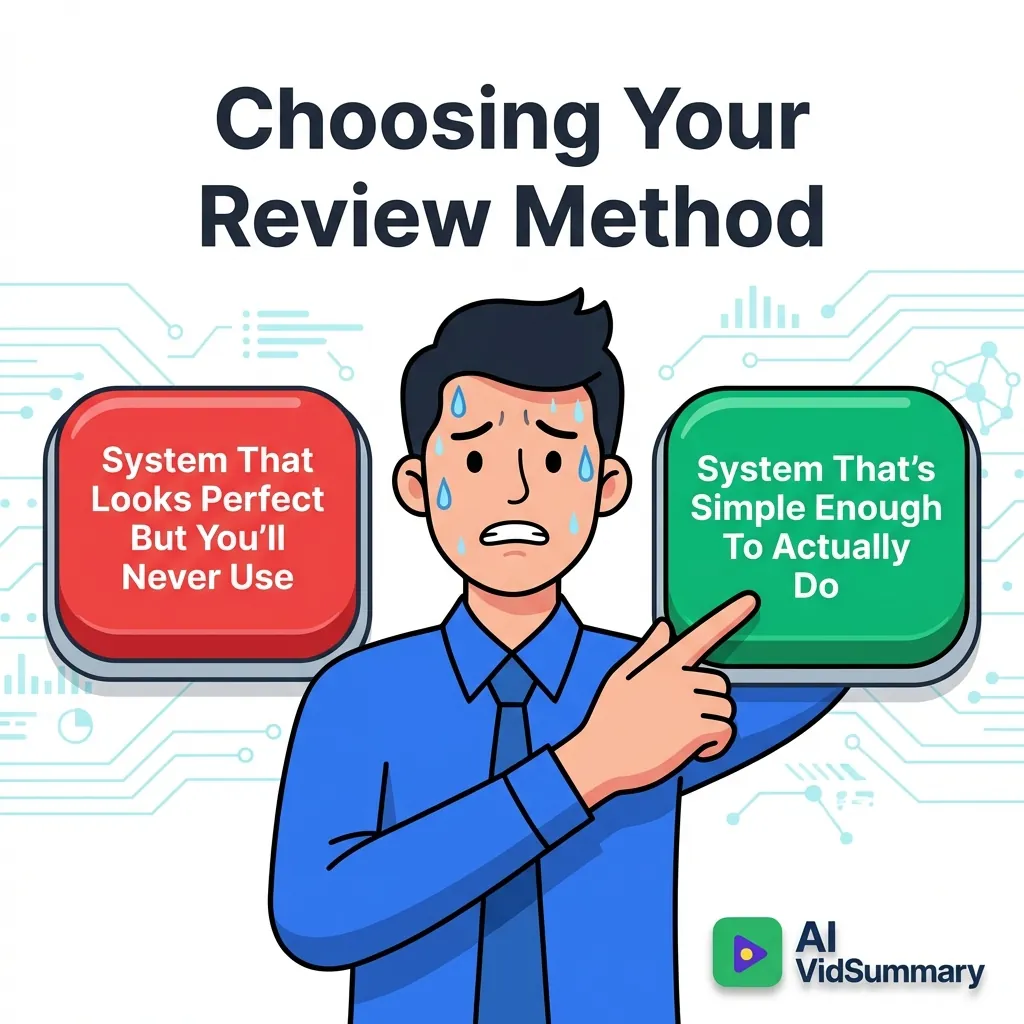
Choose the method that doesn't make you immediately think "no chance I'm doing that."
The Review Method Dilemma: Perfection vs Practicality
Essential Review Without Re-Watching Everything
No need to re-watch entire recordings. Many assume that reviewing means sitting through lengthy hours of content again. It doesn't.
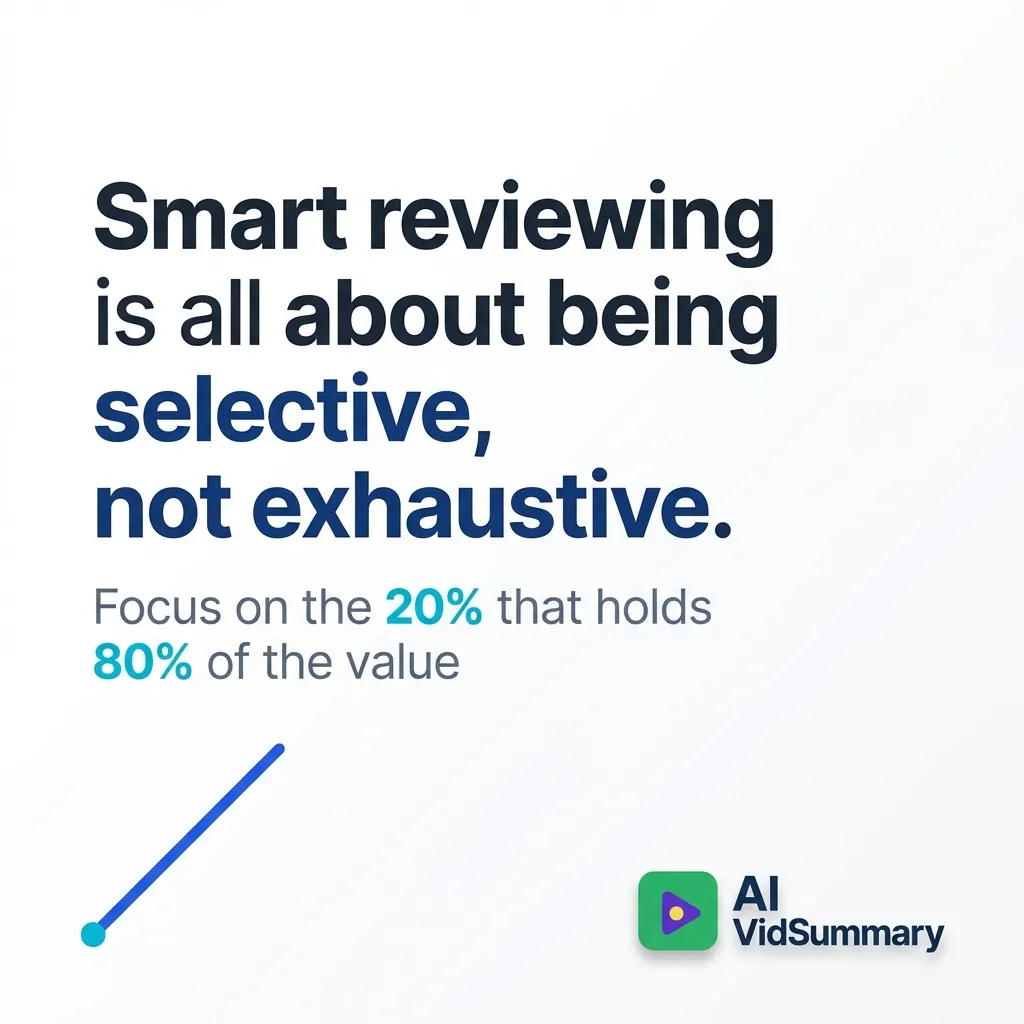
Smart reviewing is all about being selective, not exhaustive.
Smart Reviewing: Be Selective, Not Exhaustive - Productivity Quote
In my experience, utilizing the 80/20 principle in video-based learning is transformative. Seek the 20% of your video material that holds 80% of the value. Focus on breakthrough explanations, worked examples, and those "aha" moments. When viewing the first time, jot down timestamps for anything that makes you think, "This is crucial." These will guide your review, converting a 45-minute video into a concise 9-minute summary that sticks.
Here's why it works: you're not cramming video lectures by sheer repetition. You're crafting a personal highlight reel of insights. At spaced intervals (day 1, day 3, week 1), go directly to your noted sections at 1.5x or 2x speed. You'd be surprised how quickly your mind recalls the context. The skipped material? It's still accessible if needed, but usually, it's unnecessary.
Embrace the 20 Percent Strategy for Reviews
Identify valuable parts during your initial viewing, not afterward. When an instructor highlights a "key concept" or breaks down a complex example, note the timestamp right then.
Develop a straightforward system: timestamp, brief note, significance. For instance, "14:32 - Explains async/await to avoid callback hell - finally made sense." You're essentially creating a personalized index of breakthroughs.
use 2x speed for reviews. Your brain knows the context - this is about refreshing pathways, not relearning.
When Full Replays Matter
Some content merits a complete review. Technical videos under 15 minutes? Go for the full watch.
But those hour-long webinars with just a few minutes of valuable content buried in fluff? Selective reviewing is your best option.
The Unseen Obstacles No One Mentions
Why You'll Overlook Reviews and the Path Back
Skipping evaluations? Yeah, it's going to occur. I've been there, my clients have been there, and pretty much everyone else, too.
Life throws curveballs - you get inundated, you're on the move, or you just hit a motivation slump for a week. Suddenly, your video study routine feels like a task. That Windows desktop application Windows desktop app? It sits there, untouched. On Linux? That version Linux version becomes another icon you skip over. When you finally gather the energy to open your spaced repetition tool again, you’re greeted by a mountain of evaluations. Overwhelming, right? Take this guidance: don’t wipe the slate clean.
Just pick up from where you are. Even if it takes two sessions to get current.
The algorithm will catch up. Forgot something listed as "easy"? It will pop up again soon. Be honest - if a YouTube tutorial concept slipped your mind, choose "Again" and let the study technique do its magic.
Worst move? Discarding your whole YouTube learning system due to some missed days. People have tossed out weeks of progress over a mere missed weekend. Perfection isn’t required here, just a reasonable amount of consistency.
When the Method Isn’t Worth Pursuing
Not every video warrants spaced repetition. Content that's just for enjoyment? Ignore it. Flashcards for reaction videos or game streams? Nah.
As for tutorials only needed once - like resetting a router - they're not worth the effort. Reserve your study efforts for core knowledge you'll revisit: things like coding principles, new languages, professional skills, or academic subjects. If you won’t need to revisit it in three months, don’t bother making cards.
Conclusion
No need to entirely overhaul your video learning arrangement overnight.
Think of one essential video you viewed recently. Plan to revisit it three times: tomorrow, in three days, and again in a week. This 1-3-7 timetable could enhance your video recall by as much as 80%.
I've observed this tactic succeed with numerous students who struggled with forgetting video lecture material. The trick isn't accumulating more videos - it’s revisiting vital points at these intervals. Your brain craves those scheduled reminders to shift info from short-term to long-term memory. This video study technique is simple, yet the retention effect is significant.
Seriously, grab your calendar. Arrange that first review session.
Share this
About AI Vid Summary Team
We're a passionate team dedicated to transforming how people learn from video content. At AI Vid Summary, we combine cutting-edge AI technology with user-friendly design to help students, professionals, and lifelong learners extract maximum value from YouTube videos and online courses.
Our mission is to make education more accessible and efficient by providing instant, AI-powered summaries, smart note-taking tools, and interactive chat features that turn passive watching into active learning.