
17 Study Tools College Students Actually Use in 2026
Table of Contents
Introduction
College shifts everything from the start. Attendance, deadlines, study schedules become yours alone to manage, and nobody's watching over your shoulder anymore.
The right study tools close that gap.
I've gathered 17 tools across five categories that actual students rely on to stay organized.
Why Most College Students Fail at Self-Directed Learning
The Accountability Gap That Kills College GPAs
High school had structure built in.
College throws you into the deep end expecting you to swim.

According to research on student accountability, online learners often procrastinate when they're not held accountable for progress. Robert Marzano found that self-efficacy and engagement matters more than interest. Students won't engage if they believe the task is impossible.
Motivated students still struggle without external structure. Daily juggling pushes you toward immediate issues rather than long-term learning goals.
Tools create artificial accountability when natural structure disappears.
Why Cool Gadgets Without Strategy Fail
One educator put it bluntly: cool gadgets don't automatically make students care.
I've watched students download every productivity app and still miss deadlines. Technology needs purpose, not novelty. You need the right tools solving specific problems in your workflow.
Note-Taking and Organization Tools (Tools #1-4)
Research shows that combining digital and traditional methods works best. AI-powered note-taking apps have transformed how students capture lecture content.
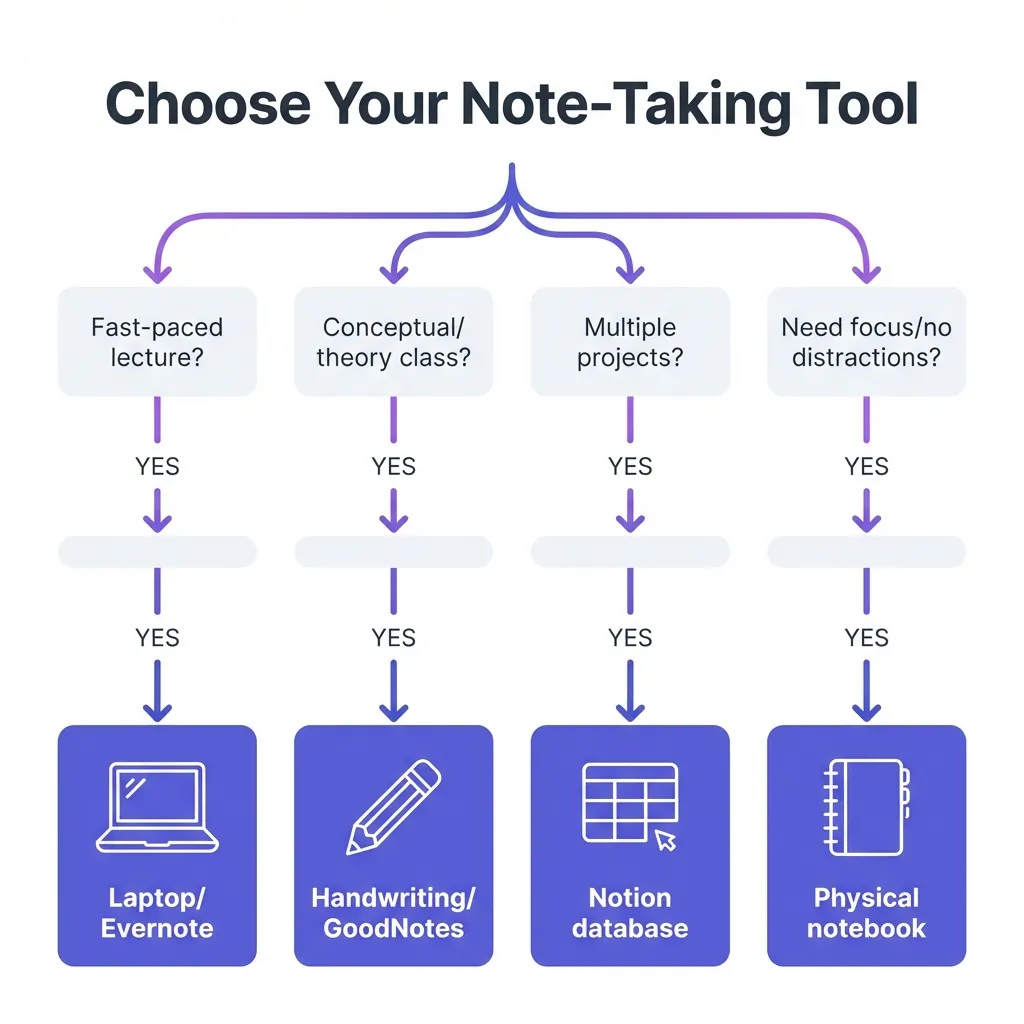
Different learning styles need different tools. Some students think better typing, others need handwriting. Some juggle five classes and need database-level organization. Others want simple notebooks without digital distraction.
The campus productivity apps landscape offers options for every preference.
Your note-taking system determines how easily you review later.
I recommend trying one digital and one analog option. See what sticks after two weeks. Mix methods based on the class (handwrite for conceptual subjects, type for fast-paced lectures).
Tool #1: Notion for All-in-One Organization
Notion acts as your second brain. You can build databases tracking assignments across all courses. The template gallery includes pre-made course planning systems.
Students managing multiple projects love the flexibility. You can nest pages infinitely deep. Custom views allow you to see assignments by deadline or by class.
Tool #2: Evernote for Cross-Device Syncing
Evernote shines when you switch between devices constantly. The web clipper saves research articles instantly. Offline access means you can study without WiFi.
Tag systems help you find notes fast. Search works across handwritten text in images. The basic plan covers most student needs.
Tool #3: GoodNotes for Digital Handwriting
iPad users who prefer handwriting need GoodNotes. Research shows handwriting improves memory encoding versus typing. You get the benefits without paper clutter.
PDF annotation transforms how you interact with textbooks. Highlight, annotate, and organize all in one place. Export notes to share with study groups.
Tool #4: Physical Notebooks for Active Recall
Don't dismiss traditional notebooks. Handwriting forces your brain to process information differently. You can't copy-paste, so you must understand to summarize.
Zero notifications means zero distractions. The Cornell note-taking method works beautifully on paper. Free study tools include printable templates for structured note-taking.
Active Learning and Retention Tools (Tools #5-8)
Just reading won't cut it. Research on active learning shows that self-testing and teaching others dramatically improves retention. You need tools forcing engagement with material.
Active learning feels harder because it is harder.
Flashcards, practice problems, and explaining concepts aloud trigger deeper processing. Spaced repetition beats cramming every time.
Free online study tools make these techniques accessible without expensive software.
When you're learning from videos specifically, AI tools for students can transform hour-long lectures into reviewable summaries. You save time while maintaining comprehension.
Varied practice methods produce the strongest retention.
Tool #5: Anki for Spaced Repetition
Anki's algorithm schedules flashcard reviews for optimal retention. You see cards right before you'd forget them. Medical and language students swear by it.
Pre-made decks exist for common courses. The learning curve is steep but worth it. Students using Anki consistently outperform cramming peers.
Tool #6: Quizlet for Collaborative Study Sets
Quizlet makes flashcards social. Millions of existing study sets cover most courses. You can join study groups and share resources.
Game modes like Match and Gravity make review engaging. The mobile app works great for studying between classes. Teachers often create official class sets.
Tool #7: AI VidSummary for Video Lecture Processing
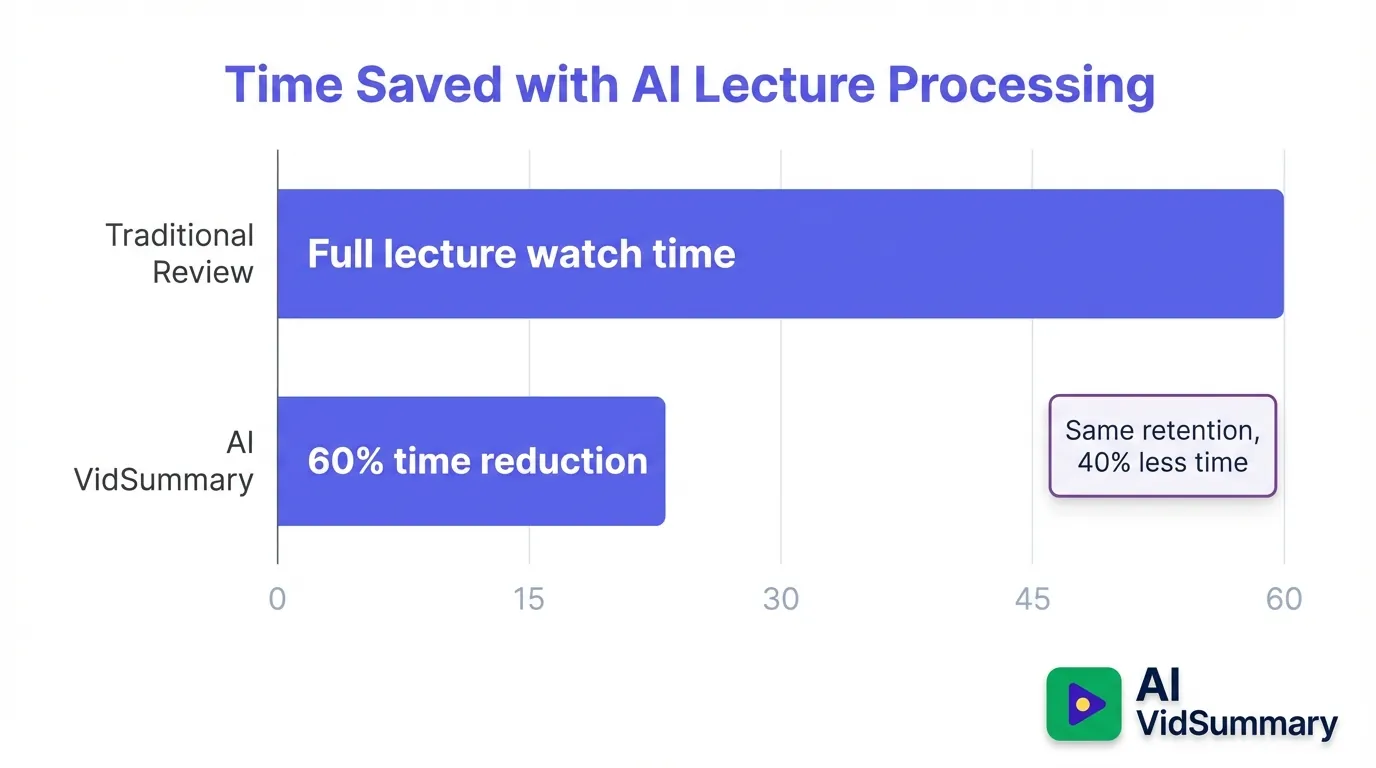
AI VidSummary converts hour-long lectures into three-minute summaries. You get clickable timestamps for quick concept review. This saves massive time when reviewing before exams.
The chat feature allows you to ask specific questions. You can compare multiple lecture videos side-by-side. Students report cutting study time by 60 percent while retaining more.
Tool #8: Feynman Technique Templates
The Feynman Technique is simple: explain concepts like teaching a child. Research proves teaching others improves your own retention. Free Google Docs templates structure this process.
Write everything you know about a topic. Identify gaps where you struggle to explain. Review source material to fill those gaps.
Time Management and Focus Tools (Tools #9-12)
Procrastination destroys more GPAs than difficult material ever will.
Time management research reveals that students using time-blocking consistently outperform those with flexible schedules. You need external structure to replace the built-in accountability high school provided.
As covered in student productivity discussions, constant task juggling pushes actual learning into the background.
Visual schedules and focus timers generate artificial deadlines. Gamification picks up the slack when willpower fades.
You can't manage what you don't measure.
Tool #9: Forest App for Phone-Free Study Sessions
Forest grows virtual trees while you stay off your phone. The visual reward system transforms focus into something tangible. Check Instagram and you kill the tree.
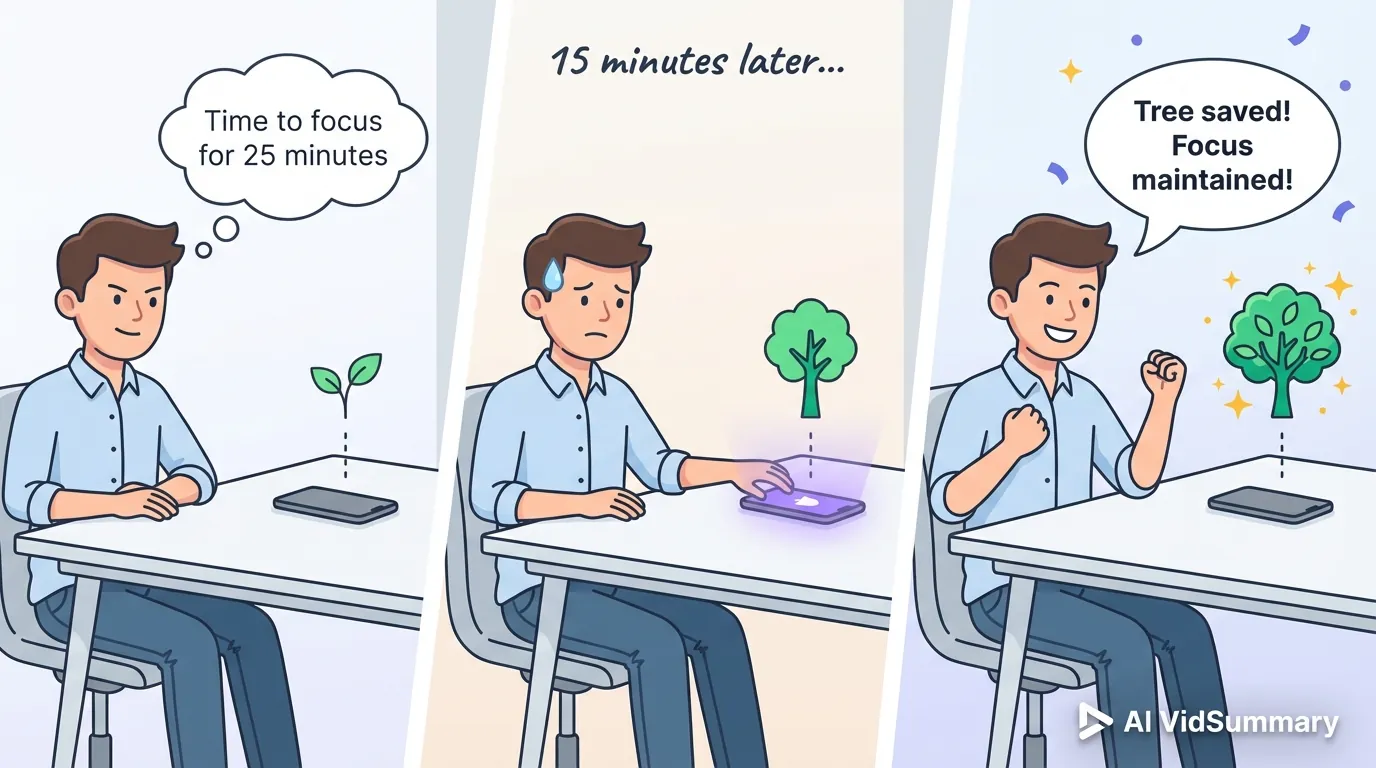
The app plants real trees through partnerships. Friend competitions add accountability. Students report 40 percent longer focus sessions.
Tool #10: Todoist for Assignment Tracking
Todoist accepts natural language input. Type "Essay due Friday at 5pm" and it generates the task. Recurring deadlines handle weekly assignments.
Google Calendar integration displays tasks alongside classes. Priority levels flag urgent work. The free version covers most student needs.
Tool #11: Pomodoro Timer Apps
The Pomodoro Technique relies on 25-minute focus blocks with five-minute breaks. Research on optimal study chunk length backs this rhythm. Marathon sessions cause burnout.
Any timer app works. Focus Booster and Pomofocus are popular free choices. Track completed pomodoros to gauge daily productivity.
Tool #12: Google Calendar for Time Blocking
Visual time blocking stops overcommitment before it starts. Color-code different subjects for quick scanning. Block study time the same way you block classes.
Reminders catch missed deadlines. Share calendars with study groups for coordination. The mobile app keeps you synced across devices.
Collaboration and Accountability Tools (Tools #13-15)
Peer accountability beats grades for course completion. One educator with 500-plus students discovered something interesting: weekly check-ins with group members kept more people finishing courses.

Research from peer accountability in learning shows 1-on-1 accountability partnerships work best.
Study groups need coordination tools. Video collaboration saves time compared to in-person meetings. Groups can review recorded lectures efficiently using AI study assistants and YouTube summarizer for students. Shared note databases prevent duplicate work. Discord study servers create virtual study halls with real-time accountability.
Community provides inspiration but pairs drive consistency.
Tool #13: Discord Study Servers
Discord creates virtual study rooms with voice channels. You can see who's online studying right now. Screen-sharing helps with group problem-solving.
Study-focused servers enforce accountability through check-ins. Text channels organize resources by topic. The social pressure keeps you showing up.
Tool #14: Notion Shared Databases
Collaborative Notion databases centralize group project resources. Real-time editing prevents version control nightmares. Shared assignment trackers show who's handling what.
Template sharing accelerates group setup. Comment threads keep discussions organized. Free plans support unlimited collaborators.
Tool #15: AI VidSummary for Group Video Review
Study groups reviewing recorded lectures together save time with AI VidSummary. Share summaries of complex lecture videos instead of watching together. The chat feature enables discussing specific video moments.
Timestamp citations allow you to verify interpretations. Multi-video comparisons help when professors post multiple lecture versions. Groups report finishing review sessions 70 percent faster.
Research and Writing Tools (Tools #16-17)
Citation management? That's what separates good students from great ones.
Think about all those hours wasted formatting bibliographies manually when you could actually be writing. Grammar checkers spot your mistakes before professors ever see them. Translation tools unlock research from around the world.
Academic writing requires the kind of precision these tools deliver. Smart research organization means you won't be frantically hunting for that perfect source at 2 AM.
Professional tools show you take academic work seriously. Professors absolutely notice clean citations and polished writing.
Writing quality directly impacts how professors perceive your understanding.
Tool #16: Zotero for Citation Management
Zotero's browser extension captures citations with one click. Automatic bibliography generation saves hours during finals. Organize research papers by project with tags.
The free version handles unlimited references. Integration with Word and Google Docs streamlines writing. Shared libraries work great for group research projects.
Tool #17: Grammarly for Writing Quality
Grammarly catches grammar errors in real-time. The clarity checker identifies confusing sentences. Tone detection ensures your writing sounds appropriately academic.
The free version covers essential grammar. Premium adds plagiarism detection and advanced suggestions. Translation tools for research complement Grammarly when working with international sources.
Conclusion
You don't need all 17 tools. Just the right three or four working together.
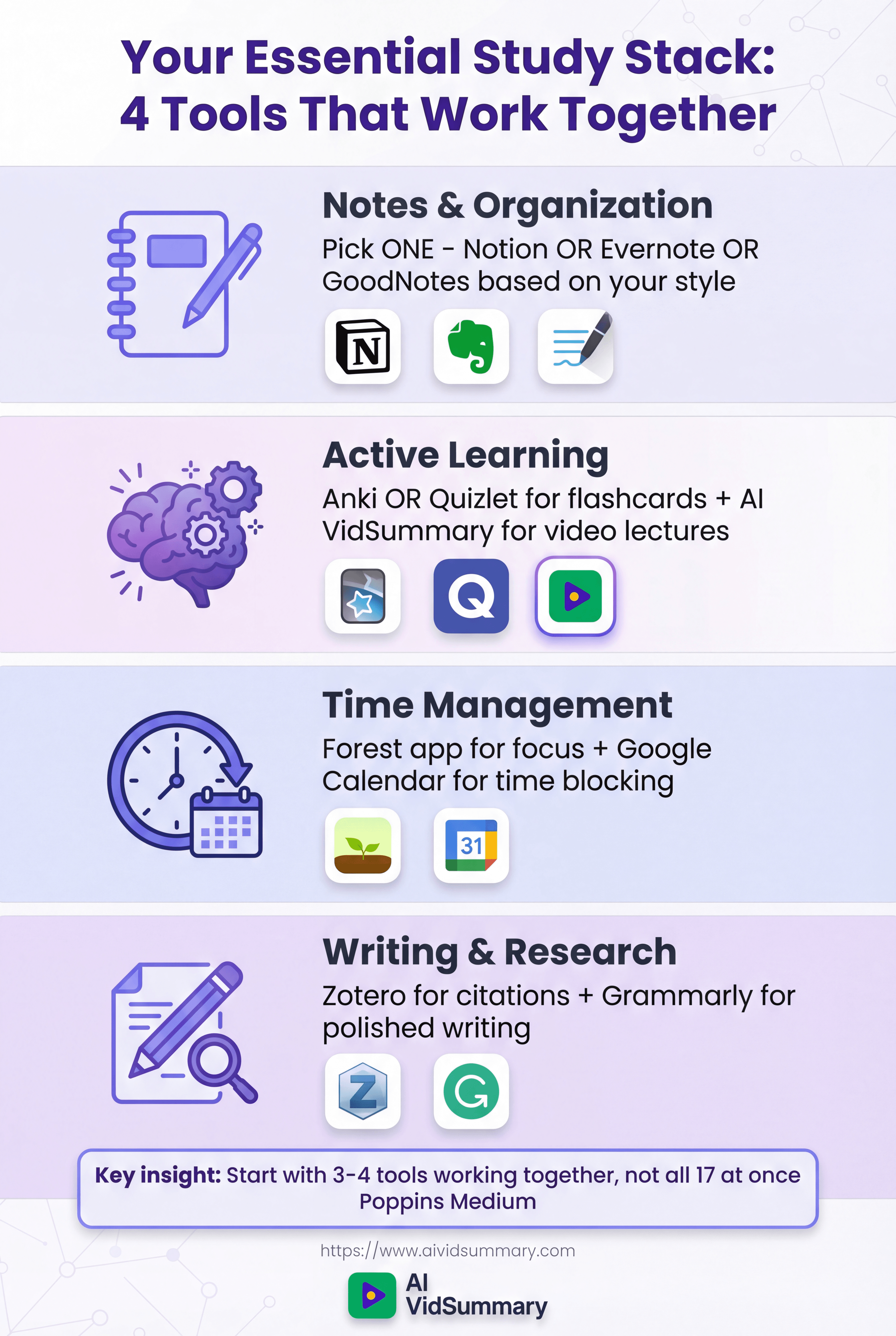
Pick one tool from each category this week. Tatjana from Codum advises: keep the momentum up. Consistency beats perfection.
Share this
About AI Vid Summary Team
We're a passionate team dedicated to transforming how people learn from video content. At AI Vid Summary, we combine cutting-edge AI technology with user-friendly design to help students, professionals, and lifelong learners extract maximum value from YouTube videos and online courses.
Try AI Vid Summary
Loading comments...